What Is a TB Test?
A TB test is a medical screening used to determine whether a person has been infected with Mycobacterium tuberculosis, the bacterium that causes tuberculosis. TB tests do not diagnose active TB disease on their own but identify latent TB infection (LTBI), meaning the bacteria are present in the body without causing symptoms or being contagious.
There are two primary types of TB tests used for screening purposes:
TB screening is governed at the federal level by the Centers for Disease Control and Prevention (CDC) and the Occupational Safety and Health Administration (OSHA). State and local health departments may impose additional or more specific requirements.
Who needs a TB test? Healthcare workers, long-term care facility staff, educators, childcare workers, food service employees, correctional facility personnel, laboratory workers handling TB specimens, and anyone working in close contact with high-risk populations. Many employers in these industries require TB screening as a condition of employment.
Validity period: TB test results are generally considered valid for one year in most employment settings. However, the CDC’s 2019 updated guidelines recommend baseline screening upon hire for healthcare personnel, with serial (annual) testing no longer required unless there is a known exposure event or evidence of ongoing TB transmission at a facility. State and local regulations may still mandate annual testing, so employers should verify their specific jurisdictional requirements.
Why TB Test Compliance Matters for Your Organization
Maintaining current TB test records is about far more than checking a box on a compliance form. It directly affects the safety of your employees, patients, clients, and the broader community.
Regulatory compliance: OSHA’s guidelines, rooted in the CDC’s recommendations, require employers in covered industries to provide TB screening programs. California’s Aerosol Transmissible Disease Standard (Section 5199), for example, requires at least annual TB testing for employees with occupational exposure. Failing to comply with state-specific regulations can result in citations, fines, and corrective action orders.
Patient and public safety: In healthcare settings, an undetected TB infection in a staff member could lead to transmission among patients — particularly those with weakened immune systems. Early detection through routine screening is one of the most effective tools for preventing outbreaks.
Operational continuity: An employee discovered to have an expired TB test during an inspection or audit may need to be pulled from patient-facing duties until testing is completed. This creates staffing gaps, disrupts workflows, and adds unplanned costs.
Legal liability: If a patient or resident contracts TB due to a lapse in employee screening, the organization could face lawsuits, regulatory sanctions, and significant reputational damage.
Accreditation requirements: Many healthcare facilities must demonstrate current TB screening compliance to maintain accreditation through organizations like The Joint Commission (TJC) or state licensing bodies. Lapses can jeopardize accreditation status.
Common Scenarios for Tracking TB Test Expiration Dates
Employee Onboarding in Healthcare Facilities
Hospital HR departments process dozens of new hires each month — nurses, technicians, therapists, support staff. Each new employee needs a baseline TB test documented before beginning patient contact. With staggered start dates, tracking when each person’s annual renewal comes due quickly becomes complicated, especially when some employees have prior positive results requiring chest X-ray follow-ups instead of repeat skin tests.
Annual Compliance Cycles for Long-Term Care Staff
Nursing homes and assisted living facilities often face strict state requirements for annual TB screening. A facility with 150 staff members may have renewal dates spread across every month of the year. Compliance coordinators must track not just when each test expires, but also whether the employee needs a TST, IGRA, or symptom screening based on their testing history.
Contractor and Volunteer Screening
Hospitals, schools, and social service organizations frequently bring on contractors, traveling nurses, student interns, and volunteers who require TB clearance. These individuals may come and go on short assignments, making it easy for their screening records to fall through the cracks if not tracked alongside permanent staff.
Post-Exposure Follow-Up Tracking
When a TB exposure event occurs at a facility, all potentially affected employees need immediate testing and follow-up testing 8 to 10 weeks later. Infection control teams must track two rounds of testing for potentially dozens of employees, all on a tight timeline, while simultaneously managing routine screening schedules.
Multi-Site and Multi-State Operations
Healthcare systems and staffing agencies operating across multiple states must navigate varying TB screening requirements. One state may require annual testing for all healthcare workers while another follows the CDC’s updated recommendation of baseline-only screening. Tracking different rules for different locations adds a layer of complexity that spreadsheets handle poorly.
How to Track TB Test Expiration Dates
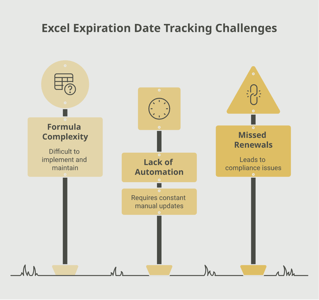
Manually tracking TB test expirations for an entire workforce is challenging for several reasons. Employees have different test dates, different test types (TST vs. IGRA), and different follow-up requirements based on their history. State regulations vary, and CDC guidelines continue to evolve. A single spreadsheet quickly becomes unwieldy when you factor in new hires, departures, post-exposure events, and multi-site operations.
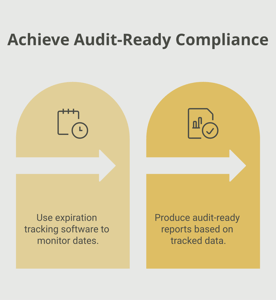
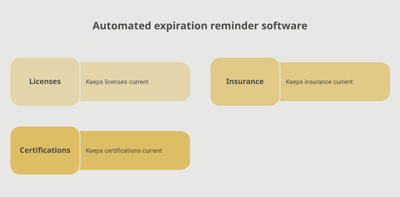
An automated tracking system addresses these challenges by centralizing all TB screening records in one place and sending proactive reminders well before expiration dates arrive. Tools like Expiration Reminder allow you to set up customized notification schedules — for example, alerting employees and their managers 60, 30, and 14 days before a TB test expires. A centralized dashboard gives compliance officers real-time visibility into organization-wide screening status, and audit-ready reports can be generated in seconds rather than hours.
Whether your organization follows annual testing cycles or the CDC’s updated baseline-plus-exposure model, the right tracking system adapts to your specific requirements and keeps everyone aligned.
Key Takeaways
Frequently Asked Questions
What happens if my TB test expires?
If your TB test result passes its validity period (typically one year), you will need to be retested before you can continue working in roles that require current screening. In some states, working with an expired TB test in a covered industry can result in the employee being removed from duty until a new test is completed. Employers may also face regulatory citations during audits.
How long is a TB test good for?
For most employment purposes, a TB test is valid for one year from the date the test was administered. Some employers in lower-risk settings may accept results for longer periods, but healthcare, education, and food service industries generally enforce the one-year standard. Always check your state’s specific requirements, as they may differ.
What is the difference between a TB skin test and a TB blood test?
The TB skin test (TST or PPD) involves injecting a small amount of tuberculin under the skin and reading the reaction 48 to 72 hours later. The TB blood test (IGRA) requires a single blood draw with results typically available in 24 to 48 hours. The blood test is preferred for people who have received the BCG vaccine because it produces fewer false positives. Both are accepted for employment screening in most settings.
Who is required to have a TB test?
The most common industries requiring TB screening include healthcare (hospitals, clinics, nursing homes), education (teachers and school staff), childcare, food service, corrections, and social services. Specific requirements vary by state, but any role involving close contact with vulnerable populations — including patients, children, elderly individuals, or incarcerated persons — typically requires TB clearance.
Can you work with an expired TB test?
In most regulated industries, no. Employers in healthcare, education, and food service are typically required to ensure that all staff maintain current TB screening. An employee with an expired test may be temporarily removed from direct service roles until retesting is completed. The specific consequences depend on your state’s regulations and your employer’s policies.
How far in advance should you start the renewal process?
It is best to begin the renewal process at least 30 days before your TB test expires. This allows time to schedule an appointment, complete the test (which may require a return visit for a skin test reading), and process the results. Organizations that use automated reminders typically set notification triggers at 60, 30, and 14 days before expiration.
Do I need a TB test if I have had the BCG vaccine?
Yes, the BCG (Bacillus Calmette-Guerin) vaccine does not eliminate the need for TB screening. However, because BCG can cause a false-positive reaction on the skin test, the IGRA blood test is generally recommended for individuals who have received the vaccine. The CDC endorses IGRA testing for BCG-vaccinated individuals to avoid unnecessary follow-up procedures.
How much does a TB test cost?
A TB skin test typically costs between $20 and $50 without insurance. An IGRA blood test generally ranges from $50 to $200. Many employers cover the cost of required TB screening as part of their occupational health program. Public health departments may also offer free or reduced-cost testing in some areas.
Conclusion
TB screening is one of those compliance requirements that seems straightforward on the surface but quickly becomes complex when you are managing it across an entire workforce. Different test types, varying state regulations, post-exposure protocols, and employees with unique testing histories all add layers of complexity that manual systems struggle to handle.
The good news is that staying on top of TB test expirations does not have to be stressful. By understanding the screening requirements that apply to your industry and jurisdiction, establishing clear internal policies, and using a centralized tracking tool like Expiration Reminder, you can transform TB compliance from a source of anxiety into a manageable, automated process.
Your employees and the people they serve deserve the peace of mind that comes with knowing every screening is current, every record is accessible, and every deadline is met. With the right system in place, you can focus on what matters most — delivering great care, running your operations, and supporting your team.