

Read time:
15
min

How Barcode Scanning Transforms Expiration Date Management
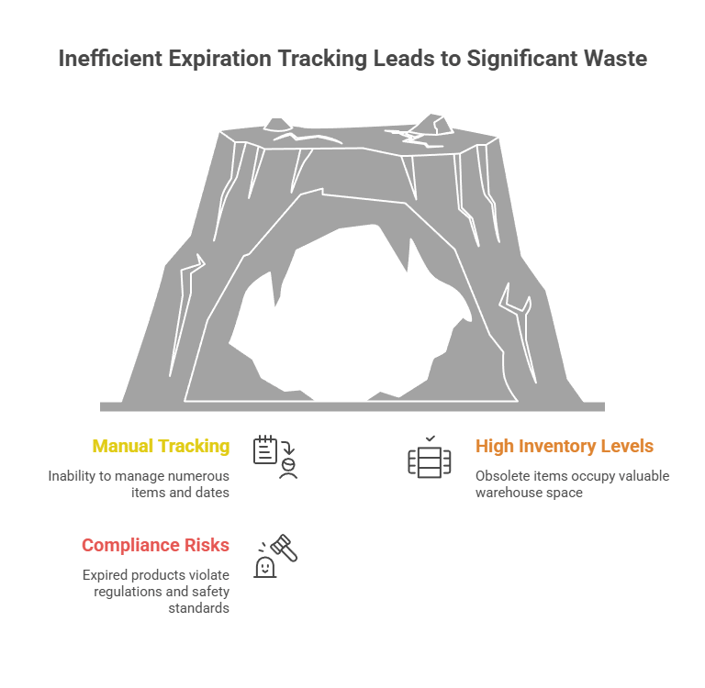
Table of Contents

Share this article
Subscribe
Thank you! Your submission has been received!
Oops! Something went wrong while submitting the form.

How Barcode Scanning Transforms Expiration Date Management

When Manual Tracking Becomes a Liability

Sarah had worked as the inventory coordinator at a mid-sized hospital for seven years. She prided herself on her detailed spreadsheets, color-coded tabs, and meticulous record-keeping. Every Monday morning, she arrived early to manually check expiration dates on surgical supplies, pharmaceuticals, and sterilization equipment across three storage rooms.

Then came the day that changed everything.

During a routine inspection, auditors discovered $47,000 worth of expired surgical supplies that had been logged as "in rotation" in Sarah's spreadsheet. The formula she'd relied on for years had a hidden error—it calculated 30 days from the wrong column. Some items had been expired for months. The hospital faced fines, had to dispose of perfectly good supplies due to documentation gaps, and Sarah spent three sleepless nights reconciling every line in her tracking system.

Sound familiar? You're not alone. Studies show that 94% of business spreadsheets contain errors, many of which go undetected until they create real problems. But there's a better way—one that removes the manual burden and virtually eliminates tracking errors.

Barcode scanning for expiration date management isn't just about speed. It's about creating a reliable, auditable system that protects your organization from waste, compliance violations, and the stress of wondering whether you caught everything.

The Real Cost of Expired Inventory

Before we dive into solutions, let's understand what's really at stake when expiration tracking fails.

Healthcare's $25 Billion Problem

The healthcare industry wastes $25.7 billion annually on supply chain inefficiencies, with product expiration averaging 8-10% of total supply spend. For a hospital spending $100 million annually on medical supplies, that's $8-10 million in products that expire before being used.

Some analyses reveal even more concerning figures: as much as 30% of every hospital's on-hand inventory is bound straight for the trash. That's not just money—it's resources, staff time, and opportunity costs that could have gone toward patient care.

The pattern extends beyond healthcare. In manufacturing and distribution, holding onto obsolete inventory can cost 25% per year in storage, insurance, and depreciation. Every expired item occupies valuable warehouse space that could house sellable products.

Beyond Financial Loss: Compliance and Safety Risks

Expired inventory creates risks that go far beyond the price tag.

In healthcare, using or distributing expired pharmaceuticals can trigger patient safety incidents, regulatory violations, and accreditation issues. With the FDA's Drug Supply Chain Security Act (DSCSA) requirements tightening—small dispensers face a November 27, 2026 deadline for full compliance—the stakes have never been higher.

Construction companies face similar pressures. An expired certificate of insurance (COI) can halt projects, trigger contract violations, and expose firms to liability. Food service operations risk health code violations, product recalls, and reputation damage.

Manual tracking simply can't keep pace with these demands. When you're managing hundreds or thousands of items, each with different expiration dates, lot numbers, and storage locations, spreadsheets become a liability rather than a tool.

How Barcode Technology Solves Expiration Tracking Challenges

Barcode scanning fundamentally changes how organizations track expiration dates—shifting from reactive checking to proactive management.

Understanding GS1 Barcode Standards

The global standard for barcode-based expiration tracking is GS1, a system that encodes multiple data points into a single scannable code.

GS1 uses Application Identifiers (AI) to structure data. The key identifier for expiration dates is AI (17), followed by the date in YYMMDD format. For example, a product expiring on March 15, 2027, would be encoded as 17270315.

This standardization means that any GS1-compliant scanner can read and interpret expiration data consistently, regardless of manufacturer or product type. The barcode can also include additional identifiers:

One important recent change: GS1 standards no longer allow using '00' as a placeholder for the day field in expiration dates as of January 2025. Healthcare manufacturers now must specify exact expiration days, improving precision and reducing ambiguity.

Types of Barcodes for Expiration Data

Different industries use different barcode formats based on their specific needs.

GS1-128 (Code 128)

This linear barcode is common in logistics and warehousing. When formatted with GS1 Application Identifiers, Code 128 can carry expiration dates, batch numbers, and other supply chain data. It's readable by standard handheld scanners and works well for larger packaging.

GS1 DataMatrix

This two-dimensional barcode is the standard in healthcare and pharmaceuticals. DataMatrix stores expiry dates, batch numbers, serial IDs, and GTIN in a small, square format that fits on even tiny packaging like medication vials. The 2D format is more resilient to damage and can be read from any angle.

DataMatrix is particularly important for compliance. GS1 DataMatrix fulfills medicines traceability regulations in more than 75 countries worldwide and is central to DSCSA requirements.

QR Codes

While less common for regulated products, QR codes are gaining traction in food service, retail, and consumer-facing applications. They can encode expiration dates alongside URLs, product information, and usage instructions.

What Information Can Barcodes Capture?

Beyond expiration dates, barcode scanning creates a rich data ecosystem for inventory management.

When a team member scans a barcode, the system can automatically capture:

This data flows directly into your inventory management system, eliminating manual entry and creating an auditable trail of every item from receipt to use or disposal.

Implementing Barcode-Enabled Expiration Management

Successfully implementing barcode scanning requires planning, but the process is more straightforward than many organizations assume.

Choosing the Right Barcode System

Your choice depends on three key factors: industry requirements, volume, and existing infrastructure.

Compliance-Driven Industries

If you operate in healthcare, pharmaceuticals, or regulated food service, your barcode choices are often dictated by industry standards. Healthcare organizations should prioritize GS1 DataMatrix scanners and systems that support DSCSA compliance. Food service operations may need to support both GS1-128 for receiving and internal QR codes for prepared items.

Volume and Complexity

Small operations with a few hundred SKUs can start with basic handheld scanners paired with simple inventory software. Organizations managing thousands of items across multiple locations need enterprise solutions with real-time synchronization, batch scanning capabilities, and robust reporting.

Integration Requirements

The best barcode system is one that integrates seamlessly with your existing tools. Look for solutions that connect with your ERP, warehouse management system (WMS), or practice management software. Cloud-based platforms offer the advantage of real-time updates accessible from anywhere.

One often-overlooked consideration: mobile compatibility. Modern barcode scanning apps can turn smartphones into enterprise-grade scanners, reducing hardware costs while maintaining accuracy.

Integration with Inventory Management

Barcode scanning reaches its full potential when integrated with comprehensive inventory management.

Here's how a well-integrated system works in practice:

Receiving Process

When new inventory arrives, staff scan the barcode on each item or case. The system automatically captures the product details, lot number, and expiration date, then assigns it to a storage location. No manual data entry. No transcription errors.

Storage and Rotation

The system knows what's in each location and when it expires. It can automatically generate pick lists that follow FIFO or FEFO rules (more on this shortly), ensuring older items move first.

Usage and Dispensing

When staff scan items for use or sale, the system updates inventory in real-time and tracks which lot numbers were dispensed. This creates complete traceability—essential for recalls or compliance audits.

Alerts and Notifications

Instead of manually checking spreadsheets, stakeholders receive automated alerts when items approach expiration. These can be customized by product category, value threshold, or lead time needed for reordering.

FIFO vs FEFO: Picking the Right Rotation Strategy

Inventory rotation strategy determines how you prioritize which items to use first.

FIFO (First In, First Out)

FIFO moves the oldest inventory first, based on arrival date. This works well for non-perishable goods or situations where expiration dates are uniform. It's simple to implement and prevents inventory from aging indefinitely.

FEFO (First Expired, First Out)

FEFO prioritizes products with the earliest expiration dates first, regardless of when they arrived. This is critical for perishable goods, pharmaceuticals, and any inventory where expiration dates vary within the same product type.

Here's a real-world example: A hospital receives two shipments of the same surgical glove model on different days. The second shipment happens to have a shorter expiration window due to manufacturing dates. FIFO would use the older shipment first, potentially leading to waste. FEFO ensures the shorter-dated items are used first, maximizing utilization.

Best practices for FEFO implementation include:

Your inventory management system should support either strategy and automate picking recommendations based on your chosen approach.

Industry-Specific Applications

Different industries face unique expiration management challenges—and barcode scanning adapts to each.

Healthcare and Pharmaceutical Compliance

Healthcare organizations operate under some of the strictest expiration tracking requirements.

Tracking expiration dates is critical for patient safety, operational efficiency, and regulatory compliance, using methods such as barcode scanning, inventory management systems, and automated alerts.

The DSCSA regulations require full serialization and traceability. This means every prescription drug package must have a unique barcode that includes GTIN, serial number, lot number, and expiration date. Small dispensers have until November 27, 2026, to comply, making barcode implementation urgent for pharmacies and smaller healthcare facilities.

Beyond compliance, healthcare barcode systems improve patient safety. When each item is assigned a unique barcode containing product name, manufacturer, lot number, and expiration date, healthcare staff can verify medications at the point of care, reducing medication errors.

Food Service and Retail

Restaurants, grocery stores, and food distributors face constant pressure to minimize waste while maintaining food safety.

FEFO is majorly used in the food industry where expired dates are calculated based on batch-expired dates or shelf-life time. Barcode scanning enables automated FEFO rotation, ensuring items with the shortest shelf life move first.

Modern food safety apps leverage barcode scanning to track everything from receiving through preparation. Staff scan products upon delivery to log expiration dates, then the system alerts them as items approach their use-by dates. Some platforms include close to 3 million food barcodes in their databases and can scan multiple items in one pass, dramatically speeding up inventory checks.

For retail operations, barcode scanning reduces shrink (loss from expired products), improves stock rotation, and provides data for smarter purchasing decisions.

Manufacturing and Construction

Manufacturing and construction companies track expiration dates on certifications, safety equipment, chemicals, and materials.

In construction, barcode scanning helps track:

By implementing barcode scanning on equipment and materials, processes become fully auditable and items are traceable, helping deter theft and reduce loss and liability.

Manufacturing operations use barcode scanning to manage:

The common thread across industries is the need for accuracy, auditability, and automated alerts—exactly what barcode systems deliver.

Best Practices for Barcode Expiration Tracking

Implementing barcode technology is one thing. Getting your team to use it effectively is another.

Labeling and Scanning Workflows

Consistency starts with clear labeling standards.

Products should be marked with expiration dates, received dates, or lot numbers that make it obvious which items should move first. Pair this with clear signage in storage areas to help staff follow rotation rules without second-guessing.

If you manufacture or repackage products internally, invest in barcode label printers. Generate GS1-compliant labels that include all relevant data, ensuring compatibility with industry standards.

For scanning workflows, establish clear SOPs:

The goal is to make scanning a habitual part of every inventory interaction, not an occasional check.

Automated Alerts and Notifications

Spreadsheets are passive documents that sit on a shared drive or in the cloud, waiting for someone to open them and check for upcoming expirations—they don't send emails. Automated systems flip this dynamic entirely.

Set up tiered alerts based on your operational needs:

Customize alerts by product category or value threshold. A $50,000 medical device deserves earlier and more frequent alerts than a $5 office supply item.

Make sure alerts go to the right people. Inventory managers need comprehensive reports. Department heads might only need alerts for their specific areas. Purchasing teams need early warnings to adjust future orders.

Staff Training and Adoption

The most sophisticated barcode system fails if your team doesn't use it.

Train warehouse employees on FIFO/FEFO methods and the use of inventory management software to ensure smooth and efficient operations. Include hands-on practice with scanning equipment and clear explanations of why barcode tracking matters.

Focus on the "why" as much as the "how." When staff understand that barcode scanning prevents waste, reduces their own workload (no more manual spreadsheet updates), and protects the organization from compliance violations, adoption improves dramatically.

Start with a pilot program in one department or product category. Work out workflow kinks, gather feedback, and create internal champions who can help train others during rollout.

Overcoming Common Implementation Challenges

Even well-planned barcode implementations face predictable hurdles.

Challenge: Legacy products without barcodes

Solution: Use barcode label printers to create internal labels for existing inventory. Assign your own SKU-based barcodes that include expiration dates and lot numbers.

Challenge: Scanning errors or unreadable codes

Solution: Invest in quality scanners appropriate for your environment. 2D scanners handle damaged codes better than linear scanners. For warehouse environments, consider rugged devices designed for industrial use.

Challenge: Integration with existing systems

Solution: Choose inventory management platforms with robust APIs and pre-built integrations for common ERP and WMS systems. Cloud-based solutions often integrate more easily than legacy on-premise software.

Challenge: Staff resistance to new technology

Solution: Address concerns directly. Highlight time savings and reduced manual work. Involve frontline staff in the selection and testing process to build buy-in.

Challenge: Cost concerns

Solution: Calculate the ROI based on waste reduction and time savings. Most organizations report saving 5-15 hours per week after switching from spreadsheets to automated systems, plus the hard dollar savings from reduced expired inventory waste.

The Future of Expiration Management: AI and Automation

Barcode scanning is just the beginning. The next generation of expiration management systems incorporates artificial intelligence and predictive analytics.

AI-powered systems analyze historical usage patterns to predict which items are at risk of expiring. They can automatically suggest adjusting order quantities, transferring inventory between locations, or running promotions to move slower-selling items.

Computer vision technology is advancing rapidly. Some systems can now scan and extract expiration dates from printed text using smartphone cameras—no barcode required. While not yet as reliable as standard barcodes, this technology helps bridge gaps for legacy products and improves during receiving when suppliers use inconsistent labeling.

Integration with Internet of Things (IoT) devices adds another layer. Smart shelves with built-in scanners can automatically track inventory movement and alert staff when items approach expiration. Temperature sensors paired with barcode data ensure cold chain compliance for pharmaceuticals and perishables.

The throughline in all these innovations is automation. The future of expiration management removes manual checking, reduces human error, and gives organizations the visibility they need to make smarter decisions.

Take Control of Your Expiration Tracking Today

Manual expiration tracking doesn't scale. Spreadsheets create risk. Barcode scanning offers a proven path to automated, accurate, and audit-ready expiration management.

Whether you're managing pharmaceuticals in a hospital, food inventory in a restaurant, or construction materials on a job site, the principles remain the same: capture data automatically, enforce rotation rules systematically, and alert stakeholders proactively.

The technology exists. The standards are established. The ROI is clear.

The question isn't whether to implement barcode expiration management—it's when.

Ready to eliminate expiration tracking headaches and protect your organization from costly waste? Expiration Reminder combines barcode scanning, automated alerts, and intelligent reporting in one platform. Start a free trial today and experience the difference automation makes.

P.S. Every day you rely on manual tracking is another day your organization risks expired inventory waste, compliance violations, and operational disruptions. Barcode-enabled automation removes the guesswork and gives you peace of mind. Isn't it time to upgrade?

Share this article
Subscribe
Thank you! Your submission has been received!
Oops! Something went wrong while submitting the form.

How Barcode Scanning Transforms Expiration Date Management

Table of Contents

Share this article

How Barcode Scanning Transforms Expiration Date Management

When Manual Tracking Becomes a Liability

Sarah had worked as the inventory coordinator at a mid-sized hospital for seven years. She prided herself on her detailed spreadsheets, color-coded tabs, and meticulous record-keeping. Every Monday morning, she arrived early to manually check expiration dates on surgical supplies, pharmaceuticals, and sterilization equipment across three storage rooms.

Then came the day that changed everything.

During a routine inspection, auditors discovered $47,000 worth of expired surgical supplies that had been logged as "in rotation" in Sarah's spreadsheet. The formula she'd relied on for years had a hidden error—it calculated 30 days from the wrong column. Some items had been expired for months. The hospital faced fines, had to dispose of perfectly good supplies due to documentation gaps, and Sarah spent three sleepless nights reconciling every line in her tracking system.

Sound familiar? You're not alone. Studies show that 94% of business spreadsheets contain errors, many of which go undetected until they create real problems. But there's a better way—one that removes the manual burden and virtually eliminates tracking errors.

Barcode scanning for expiration date management isn't just about speed. It's about creating a reliable, auditable system that protects your organization from waste, compliance violations, and the stress of wondering whether you caught everything.

The Real Cost of Expired Inventory

Before we dive into solutions, let's understand what's really at stake when expiration tracking fails.

Healthcare's $25 Billion Problem

The healthcare industry wastes $25.7 billion annually on supply chain inefficiencies, with product expiration averaging 8-10% of total supply spend. For a hospital spending $100 million annually on medical supplies, that's $8-10 million in products that expire before being used.

Some analyses reveal even more concerning figures: as much as 30% of every hospital's on-hand inventory is bound straight for the trash. That's not just money—it's resources, staff time, and opportunity costs that could have gone toward patient care.

The pattern extends beyond healthcare. In manufacturing and distribution, holding onto obsolete inventory can cost 25% per year in storage, insurance, and depreciation. Every expired item occupies valuable warehouse space that could house sellable products.

Beyond Financial Loss: Compliance and Safety Risks

Expired inventory creates risks that go far beyond the price tag.

In healthcare, using or distributing expired pharmaceuticals can trigger patient safety incidents, regulatory violations, and accreditation issues. With the FDA's Drug Supply Chain Security Act (DSCSA) requirements tightening—small dispensers face a November 27, 2026 deadline for full compliance—the stakes have never been higher.

Construction companies face similar pressures. An expired certificate of insurance (COI) can halt projects, trigger contract violations, and expose firms to liability. Food service operations risk health code violations, product recalls, and reputation damage.

Manual tracking simply can't keep pace with these demands. When you're managing hundreds or thousands of items, each with different expiration dates, lot numbers, and storage locations, spreadsheets become a liability rather than a tool.

How Barcode Technology Solves Expiration Tracking Challenges

Barcode scanning fundamentally changes how organizations track expiration dates—shifting from reactive checking to proactive management.

Understanding GS1 Barcode Standards

The global standard for barcode-based expiration tracking is GS1, a system that encodes multiple data points into a single scannable code.

GS1 uses Application Identifiers (AI) to structure data. The key identifier for expiration dates is AI (17), followed by the date in YYMMDD format. For example, a product expiring on March 15, 2027, would be encoded as 17270315.

This standardization means that any GS1-compliant scanner can read and interpret expiration data consistently, regardless of manufacturer or product type. The barcode can also include additional identifiers:

One important recent change: GS1 standards no longer allow using '00' as a placeholder for the day field in expiration dates as of January 2025. Healthcare manufacturers now must specify exact expiration days, improving precision and reducing ambiguity.

Types of Barcodes for Expiration Data

Different industries use different barcode formats based on their specific needs.

GS1-128 (Code 128)

This linear barcode is common in logistics and warehousing. When formatted with GS1 Application Identifiers, Code 128 can carry expiration dates, batch numbers, and other supply chain data. It's readable by standard handheld scanners and works well for larger packaging.

GS1 DataMatrix

This two-dimensional barcode is the standard in healthcare and pharmaceuticals. DataMatrix stores expiry dates, batch numbers, serial IDs, and GTIN in a small, square format that fits on even tiny packaging like medication vials. The 2D format is more resilient to damage and can be read from any angle.

DataMatrix is particularly important for compliance. GS1 DataMatrix fulfills medicines traceability regulations in more than 75 countries worldwide and is central to DSCSA requirements.

QR Codes

While less common for regulated products, QR codes are gaining traction in food service, retail, and consumer-facing applications. They can encode expiration dates alongside URLs, product information, and usage instructions.

What Information Can Barcodes Capture?

Beyond expiration dates, barcode scanning creates a rich data ecosystem for inventory management.

When a team member scans a barcode, the system can automatically capture:

This data flows directly into your inventory management system, eliminating manual entry and creating an auditable trail of every item from receipt to use or disposal.

Implementing Barcode-Enabled Expiration Management

Successfully implementing barcode scanning requires planning, but the process is more straightforward than many organizations assume.

Choosing the Right Barcode System

Your choice depends on three key factors: industry requirements, volume, and existing infrastructure.

Compliance-Driven Industries

If you operate in healthcare, pharmaceuticals, or regulated food service, your barcode choices are often dictated by industry standards. Healthcare organizations should prioritize GS1 DataMatrix scanners and systems that support DSCSA compliance. Food service operations may need to support both GS1-128 for receiving and internal QR codes for prepared items.

Volume and Complexity

Small operations with a few hundred SKUs can start with basic handheld scanners paired with simple inventory software. Organizations managing thousands of items across multiple locations need enterprise solutions with real-time synchronization, batch scanning capabilities, and robust reporting.

Integration Requirements

The best barcode system is one that integrates seamlessly with your existing tools. Look for solutions that connect with your ERP, warehouse management system (WMS), or practice management software. Cloud-based platforms offer the advantage of real-time updates accessible from anywhere.

One often-overlooked consideration: mobile compatibility. Modern barcode scanning apps can turn smartphones into enterprise-grade scanners, reducing hardware costs while maintaining accuracy.

Integration with Inventory Management

Barcode scanning reaches its full potential when integrated with comprehensive inventory management.

Here's how a well-integrated system works in practice:

Receiving Process

When new inventory arrives, staff scan the barcode on each item or case. The system automatically captures the product details, lot number, and expiration date, then assigns it to a storage location. No manual data entry. No transcription errors.

Storage and Rotation

The system knows what's in each location and when it expires. It can automatically generate pick lists that follow FIFO or FEFO rules (more on this shortly), ensuring older items move first.

Usage and Dispensing

When staff scan items for use or sale, the system updates inventory in real-time and tracks which lot numbers were dispensed. This creates complete traceability—essential for recalls or compliance audits.

Alerts and Notifications

Instead of manually checking spreadsheets, stakeholders receive automated alerts when items approach expiration. These can be customized by product category, value threshold, or lead time needed for reordering.

FIFO vs FEFO: Picking the Right Rotation Strategy

Inventory rotation strategy determines how you prioritize which items to use first.

FIFO (First In, First Out)

FIFO moves the oldest inventory first, based on arrival date. This works well for non-perishable goods or situations where expiration dates are uniform. It's simple to implement and prevents inventory from aging indefinitely.

FEFO (First Expired, First Out)

FEFO prioritizes products with the earliest expiration dates first, regardless of when they arrived. This is critical for perishable goods, pharmaceuticals, and any inventory where expiration dates vary within the same product type.

Here's a real-world example: A hospital receives two shipments of the same surgical glove model on different days. The second shipment happens to have a shorter expiration window due to manufacturing dates. FIFO would use the older shipment first, potentially leading to waste. FEFO ensures the shorter-dated items are used first, maximizing utilization.

Best practices for FEFO implementation include:

Your inventory management system should support either strategy and automate picking recommendations based on your chosen approach.

Industry-Specific Applications

Different industries face unique expiration management challenges—and barcode scanning adapts to each.

Healthcare and Pharmaceutical Compliance

Healthcare organizations operate under some of the strictest expiration tracking requirements.

Tracking expiration dates is critical for patient safety, operational efficiency, and regulatory compliance, using methods such as barcode scanning, inventory management systems, and automated alerts.

The DSCSA regulations require full serialization and traceability. This means every prescription drug package must have a unique barcode that includes GTIN, serial number, lot number, and expiration date. Small dispensers have until November 27, 2026, to comply, making barcode implementation urgent for pharmacies and smaller healthcare facilities.

Beyond compliance, healthcare barcode systems improve patient safety. When each item is assigned a unique barcode containing product name, manufacturer, lot number, and expiration date, healthcare staff can verify medications at the point of care, reducing medication errors.

Food Service and Retail

Restaurants, grocery stores, and food distributors face constant pressure to minimize waste while maintaining food safety.

FEFO is majorly used in the food industry where expired dates are calculated based on batch-expired dates or shelf-life time. Barcode scanning enables automated FEFO rotation, ensuring items with the shortest shelf life move first.

Modern food safety apps leverage barcode scanning to track everything from receiving through preparation. Staff scan products upon delivery to log expiration dates, then the system alerts them as items approach their use-by dates. Some platforms include close to 3 million food barcodes in their databases and can scan multiple items in one pass, dramatically speeding up inventory checks.

For retail operations, barcode scanning reduces shrink (loss from expired products), improves stock rotation, and provides data for smarter purchasing decisions.

Manufacturing and Construction

Manufacturing and construction companies track expiration dates on certifications, safety equipment, chemicals, and materials.

In construction, barcode scanning helps track:

By implementing barcode scanning on equipment and materials, processes become fully auditable and items are traceable, helping deter theft and reduce loss and liability.

Manufacturing operations use barcode scanning to manage:

The common thread across industries is the need for accuracy, auditability, and automated alerts—exactly what barcode systems deliver.

Best Practices for Barcode Expiration Tracking

Implementing barcode technology is one thing. Getting your team to use it effectively is another.

Labeling and Scanning Workflows

Consistency starts with clear labeling standards.

Products should be marked with expiration dates, received dates, or lot numbers that make it obvious which items should move first. Pair this with clear signage in storage areas to help staff follow rotation rules without second-guessing.

If you manufacture or repackage products internally, invest in barcode label printers. Generate GS1-compliant labels that include all relevant data, ensuring compatibility with industry standards.

For scanning workflows, establish clear SOPs:

The goal is to make scanning a habitual part of every inventory interaction, not an occasional check.

Automated Alerts and Notifications

Spreadsheets are passive documents that sit on a shared drive or in the cloud, waiting for someone to open them and check for upcoming expirations—they don't send emails. Automated systems flip this dynamic entirely.

Set up tiered alerts based on your operational needs:

Customize alerts by product category or value threshold. A $50,000 medical device deserves earlier and more frequent alerts than a $5 office supply item.

Make sure alerts go to the right people. Inventory managers need comprehensive reports. Department heads might only need alerts for their specific areas. Purchasing teams need early warnings to adjust future orders.

Staff Training and Adoption

The most sophisticated barcode system fails if your team doesn't use it.

Train warehouse employees on FIFO/FEFO methods and the use of inventory management software to ensure smooth and efficient operations. Include hands-on practice with scanning equipment and clear explanations of why barcode tracking matters.

Focus on the "why" as much as the "how." When staff understand that barcode scanning prevents waste, reduces their own workload (no more manual spreadsheet updates), and protects the organization from compliance violations, adoption improves dramatically.

Start with a pilot program in one department or product category. Work out workflow kinks, gather feedback, and create internal champions who can help train others during rollout.

Overcoming Common Implementation Challenges

Even well-planned barcode implementations face predictable hurdles.

Challenge: Legacy products without barcodes

Solution: Use barcode label printers to create internal labels for existing inventory. Assign your own SKU-based barcodes that include expiration dates and lot numbers.

Challenge: Scanning errors or unreadable codes

Solution: Invest in quality scanners appropriate for your environment. 2D scanners handle damaged codes better than linear scanners. For warehouse environments, consider rugged devices designed for industrial use.

Challenge: Integration with existing systems

Solution: Choose inventory management platforms with robust APIs and pre-built integrations for common ERP and WMS systems. Cloud-based solutions often integrate more easily than legacy on-premise software.

Challenge: Staff resistance to new technology

Solution: Address concerns directly. Highlight time savings and reduced manual work. Involve frontline staff in the selection and testing process to build buy-in.

Challenge: Cost concerns

Solution: Calculate the ROI based on waste reduction and time savings. Most organizations report saving 5-15 hours per week after switching from spreadsheets to automated systems, plus the hard dollar savings from reduced expired inventory waste.

The Future of Expiration Management: AI and Automation

Barcode scanning is just the beginning. The next generation of expiration management systems incorporates artificial intelligence and predictive analytics.

AI-powered systems analyze historical usage patterns to predict which items are at risk of expiring. They can automatically suggest adjusting order quantities, transferring inventory between locations, or running promotions to move slower-selling items.

Computer vision technology is advancing rapidly. Some systems can now scan and extract expiration dates from printed text using smartphone cameras—no barcode required. While not yet as reliable as standard barcodes, this technology helps bridge gaps for legacy products and improves during receiving when suppliers use inconsistent labeling.

Integration with Internet of Things (IoT) devices adds another layer. Smart shelves with built-in scanners can automatically track inventory movement and alert staff when items approach expiration. Temperature sensors paired with barcode data ensure cold chain compliance for pharmaceuticals and perishables.

The throughline in all these innovations is automation. The future of expiration management removes manual checking, reduces human error, and gives organizations the visibility they need to make smarter decisions.

Take Control of Your Expiration Tracking Today

Manual expiration tracking doesn't scale. Spreadsheets create risk. Barcode scanning offers a proven path to automated, accurate, and audit-ready expiration management.

Whether you're managing pharmaceuticals in a hospital, food inventory in a restaurant, or construction materials on a job site, the principles remain the same: capture data automatically, enforce rotation rules systematically, and alert stakeholders proactively.

The technology exists. The standards are established. The ROI is clear.

The question isn't whether to implement barcode expiration management—it's when.

Ready to eliminate expiration tracking headaches and protect your organization from costly waste? Expiration Reminder combines barcode scanning, automated alerts, and intelligent reporting in one platform. Start a free trial today and experience the difference automation makes.

P.S. Every day you rely on manual tracking is another day your organization risks expired inventory waste, compliance violations, and operational disruptions. Barcode-enabled automation removes the guesswork and gives you peace of mind. Isn't it time to upgrade?

Excel in your subscriptions management
You can eliminate challenges if you have a strong organizational development blueprint.
Read time:
This is some text inside of a div block.
min

Heading

Table of Contents

Share this article
Subscribe
Thank you! Your submission has been received!
Oops! Something went wrong while submitting the form.

What’s a Rich Text element?

What’s a Rich Text element?

The rich text element allows you to create and format headings, paragraphs, blockquotes, images, and video all in one place instead of having to add and format them individually. Just double-click and easily create content.

The rich text element allows you to create and format headings, paragraphs, blockquotes, images, and video all in one place instead of having to add and format them individually. Just double-click and easily create content.

Static and dynamic content editing

Static and dynamic content editing

A rich text element can be used with static or dynamic content. For static content, just drop it into any page and begin editing. For dynamic content, add a rich text field to any collection and then connect a rich text element to that field in the settings panel. Voila!

A rich text element can be used with static or dynamic content. For static content, just drop it into any page and begin editing. For dynamic content, add a rich text field to any collection and then connect a rich text element to that field in the settings panel. Voila!

How to customize formatting for each rich text

How to customize formatting for each rich text

Headings, paragraphs, blockquotes, figures, images, and figure captions can all be styled after a class is added to the rich text element using the "When inside of" nested selector system.

Headings, paragraphs, blockquotes, figures, images, and figure captions can all be styled after a class is added to the rich text element using the "When inside of" nested selector system.
Share this article
Subscribe
Thank you! Your submission has been received!
Oops! Something went wrong while submitting the form.

Keep on reading