First Aid Certification
What Is First Aid Certification?
First aid certification is a credential that verifies an individual has completed training in emergency response techniques for injuries and sudden illnesses. This training covers a range of skills, from treating wounds, burns, and fractures to recognizing the signs of stroke, managing allergic reactions, and responding to choking emergencies.
Issuing Authorities
First aid certification is offered by several nationally recognized organizations:
- American Red Cross — One of the most widely recognized providers, offering first aid courses for workplaces, schools, and the general public
- American Heart Association (AHA) — Provides Heartsaver First Aid courses designed for workplace and community settings
- Health & Safety Institute (HSI/ASHI) — Offers first aid training programs tailored to various industries
- National Safety Council (NSC) — Provides first aid courses with a focus on occupational health and safety
Who Is Required to Have It?
First aid certification is required or recommended for professionals across many industries:
- Construction workers and supervisors — OSHA standard 29 CFR 1926.50 requires trained first aid providers on construction sites when medical facilities are not nearby
- Manufacturing and warehouse employees — Designated safety responders in industrial settings
- Childcare providers — Most states require pediatric first aid certification for staff in licensed childcare facilities
- School teachers and staff — Many states and districts require teachers, coaches, and administrators to hold first aid certification
- Healthcare support staff — Administrative and support personnel often need standard first aid training
- Corporate designated responders — OSHA's general industry standard (29 CFR 1910.151) requires trained first aid providers when worksites lack nearby medical facilities
- Outdoor recreation and camp staff — Camp counselors, hiking guides, and outdoor education instructors
How to Obtain First Aid Certification
First aid certification courses are available in several formats:
- In-person classes — Led by certified instructors, combining lecture with hands-on practice using bandaging, splinting, and other skills
- Blended learning — Online coursework followed by a shorter in-person skills session
- Online courses — Available for general awareness, though OSHA-regulated workplaces typically require a hands-on component
Courses typically take 4 to 8 hours to complete, depending on the provider and the depth of content covered.
Validity Period and Renewal Cycle
First aid certification is generally valid for two years from the date of completion, though some providers and state regulations extend this to three years. The American Red Cross and AHA both issue certifications with a two-year validity period. Renewal courses are shorter than initial certification courses and are available to those who renew before their current certification expires.
Why First Aid Certification Matters for Your Organization
Compliance and Legal Requirements
OSHA's general industry standard (29 CFR 1910.151(b)) is clear: if your workplace is not near a hospital, clinic, or infirmary, you must have personnel trained in first aid on-site. For construction sites, 29 CFR 1926.50(c) imposes the same requirement. Many state regulations add additional mandates, particularly for childcare facilities, schools, and food service operations.
Failing to maintain properly certified first aid responders can result in OSHA citations, fines, and, in serious cases, legal liability if an employee is injured and adequate first aid response was not available.
Operational Impact
When your designated first aid responders have current certifications, your workplace can respond to injuries quickly and effectively, reducing the severity of incidents and getting employees back to work faster. Conversely, when certifications lapse, you may find yourself without qualified responders during critical moments, leading to delayed care, increased injury severity, and potential operational shutdowns during incident investigations.
Risk of Expiration
Allowing first aid certifications to expire creates measurable risk:
- OSHA fines — Citations for lacking trained first aid providers can result in significant penalties
- Legal liability — If an employee is injured and no certified responder is available, the organization faces increased legal exposure
- Safety gaps — First aid skills degrade over time. Without regular renewal, responders may not recall proper techniques when seconds count
- Licensing issues — For childcare centers, schools, and other licensed facilities, expired certifications can jeopardize operating licenses
Common Scenarios for Tracking First Aid Certification Expiration Dates
HR Departments Managing Employee Compliance Records
HR teams in organizations with safety-sensitive roles often manage first aid certification records for dozens or hundreds of employees. Each employee may have completed training at different times, through different providers, creating a patchwork of expiration dates that requires constant attention. Without a systematic tracking approach, it is easy for renewals to be overlooked until an audit or inspection reveals the gap.
Safety Managers on Construction Sites
Construction safety managers are responsible for ensuring that every active job site has at least one worker with current first aid certification, as required by OSHA. With workers rotating between projects and subcontractors bringing their own crews, tracking who holds valid certification at any given moment is a daily operational concern.
Childcare Center Administrators Maintaining State Licensing
State licensing agencies conduct regular and unannounced inspections of childcare facilities, and staff first aid certification is a core compliance item. If an inspector finds that required certifications have expired, the center may face corrective action, fines, or even temporary closure. Administrators need reliable advance warnings so they can schedule renewal training without disrupting staffing.
School District Compliance Coordinators
School districts managing hundreds of staff members across multiple campuses face a unique challenge: different state requirements, varying district policies, and a large number of certified individuals whose credentials expire at different times throughout the year. Compliance coordinators need a centralized system that gives them visibility across all locations.
Manufacturing Plant Safety Teams
In manufacturing environments where machinery-related injuries can occur, having certified first aid responders on every shift is critical. Safety teams need to track not just who is certified, but also which shifts and locations have adequate coverage. When a certified responder leaves or their credential expires, the gap must be filled immediately to maintain compliance and safety readiness.
How First Aid Certification Benefits Your Company and Employees
For the Company
- Compliance assurance — Meet OSHA, state, and industry-specific requirements consistently
- Risk mitigation — Reduce legal liability by ensuring trained responders are always available
- Operational continuity — Minimize the impact of workplace injuries through faster, more effective response
- Audit readiness — Maintain organized, current records that stand up to regulatory scrutiny
- Insurance benefits — Some insurers offer reduced premiums for organizations that maintain comprehensive first aid training programs
For Employees
- Personal safety — Working alongside trained colleagues creates a safer environment
- Professional development — First aid certification is a transferable skill that enhances an employee's professional profile
- Confidence — Trained employees feel empowered to respond in emergencies, both at work and in their personal lives
- Job security — Maintaining required certifications ensures continued eligibility for safety-sensitive roles
For Clients and Customers
- Trust and confidence — Knowing that your team is trained in emergency response builds trust with clients and visitors
- Quality assurance — Current certifications demonstrate your commitment to operating at the highest safety standards
- Regulatory confidence — Clients in regulated industries can trust that your organization meets all applicable compliance requirements
How to Track First Aid Certification Expiration Dates
As your organization grows, so does the complexity of tracking first aid certifications. Here is how to approach it effectively.
Challenges of Manual Tracking
Spreadsheets and calendar reminders are where most organizations start, and they can work adequately for small teams. But as headcount grows and multiple certification types come into play, manual methods introduce real risk:
- Spreadsheets are prone to data entry errors, version control issues, and accidental deletions
- Calendar reminders depend on individual diligence and are easily dismissed or overlooked
- Generating reports for audits or inspections requires significant manual effort
- There is no centralized visibility for managers who need to see team-wide compliance at a glance
- Employee turnover creates gaps that are easy to miss without systematic tracking
Benefits of Automated Tracking
Automated expiration tracking systems address each of these pain points by providing a single source of truth for all certification data. Benefits include:
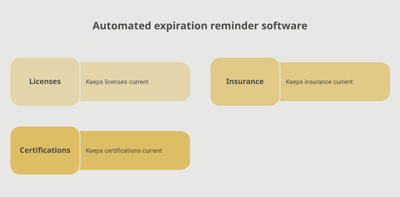
- Proactive reminders — Automated alerts sent to employees and managers well before expiration dates, with customizable timing
- Centralized dashboard — Real-time visibility into the certification status of every team member, across all locations and departments
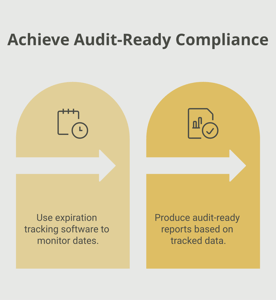
- Instant reporting — Generate audit-ready compliance reports with a few clicks, rather than hours of manual compilation
- Accountability — Clear documentation of who was notified, when, and whether action was taken
- Scalability — A system that works just as well for 10 employees as it does for 10,000
Expiration Reminder is built for exactly this use case — providing organizations with automated tracking, proactive renewal notifications, and centralized compliance management for first aid certifications and other critical credentials.
Key Takeaways
- First aid certification is valid for two years (or up to three years with some providers) and is required by OSHA for workplaces without nearby medical facilities.
- Major certifying organizations include the American Red Cross, American Heart Association, Health & Safety Institute, and National Safety Council.
- OSHA standards 29 CFR 1910.151 (general industry) and 29 CFR 1926.50 (construction) mandate trained first aid providers on qualifying worksites.
- Childcare facilities, schools, and manufacturing plants face additional state and industry-specific requirements for first aid certification.
- Expired certifications create compliance risk, legal liability, safety gaps, and potential operational disruptions.
- Manual tracking with spreadsheets becomes unreliable as organizations grow — automated systems offer a more dependable approach.
- Begin the renewal process at least 60 to 90 days before expiration to allow time for course scheduling, especially for group training.
Frequently Asked Questions
What happens if my first aid certification expires?
If your first aid certification expires, you may need to complete the full certification course again rather than a shorter renewal class. For employees in safety-sensitive roles, an expired certification may mean you cannot serve as a designated first aid responder until you are recertified. Your employer could also face OSHA citations if required responders are not properly certified.
How long does first aid certification last?
Most first aid certifications are valid for two years from the date of completion. Some providers or state regulations allow a three-year validity period. The American Red Cross and American Heart Association both offer two-year certifications. Regardless of the formal validity period, refresher training is recommended annually to keep skills sharp.
How long does it take to get first aid certified?
An initial first aid certification course typically takes 4 to 8 hours, depending on the provider and whether the course is in-person or blended learning. Renewal courses are shorter, often 3 to 4 hours. Blended learning formats allow you to complete the knowledge portion online at your own pace before attending a shorter in-person skills session.
Who is required to have first aid certification?
OSHA requires trained first aid providers at worksites without nearby medical facilities, which applies across general industry, construction, manufacturing, and other sectors. Childcare providers, school staff, camp counselors, and certain healthcare support roles are also commonly required to hold first aid certification. Requirements vary by state and employer.
Can you provide first aid at work without certification?
Anyone can attempt to provide basic first aid in an emergency, and Good Samaritan laws in most states offer legal protection for lay responders acting in good faith. However, employers who are required by OSHA to have designated first aid responders must ensure those individuals hold valid certifications. Providing first aid without proper training also carries a higher risk of causing unintended harm.
How far in advance should you start the renewal process?
Plan to begin the renewal process 60 to 90 days before your certification expires. This gives you time to research available courses, register, and complete training before your current credential lapses. For organizations scheduling group training, starting three to four months in advance is advisable to coordinate schedules and secure instructor availability.
What is the difference between first aid certification and CPR certification?
First aid certification covers a broad range of emergency response skills, including wound care, burn treatment, fracture management, and recognizing signs of serious medical conditions. CPR certification focuses specifically on cardiopulmonary resuscitation and AED use for cardiac and breathing emergencies. Many training providers offer combined first aid and CPR courses, and many employers require both certifications.
How much does first aid certification cost?
First aid certification courses typically cost between $30 and $150, depending on the provider, format, and depth of training. Combined first aid and CPR courses may cost more. Group training rates are often available for organizations certifying multiple employees, which can reduce the per-person cost significantly.
Conclusion
First aid certification is a foundational element of workplace safety. It equips your team with the skills to respond effectively when injuries occur, keeps your organization in compliance with OSHA and state regulations, and demonstrates a genuine commitment to the well-being of your employees.
The challenge is not in understanding why first aid certification matters — most organizations already know that. The challenge is in staying on top of expiration dates, especially as your team grows and certification timelines overlap. By moving from reactive, manual tracking to proactive, automated systems like Expiration Reminder, you can ensure that every credential is current, every audit goes smoothly, and every workplace is prepared.
Your employees deserve the confidence that comes with knowing a trained responder is always nearby. With the right tracking approach, you can deliver on that promise every day.
Make sure your company is compliant
Say goodbye to outdated spreadsheets and hello to centralized credential management. Avoid fines and late penalties by managing your employee certifications with Expiration Reminder.