A Pay Group is a classification used by payroll systems to group employees who share the same pay schedule, frequency, or method of payment. It helps streamline payroll processing by applying consistent rules to a set of employees. Pay groups can be organized by factors such as location, department, union status, or employment type (for example, hourly versus salaried).
This structure ensures that payroll calculations, tax withholdings, and payment timelines are accurately and efficiently managed. Using pay groups also simplifies compliance with regional labor laws and internal payroll policies.
Simplify credential management
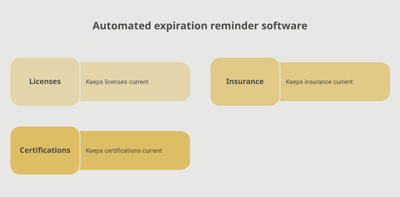
Tracking employee certifications and licenses doesn't have to be complicated. Expiration Reminder helps you send automated notification and keep your company compliant.
.png?width=2520&height=1800&name=67a0f630d9bbadc84df0deb5_AI_Scanner_1%20(1).png)
Key Facts
- Grouping: Pay groups categorize employees based on how and when they are paid (for example, salaried versus hourly, biweekly versus monthly).
- Efficiency: Allows payroll teams to process payments accurately and efficiently for large organizations.
- Customization: Different groups may have unique tax rules, deductions, or benefits.
- System Use: Common in HRIS/HRMS and payroll software to assign payment settings.
- Compliance: Ensures employees are paid according to applicable labor laws and company policies.
1. Why do companies use pay groups?
To manage and automate payroll for employees with similar pay structures and schedules.
2. Can an employee be part of more than one pay group?
No, typically an employee belongs to one pay group at a time for consistency in processing.
3. Do pay groups affect tax withholding or benefits?
Yes, pay group settings can impact deduction timing, tax calculations, and benefits application.
4. What are common types of pay groups?
Examples include Hourly Biweekly, Salaried Monthly, Contractors, or International Employees.
5. How are pay groups created or managed?
They are set up and maintained within payroll or HR systems based on company structure and policy.
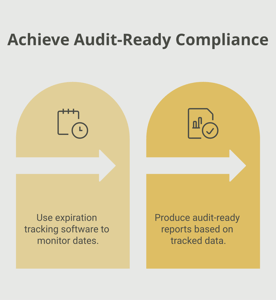
Make sure your company is compliant
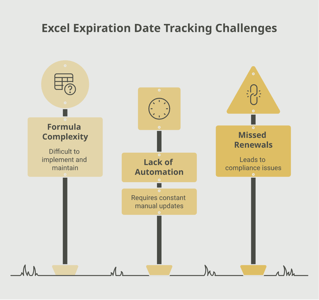
Say goodbye to outdated spreadsheets and hello to centralized credential management. Avoid fines and late penalties by managing your employee certifications with Expiration Reminder.