Workers' Compensation Insurance: What It Is, Who Needs It & How to Track Expiration Dates
What Is Workers' Compensation Insurance?
Workers' compensation insurance is a form of employer-funded insurance that provides benefits to employees who suffer work-related injuries or illnesses. In exchange for these guaranteed benefits, employees generally give up the right to sue their employer for negligence—a principle known as the "grand bargain" that forms the foundation of workers' compensation law in the United States.
What Workers' Compensation Covers
A standard workers' compensation policy covers:
- Medical expenses — Doctor visits, hospitalization, surgery, prescription medications, physical therapy, and other treatment related to the work injury or illness
- Lost wages — Partial replacement of income (typically 60% to 70% of average weekly wages) while the employee is unable to work
- Disability benefits — Payments for temporary or permanent partial or total disability resulting from the injury
- Vocational rehabilitation — Job retraining or placement assistance if the employee cannot return to their previous role
- Death benefits — Compensation to surviving dependents if a work-related injury or illness is fatal
Who Is Required to Have Workers' Compensation?
Workers' compensation requirements are set at the state level, and nearly every state mandates coverage once an employer reaches a certain employee threshold. In many states, coverage is required as soon as you hire your first employee. Texas and South Dakota are notable exceptions where workers' compensation is technically optional for most private employers, though even in those states, choosing to forgo coverage carries significant legal and financial risk.
Key regulatory considerations include:
- Employee count thresholds — Some states require coverage starting at one employee; others set the threshold at three, four, or five employees
- Industry-specific requirements — Construction and mining industries often have stricter requirements, with some states mandating coverage regardless of employee count
- Subcontractor coverage — Many states hold general contractors responsible for ensuring that subcontractors carry their own workers' compensation coverage
- Officers and owners — Requirements for covering business owners and corporate officers vary by state and entity type
Policy Period and Renewal
Workers' compensation policies are typically written for a one-year term. At the end of each policy period, the insurer conducts a premium audit to reconcile estimated payroll against actual payroll and adjust the premium accordingly. The renewal process begins 60 to 90 days before the policy expiration date, when the employer receives an experience modification rate (EMR) worksheet and a renewal quote from the insurer.
Workers' compensation is a continuous coverage obligation in most states, meaning there should never be a gap between one policy period and the next. Even a single day without coverage can trigger state penalties and leave the employer exposed to uninsured claims.
Why Workers' Compensation Insurance Matters for Your Organization
Workers' compensation is not just another line item on your insurance schedule. It is a legal obligation, a financial safeguard, and a critical component of your employee safety program.
Legal Compliance
Failing to maintain workers' compensation coverage is a serious legal violation in most states. Penalties vary but can be severe:
- California: Operating without coverage is a criminal misdemeanor punishable by fines up to $100,000 and/or imprisonment, plus a penalty of twice the premium that would have been charged during the uninsured period
- New York: Failure to carry coverage is a criminal offense—a misdemeanor for the first offense and a felony for subsequent offenses—with fines ranging from $1,000 to $50,000
- Illinois: Employers can face fines of $500 per day of non-compliance, with a minimum penalty of $10,000
- Florida: A stop-work order is issued immediately, halting all business operations until coverage is obtained, plus a penalty of twice the premium the employer would have paid
Financial Protection
Without workers' compensation insurance, the employer is directly liable for all costs associated with a workplace injury. A single serious injury—such as a back injury, amputation, or traumatic brain injury—can generate medical and disability costs exceeding $500,000. For a small or mid-size business, an uninsured claim of that magnitude can be financially devastating.
Experience Modification Rate (EMR) Impact
Your EMR is a multiplier applied to your workers' compensation premium that reflects your company's three-year claims history compared to the industry average. An EMR of 1.0 is average; below 1.0 means better-than-average safety performance and lower premiums, while above 1.0 means worse-than-average performance and higher premiums. A lapse in coverage disrupts your claims history, can inflate your EMR at renewal, and signals instability to insurers—often resulting in premium increases of 10% to 30% or more.
Contract and Bid Eligibility
General contractors, government agencies, and commercial property owners routinely require proof of current workers' compensation coverage as a condition of doing business. In the construction industry, a lapse in coverage can trigger automatic bid disqualification, contract termination, and cancellation of payment bonds on active projects.
Common Scenarios for Tracking Workers' Compensation Expiration Dates
Workers' compensation tracking is not limited to monitoring your own policy. Organizations frequently need to verify and track coverage for subcontractors, vendors, and temporary staffing partners as well. Here are five scenarios where tracking is critical.
1. General Contractors Managing Subcontractor Compliance
A commercial general contractor working on a hospital expansion project has 15 subcontractors on site at any given time. Each subcontractor must carry its own workers' compensation policy, and if any subcontractor's coverage lapses, the GC may become liable for that subcontractor's employees under statutory employer provisions. The project manager needs to track every subcontractor's policy expiration date and ensure that updated certificates of insurance are collected before any policy renews.
2. HR Departments Preparing for Annual Policy Renewal
Sixty to ninety days before the policy expiration date, the HR or risk management team must gather updated payroll data, employee classifications, and information about any new operations or locations. This data feeds into the premium audit and renewal quote. Missing the renewal window does not just risk a coverage gap—it can also result in being assigned to a state-assigned risk pool, where premiums are significantly higher than the voluntary market.
3. Multi-State Employers Coordinating Coverage Across Jurisdictions
A healthcare staffing agency places nurses and allied health professionals in facilities across 12 states. Workers' compensation requirements, rates, and policy terms vary by state. The compliance team must ensure that coverage is active in every state where employees are working, track different policy expiration dates for each jurisdiction, and coordinate renewals so that no state falls out of compliance.
4. Safety Officers Monitoring EMR and Claims History
The safety director at a manufacturing company uses the EMR as a key performance indicator. Tracking the policy expiration date is important not only for renewal purposes but also for timing safety program investments. The EMR calculation uses three years of claims history excluding the current policy year, so the safety director needs to align injury prevention initiatives with the experience rating period to maximize their impact on future premiums.
5. Property Managers Verifying Vendor Coverage
A commercial property management firm hires maintenance vendors, cleaning services, landscapers, and security companies for its portfolio of office buildings. If a vendor's worker is injured on the property and the vendor does not have current workers' compensation coverage, the property owner may face a claim. The property manager tracks vendor policy expiration dates and requires updated certificates before allowing any vendor on site.
How Workers' Compensation Insurance Benefits Your Company and Employees
Benefits for the Organization
- Legal compliance — Avoids fines, criminal charges, stop-work orders, and the reputational damage associated with operating without required coverage
- Financial predictability — Transfers the cost of workplace injuries from the company's balance sheet to the insurer, making injury costs manageable and budgetable
- Lawsuit protection — Workers' compensation's exclusive remedy provision generally shields the employer from employee negligence lawsuits related to covered injuries
- Contract eligibility — Maintains qualification for government contracts, subcontract agreements, and commercial leases that require proof of coverage
- Lower premiums over time — Consistent coverage and a strong safety record reduce your EMR, directly lowering your annual premium
Benefits for Employees
- Guaranteed medical care — Injured employees receive treatment without having to prove employer negligence or pay out of pocket
- Income stability — Wage replacement benefits provide financial support during recovery, reducing the stress of missing work
- Rehabilitation support — Vocational rehabilitation services help employees return to work in a capacity that matches their abilities
- Workplace confidence — Knowing that coverage is in place gives employees confidence that they will be taken care of if an accident occurs
Benefits for Clients and Partners
- Risk transfer assurance — Clients and general contractors know that your employees' injuries will not become their financial responsibility
- Project continuity — Adequate coverage prevents the work stoppages and legal complications that arise from uninsured workplace injuries
- Regulatory confidence — Partners can trust that your organization meets its legal obligations, reducing their own compliance risk
How to Track Workers' Compensation Insurance Expiration Dates
Because workers' compensation is a continuous coverage obligation, the consequences of even a brief lapse are immediate and significant. Effective tracking requires both internal policy management and external verification of subcontractor and vendor coverage.
Challenges of Manual Tracking
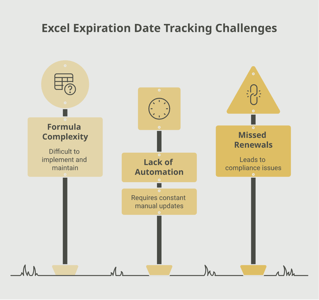
Organizations that track workers' compensation expiration dates using spreadsheets, email reminders, or calendar entries face several persistent challenges. Renewal dates for your own policy, subcontractor certificates, and vendor coverage all land on different dates throughout the year. As the number of tracked policies grows, so does the risk that a renewal reminder gets buried in someone's inbox or a spreadsheet row goes unnoticed. The premium audit process adds another layer of complexity, requiring coordination between HR, finance, and the insurance broker.
Automated Tracking for Reliable Compliance
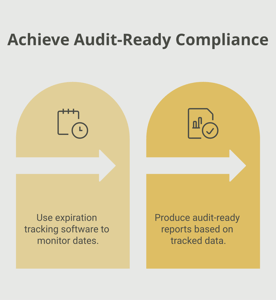
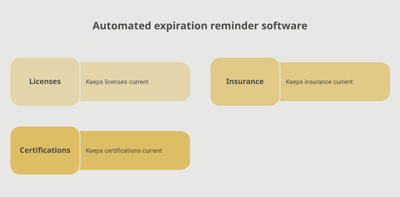
An automated expiration tracking system provides a centralized dashboard where you can see the status of every workers' compensation policy you need to monitor—your own and those of your subcontractors, vendors, and staffing partners. A platform like Expiration Reminder lets you set up tiered notifications (for example, 120 days, 90 days, 60 days, and 30 days before expiration), assign responsibility for each renewal to specific team members, and generate compliance reports that show your full coverage picture at a glance. When a subcontractor's policy is approaching expiration, the system can automatically notify both your team and the subcontractor, ensuring that an updated certificate is requested well before the deadline.
Best Practices for Workers' Compensation Tracking
- Begin the renewal process at least 90 days before your policy expiration date to allow time for payroll data compilation, broker negotiation, and EMR review
- Track subcontractor and vendor certificates alongside your own policy, using the same system and notification timelines
- Verify that certificates of insurance reflect the correct policy period, coverage limits, and your organization listed as certificate holder
- Coordinate with your insurance broker to review your EMR worksheet at least 60 days before renewal and correct any errors
- Maintain documentation of all renewal actions, certificates, and correspondence for audit purposes
Key Takeaways
- Workers' compensation insurance is legally required in nearly every state and provides medical, wage replacement, and disability benefits to employees injured on the job.
- Policies are typically written for one-year terms with continuous coverage expected—even a single-day gap can trigger state penalties.
- Penalties for operating without coverage are severe, including criminal charges, fines up to $100,000, and stop-work orders that halt all business operations.
- Your experience modification rate (EMR) directly impacts your premium and is based on three years of claims history; coverage lapses can inflate your EMR significantly.
- Organizations must track not only their own policy but also subcontractor, vendor, and staffing partner coverage to avoid statutory employer liability.
- The renewal process should begin at least 90 days before expiration to allow time for payroll audits, broker negotiations, and EMR review.
- Automated tracking platforms with tiered notifications and centralized dashboards provide the most reliable way to maintain continuous compliance across all policies.
Frequently Asked Questions
What happens if workers' compensation insurance expires?
If your workers' compensation policy expires without renewal, you are operating without legally required coverage. Most states will impose penalties ranging from daily fines to criminal charges. Any workplace injury that occurs during the coverage gap becomes the employer's direct financial responsibility, and some states issue immediate stop-work orders that shut down business operations until coverage is reinstated.
How long does a workers' compensation policy last?
Standard workers' compensation policies are written for a one-year term. At the end of each policy year, a premium audit reconciles estimated payroll against actual payroll, and the policy is renewed (or replaced) for the next term.
How long does it take to renew workers' compensation insurance?
The renewal process typically takes 30 to 60 days, including payroll data compilation, EMR review, broker negotiation, and policy issuance. Start at least 90 days before your expiration date to ensure a smooth transition with no coverage gap.
Who is required to have workers' compensation insurance?
Nearly all employers are required to carry workers' compensation insurance, though the specific employee-count threshold varies by state. Many states require coverage as soon as you hire one employee. Construction employers are often subject to stricter requirements, with some states mandating coverage regardless of employee count. Texas and South Dakota are the only states where private employers can opt out entirely, though doing so carries significant legal risk.
Can you operate a business without workers' compensation insurance?
In most states, no. Operating without required workers' compensation coverage is a legal violation that can result in fines, criminal charges, and stop-work orders. Even in states where coverage is technically optional, employers without workers' compensation lose the exclusive remedy protection and can be sued directly by injured employees for the full extent of their damages.
What is an experience modification rate (EMR)?
The EMR is a numerical factor that adjusts your workers' compensation premium based on your company's claims history relative to other businesses of similar size in your industry. An EMR of 1.0 is average. Below 1.0 indicates better-than-average safety performance and earns a premium discount; above 1.0 indicates worse-than-average performance and results in a premium surcharge. The EMR is recalculated annually based on three years of claims data.
How far in advance should you start the workers' compensation renewal process?
Begin at least 90 days before your policy expiration date. This allows time to compile accurate payroll data, review your EMR worksheet for errors, obtain competitive quotes from your broker, and finalize the renewal before any coverage gap can occur. For organizations with complex classifications or multi-state operations, starting 120 days early is advisable.
What is the difference between workers' compensation and general liability insurance?
Workers' compensation covers injuries to your own employees that occur during the course of employment. General liability insurance covers injuries to third parties (customers, visitors, members of the public) and property damage caused by your business operations. Both are essential forms of business insurance, but they serve different purposes and are regulated differently. Most businesses need both types of coverage.
Conclusion
Workers' compensation insurance is one of the most fundamental obligations you have as an employer. It protects your employees when they are injured on the job, shields your business from devastating lawsuit exposure, and keeps you in compliance with state law. Because coverage must be continuous—with no gaps between policy periods—tracking your expiration date and managing the renewal process proactively is not just good practice, it is essential.
Whether you are monitoring your own policy, verifying subcontractor coverage on a construction site, or coordinating multi-state compliance for a distributed workforce, having a centralized tracking system makes the difference between confident compliance and anxious guesswork. Tools like Expiration Reminder give you the visibility and automation you need to ensure that every policy stays current, every certificate is verified, and every renewal is handled well before the deadline.
Your employees count on you to have their back if something goes wrong on the job. By staying on top of your workers' compensation coverage, you honor that responsibility and build a safer, more resilient organization for everyone.
Make sure your company is compliant
Say goodbye to outdated spreadsheets and hello to centralized credential management. Avoid fines and late penalties by managing your employee certifications with Expiration Reminder.