Document tracking

White Card (Construction Induction): What It Is, Who Needs It & How to Track Expiration Dates

The White Card is a mandatory construction induction credential in Australia required for anyone working on a construction site. Learn what the White Card is, when it becomes invalid, penalties for non-compliance, and how to track White Card status across your workforce.

White Card (Construction Induction): What It Is, Who Needs It & How to Track Expiration Dates

You are a site manager in Sydney, and a new subcontractor crew arrives Monday morning ready to start work. Before anyone steps onto the site, you need to verify that every worker has a valid White Card. One of the workers hands you a card that looks a bit faded, and when you check the details, you realize he has been out of the construction industry for three years—which means his card is no longer valid. Now you have a worker who cannot legally enter the site, a subcontractor short on crew, and a project timeline that just got tighter.

The White Card, formally known as the General Construction Induction Card, is one of the most fundamental compliance requirements in the Australian construction industry. It is the minimum credential that proves a worker has completed safety induction training and understands the basic work health and safety (WHS) principles required to work on a construction site. While the White Card does not technically have a printed expiration date, it can become invalid under certain circumstances, making it essential for organizations to track and verify. This guide covers what the White Card is, who needs one, when it becomes invalid, and how to manage White Card compliance across your workforce.

What Is a White Card (Construction Induction)?

A White Card is an official credential issued to individuals who have successfully completed the general construction induction training course, currently coded as CPCCWHS1001 – Prepare to Work Safely in the Construction Industry. This nationally recognized unit of competency is part of the Australian construction training framework and is administered under the authority of each state and territory’s work health and safety regulator.

The training covers essential safety knowledge that every construction worker needs before stepping onto a site, including:

  • Work health and safety legislation, regulations, and codes of practice
  • Rights and responsibilities of workers, employers, and PCBUs (Persons Conducting a Business or Undertaking)
  • Common construction hazards and risk management strategies
  • Safe work procedures and personal protective equipment (PPE)
  • Emergency procedures and incident reporting
  • Communication and consultation processes for WHS issues

The White Card training is typically a one-day course (approximately six hours) delivered by a Registered Training Organization (RTO). Delivery methods vary by state: most states and territories require face-to-face training, while some jurisdictions such as Western Australia and Tasmania allow online delivery. The course fee typically ranges from $60 to $120 AUD depending on the RTO and delivery method.

Once issued, the White Card is nationally recognized across all Australian states and territories. A card obtained in Queensland is valid for work in Victoria, Western Australia, or any other jurisdiction. The issuing bodies are the state and territory WHS regulators, including SafeWork NSW, WorkSafe Victoria, Workplace Health and Safety Queensland, and their equivalents in other states.

Validity and the two-year rule. Unlike many certifications that carry a fixed expiration date, the White Card does not have a printed expiry date. However, it does not last forever. Under national WHS regulations, a White Card becomes invalid if the holder has been out of the construction industry for two or more consecutive years. If this occurs, the individual must complete the induction training again and obtain a new card before returning to construction work.

Why the White Card Matters for Your Organization

The White Card is the foundation of construction site safety compliance in Australia. For organizations that manage construction projects or employ construction workers, it carries significant operational and legal weight.

Legal obligation under WHS law. Under the model Work Health and Safety Act adopted by most Australian states and territories, a PCBU must ensure that no worker carries out construction work unless they hold a valid general construction induction training card. This obligation extends to principal contractors, subcontractors, and any person who engages workers on a construction site. Failure to comply is a breach of WHS legislation.

Penalties for non-compliance. The consequences of allowing workers onto a construction site without valid White Cards are severe. Penalties vary by state but can include fines exceeding $500,000 for corporations and significant personal fines for officers and site managers. In cases where non-compliance contributes to a workplace incident, the penalties escalate further, and criminal prosecution is possible under Category 1 offences (reckless conduct causing serious risk).

Site access and project continuity. On most commercial and government construction projects, White Card verification is a condition of site access. Workers who cannot produce a valid White Card are turned away at the gate. For subcontractors, this means lost productivity and potential back-charges. For principal contractors, it means gaps in the workforce that can delay project milestones.

Insurance and liability. Workers’ compensation insurers and public liability insurers expect that employers comply with all WHS training requirements. If a workplace injury occurs and the injured worker did not hold a valid White Card, the insurer may dispute the claim or pursue recovery action against the employer for failing to meet its duty of care obligations.

Common Scenarios for Tracking White Card Expiration Dates

Even though the White Card does not carry a traditional expiration date, organizations need to track and verify White Card status across their workforce. Here are five common scenarios.

Principal Contractors Verifying Subcontractor Compliance

On large construction projects, the principal contractor is responsible for ensuring that every person who enters the site holds a valid White Card. With subcontractors bringing new crews on and off the project throughout the build, the principal contractor needs a system to verify and record White Card details for every worker. This is typically done at site induction, but ongoing verification is needed as new workers arrive and as the project spans months or years.

HR Departments Onboarding New Construction Workers

When a construction company hires a new worker, verifying their White Card is a standard part of the onboarding process. HR must confirm that the card is valid (including confirming that the worker has not been out of the industry for two or more years), record the card details, and store a copy in the employee’s file. For companies that hire frequently, this becomes a high-volume, repetitive task that benefits from a structured tracking system.

Safety Managers Conducting Compliance Audits

Safety managers are responsible for ensuring ongoing WHS compliance on active sites. During compliance audits, they need to verify that all workers on site hold current White Cards and that the records match the personnel on the ground. If a worker’s White Card has become invalid due to a gap in construction work, the safety manager needs to identify this and prevent the worker from continuing on site until a new card is obtained.

Labour Hire Companies Managing Casual and Temporary Workers

Labour hire firms that supply workers to construction sites must verify White Card status for every placement. Because their workforce is transient by nature, with workers moving between projects and sometimes taking extended breaks from the industry, the two-year inactivity rule is particularly relevant. A labour hire company needs to track not only the card itself but also each worker’s employment history to assess whether the card remains valid.

Project Managers Planning Workforce Mobilization

Before mobilizing a workforce for a new project, project managers need to confirm that every team member has a valid White Card. If workers need to complete or redo their induction training, this must be scheduled before the project start date. Project managers who discover White Card gaps at the last minute face costly delays and scrambles to arrange training.

How the White Card Benefits Your Company and Employees

For your organization, maintaining verified White Cards across your entire workforce protects you from WHS penalties, ensures uninterrupted site access, and demonstrates to clients, principal contractors, and regulators that your company takes safety compliance seriously. It also supports your pre-qualification submissions for tenders, where White Card compliance is a standard evaluation criterion. A clean compliance record builds your reputation and helps you win more work.

For your employees, the White Card represents their entry into the construction industry. It confirms that they have the foundational safety knowledge to protect themselves and their colleagues on site. Holding a valid White Card ensures they can work on any construction site in Australia without restriction, and it is often the first step in a pathway toward trade licenses, safety officer qualifications, and other career-advancing credentials.

For your clients and the broader community, White Card compliance is an indicator that the construction companies working on their projects prioritize safety. It contributes to lower incident rates, fewer project disruptions, and a culture where every worker understands their role in maintaining a safe worksite. Ultimately, the White Card is part of a system designed to bring every worker home safely at the end of the day.

How to Track White Card Status

Because the White Card does not have a fixed expiration date but can become invalid due to a two-year industry absence, tracking requires a slightly different approach than standard expiration-date monitoring.

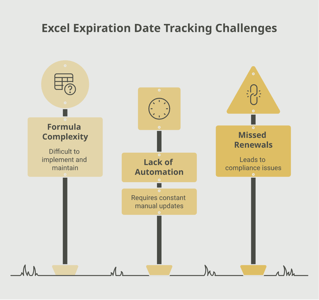
Challenges of manual tracking. Many construction companies and principal contractors track White Cards using spreadsheets, physical copies in filing cabinets, or paper-based site induction registers. These methods have inherent limitations: they do not flag when a worker has been inactive for an extended period, they are difficult to search and update when workers move between projects, and they offer no automated alerts. For labour hire companies and large contractors with hundreds of workers, manual tracking becomes unreliable at scale.

Effective tracking strategies. A reliable White Card tracking system should capture the card number, issue date, issuing state, and the worker’s most recent period of active construction work. By recording the date of each worker’s last assignment or active employment, you can calculate whether they approach or exceed the two-year inactivity threshold. Automated alerts can then notify managers when a worker’s White Card validity is at risk.

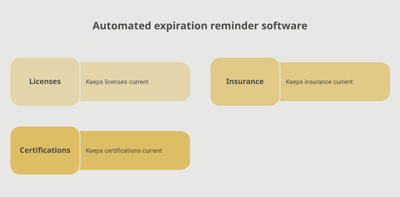
A platform like Expiration Reminder can be configured to track White Card credentials alongside other construction compliance documents such as high-risk work licences, trade licences, and site-specific inductions. You can set custom reminder schedules based on each worker’s last active date, and the centralized dashboard gives safety managers and project administrators a single view of White Card compliance across the entire workforce.

Key Takeaways

  • The White Card (General Construction Induction Card) is a mandatory credential for anyone performing construction work in Australia, obtained by completing CPCCWHS1001 training.
  • White Cards are nationally recognized across all Australian states and territories and do not carry a printed expiration date.
  • A White Card becomes invalid if the holder has been out of the construction industry for two or more consecutive years, requiring the individual to retrain.
  • Penalties for employing workers without valid White Cards can exceed $500,000 for corporations, with personal fines and potential criminal prosecution for officers.
  • Principal contractors, subcontractors, HR departments, and labour hire companies all share responsibility for verifying White Card status.
  • The two-year inactivity rule requires organizations to track not just the card itself but also each worker’s employment history in the construction industry.
  • Automated tracking systems provide the centralized visibility, custom alerts, and audit-ready records needed to manage White Card compliance at scale.

Frequently Asked Questions

Does a White Card expire?

A White Card does not have a printed expiration date and can remain valid indefinitely as long as the holder continues to work in the construction industry. However, if the holder leaves the industry for two or more consecutive years, the card becomes invalid and they must complete the induction training again to obtain a new one.

How long does it take to get a White Card?

The general construction induction training course (CPCCWHS1001) is typically a one-day course lasting approximately six hours. After successful completion, the RTO submits your results to the relevant state or territory authority, and you receive your White Card. Processing times vary by state, but most cards are issued within a few business days to two weeks after the training is completed.

Is a White Card valid in all Australian states?

Yes. The White Card is a nationally recognized credential under the Australian Qualifications Framework. A card issued in any state or territory is valid for construction work in every other state and territory across Australia.

What happens if I work on a construction site without a White Card?

Working on a construction site without a valid White Card is a breach of WHS legislation. The worker can be immediately removed from the site and may face personal fines. The employer or PCBU that allowed the worker on site can face penalties ranging from several thousand dollars to over $500,000 for corporations. If the non-compliance contributes to a workplace incident, the consequences are significantly more severe.

Can I do the White Card training online?

It depends on your state or territory. Some jurisdictions, including Western Australia and Tasmania, allow fully online delivery of the CPCCWHS1001 training. Most other states require face-to-face or blended delivery, meaning at least part of the training must be completed in person with a qualified trainer. Always verify the accepted delivery methods with your state’s WHS regulator or the RTO before enrolling.

How much does White Card training cost?

White Card training typically costs between $60 and $120 AUD, depending on the Registered Training Organization, delivery method, and location. Some employers cover the cost of training for their workers, particularly when onboarding new employees or when workers need to retrain after a period of absence from the industry.

How do I check if a White Card is still valid?

To verify a White Card, you can contact the state or territory WHS regulator that issued the card. Some states, such as NSW (SafeWork NSW) and Queensland (Workplace Health and Safety Queensland), offer online verification tools where you can check a card’s status using the card number. For the two-year inactivity rule, you will need to confirm with the worker that they have been continuously engaged in construction work.

Do visitors and office-only staff need a White Card?

Generally, anyone who enters an area of a construction site where construction work is being carried out needs a White Card. This includes workers, supervisors, and tradespeople. Short-term visitors who are escorted and do not perform construction work may be exempt in some jurisdictions, but the rules vary by state and by the site’s specific safety management plan. If in doubt, check with the principal contractor and your state’s WHS regulator.

Conclusion

The White Card is the gateway credential for the Australian construction industry. It represents a worker’s foundational understanding of site safety, their rights and responsibilities under WHS law, and their readiness to work in one of the country’s most hazard-intensive sectors. For organizations that manage construction workforces, verifying and tracking White Card status is a non-negotiable compliance responsibility with serious consequences for getting it wrong.

The unique challenge of the White Card lies in its lack of a fixed expiration date combined with the two-year inactivity rule. This means you cannot simply set a calendar reminder for a future date; you need a system that tracks employment history and flags when a worker’s card validity may be at risk. A centralized compliance platform like Expiration Reminder gives you the tools to manage this complexity, with custom alerts, workforce-wide visibility, and documentation that keeps you audit-ready. When every worker’s White Card status is verified and tracked, your sites stay compliant, your projects stay on schedule, and your people stay safe.

Make sure your company is compliant

Say goodbye to outdated spreadsheets and hello to centralized credential management. Avoid fines and late penalties by managing your employee certifications with Expiration Reminder.
Other Documents in this category

No items found.

Read our latest blog posts

#Construction
#Credentialing
Read time:
11
min
Using Reminders to Streamline Procurement and Vendor Relations

Using Reminders to Streamline Procurement and Vendor Relations

The procurement director noticed the invoice before the contract. A SaaS vendor had just billed for another year — at a rate 18% higher than the previous term. When she checked the agreement, she found an auto-renewal clause that had triggered 30 days earlier. The window to renegotiate had passed. There was nothing to be done.

That one missed deadline cost her company tens of thousands of dollars in unnecessary spend. Not because anyone was careless. Because no reminder system existed to flag the window before it closed.

Procurement and vendor management run on deadlines. Contracts expire, insurance certificates lapse, service agreements roll over, and notice periods click by. When those dates are managed manually — scattered across calendars, spreadsheets, and individual inboxes — things slip. When they're tracked with automated reminders, the entire function operates with far more control.

Why Vendor Contract Deadlines Are So Easy to Miss

Procurement teams manage a lot of contracts. A mid-sized company might have hundreds of active vendor agreements at any given time, each with its own renewal date, notice period, and terms. Tracking all of those manually is genuinely difficult — and the consequences of missing one are rarely small.

According to research from Sirion, poor contract management costs companies up to 9% of annual revenue. The Boston Consulting Group has noted that 20% of potential revenue can vanish due to missed amendments, sloppily executed contract terms, or auto-renewal triggers that no one caught in time.

And there's a visibility problem on top of that. Research shows that 71% of companies cannot locate 10% or more of their contracts. When documents are stored inconsistently — in individual email accounts, shared drives with no structure, or physical filing systems — it's almost impossible to maintain a complete picture of your obligations and upcoming deadlines.

How Automated Reminders Change the Procurement Equation

The solution isn't more staff or more diligent calendar management. The solution is a system that watches the dates for you and alerts the right people at the right time — without anyone having to remember to check.

Teams that automate renewal alerts report up to 90% fewer missed deadlines and 50% faster review cycles, according to research compiled by Spendflo. Most organizations also see 5–15% cost reductions on renewed contracts in the first year, simply because they now have enough lead time to review, compare, and renegotiate before the deadline arrives.

Beyond Deadlines: How Reminders Improve Vendor Relationships

It's easy to think of contract reminders purely as a risk-reduction tool. But they also improve how your organization shows up as a partner to your vendors.

When you initiate renewal conversations early, vendors experience you as an organized, proactive partner. That credibility gives you more leverage in negotiations and often results in better terms. Vendors are more willing to work on pricing or service improvements when they feel the relationship is well-managed and valued.

Contrast that with the vendor who gets a frantic call two weeks before contract expiration asking to rush through a renewal. That dynamic shifts the power balance — and typically, not in your favor.

Vendor Compliance Requirements

Many organizations require vendors to maintain specific documents: certificates of insurance, business licenses, safety certifications, or other credentials as a condition of the relationship. Tracking those vendor documents is just as important as tracking your own internal compliance.

When a vendor's COI expires and no one notices, your organization may be exposed to liability the moment anything goes wrong. A systematic reminder process — triggered by the document's expiration date, not someone's memory — ensures those requirements stay current throughout the vendor lifecycle.

Building Your Procurement Reminder System: A Step-by-Step Plan

Here's how to build a functional vendor reminder system, whether you're starting from scratch or improving what you already have.

Step 1: Centralize All Vendor Contracts and Documents

Before you can track anything, everything needs to be in one place. Gather all active vendor agreements, COIs, and compliance documents into a single system. A centralized repository is the foundation everything else builds on.

Step 2: Define Standard Metadata for Every Contract

For each vendor agreement, capture: vendor name, contract value, start and end dates, renewal conditions, notice period, auto-renewal clauses, contract owner, and any compliance document requirements. Consistent metadata is what makes automation possible. If the data isn't there, the reminders can't fire.

Step 3: Set Your Reminder Cadence

Based on contract value and complexity, define when reminders should go out. High-value agreements warrant 120-day windows. Standard service contracts typically need 60–90 days. Make these defaults in your system so they apply automatically to every new contract entered.

Step 4: Assign Contract Owners

Every contract needs a named owner who receives reminders and is responsible for driving the renewal process. Without ownership, reminders land in a shared mailbox and get ignored. Ownership makes accountability explicit.

Step 5: Configure Escalation Paths

If a contract owner doesn't act on a reminder within a set window, the next reminder should copy their manager or the procurement lead. Escalation paths ensure nothing stalls due to someone being out of office, overwhelmed, or simply slow to respond.

Step 6: Track Vendor Compliance Documents Separately

Vendor COIs, licenses, and certifications should be tracked alongside (but distinct from) the contract itself. Set expiration reminders for these documents and notify both your team and the vendor when renewal is needed.

Step 7: Review and Improve Quarterly

Once a quarter, review your vendor portfolio. Check which contracts are coming up for renewal in the next six months, which vendor compliance documents are nearing expiration, and whether your reminder cadence is working. Adjust as needed.

Tools like Expiration Reminder are purpose-built for this kind of systematic tracking — giving procurement teams a centralized view of every vendor document, every renewal date, and every outstanding action, all in one place. If your current process relies on spreadsheets or calendar reminders, it's worth seeing what a dedicated platform can do. Start a free trial today and bring structure to your vendor management from day one.

Connecting Reminders to Broader Procurement Strategy

A well-run reminder system isn't just an operational convenience — it feeds directly into procurement strategy. When you know every renewal date in advance, you can plan your vendor review calendar intentionally. You can group renewals to negotiate bundled deals. You can time competitive bids to coincide with major contract expirations. You can build a vendor performance review cadence that informs renegotiation conversations.

None of that strategic work is possible when the team is constantly reacting to contracts that are about to expire. The runway that reminders create is what makes strategic procurement possible.

According to Gatekeeper, organizations with mature contract renewal processes see 15–30% cost reductions on renewed contracts. That's not just efficiency — it's direct bottom-line impact that comes from having enough time to make thoughtful decisions.

Frequently Asked Questions

What's the difference between contract reminders and contract management software?

Contract reminders are one feature within the broader category of contract management. A reminder system specifically focuses on alerting stakeholders about upcoming expiration dates, notice periods, and required renewals. Full contract management software may also include document creation, e-signature workflows, clause libraries, and reporting. For organizations primarily focused on tracking renewals and expirations, a purpose-built reminder platform often provides better value than a complex CLM system.

How early should we start the renewal process for high-value vendor contracts?

For high-value or strategically important vendor agreements, 120 days is a reasonable minimum. This gives your team time to evaluate performance, identify alternatives, prepare a competitive bid if needed, and enter negotiations with enough runway to reach a good outcome. Waiting until 30 days out — which is when many organizations start — removes almost all of your leverage.

What vendor documents should we track beyond the main contract?

At a minimum, track certificates of insurance (COIs), business licenses, and any safety or quality certifications required by your vendor agreements or regulatory requirements. Depending on your industry, you may also need to track OSHA certifications, professional licenses, and training credentials for vendor employees who work on your sites or with your customers.

Can reminder systems work for vendor compliance documents, not just contracts?

Absolutely. In fact, vendor compliance documents often have shorter renewal cycles and stricter consequences for lapses than the contracts themselves. A good tracking platform lets you set expiration reminders for COIs, licenses, and certifications separately from the contract expiration — and notify both your procurement team and the vendor when renewal is needed.

What if we use spreadsheets to track vendor contracts? Is that sufficient?

For a very small vendor portfolio (under 10–15 contracts), a well-maintained spreadsheet may be workable. But spreadsheets don't send reminders automatically, they're prone to errors, and they provide no audit trail. As your vendor portfolio grows, the administrative burden and risk of manual tracking escalates quickly. Most procurement teams find that the switch to a dedicated platform pays for itself within months through a combination of time savings and avoided missed-deadline costs.

How do we handle vendors who are slow to renew their compliance documents?

Automate your follow-up sequence. Set initial reminders 90 days before a vendor's COI or certification expires, then follow-up reminders at 60 and 30 days. Configure your system to copy vendor contacts directly on those reminders so they receive the same alerts your team does. If a document still hasn't been renewed by the 30-day mark, your escalation path should kick in — involving account management or procurement leadership to push for resolution before the gap creates a problem.

PS: Every day a vendor contract sits unreviewed past its renewal window is a day you've lost negotiating leverage. With automated reminders in place, your procurement team never has to find out the hard way that a deadline has passed.

#Compliance
Read time:
12
min
How to Prepare for a Compliance Audit with Tracking Tools

How to Prepare for a Compliance Audit with Tracking Tools

The call came on a Tuesday morning. The state regulator had scheduled an on-site audit for the following week, and the operations director at a mid-sized healthcare staffing firm realized she had a problem. Hundreds of staff certifications were scattered across spreadsheets, email threads, and shared folders. Some were current. Some had expired. She had no quick way to tell which was which.

That week was a scramble. She and her team spent three days manually pulling documents, cross-checking dates, and chasing down staff for updated credentials. They got through the audit — barely — but it cost them significant time, exposed a handful of compliance gaps, and left the entire team exhausted.

Here's the thing: that scenario is entirely preventable. With the right tracking tools and a few solid habits in place, compliance audits don't have to feel like emergencies. This guide walks you through exactly how to get there.

Why Compliance Audit Preparation Matters More Than You Think

Most organizations treat audit preparation as a reactive sprint. An audit gets scheduled, and suddenly everyone is scrambling to pull documentation that should have been organized all along. The problem is that this approach is expensive — in time, stress, and real money.

According to research from the Ponemon Institute, the average cost of non-compliance for organizations is nearly $9.4 million — more than double the $3.5 million average cost of maintaining compliance. That gap exists largely because organizations that stay prepared avoid the fines, legal exposure, and operational disruption that come with gaps in their documentation.

Beyond the financial stakes, audits test your credibility. When a regulator walks in and your records are current, organized, and easy to access, that alone communicates that your organization takes compliance seriously. When they aren't, it raises questions about what else might be falling through the cracks.

The Most Common Compliance Audit Pitfalls (and How to Avoid Them)

There are a handful of recurring problems that trip up organizations when audit time arrives. Understanding them helps you design a preparation process that actually works.

1. Scattered Documentation

When critical documents live in different places — email inboxes, shared drives, paper files, individual employee folders — there is no reliable way to confirm you have everything. One team member may have updated their CPR certification without anyone else knowing. Another may have let a professional license lapse because no reminder was in place. Centralization is the first and most important fix.

2. No Early-Warning System

Most compliance gaps don't happen because someone was negligent. They happen because there was no system in place to flag upcoming expirations before they became problems. Without automated reminders, it's easy for a certification to expire on a Tuesday in March simply because no one was watching the calendar.

3. Manual Tracking Errors

Research published by Phys.org found that 94% of business spreadsheets used in decision-making contain errors. That's not a small risk. When your compliance records live in a spreadsheet, every manual entry is an opportunity for a date to be entered incorrectly, a row to be accidentally deleted, or a formula to break. These aren't hypothetical — they're documented realities.

4. Last-Minute Document Requests

When an audit is announced, the first instinct is often to email staff and ask them to send in their current documents. That process alone can take days, especially in larger organizations. The better approach is to already have those documents stored centrally, with expiration tracking, so retrieval is instant rather than frantic.

How Tracking Tools Transform Audit Preparation

The shift from reactive to proactive compliance preparation comes down to one thing: visibility. Tracking tools give you a real-time view of what's current, what's expiring, and what needs attention — before an auditor arrives.

Research from TrustCloud found that organizations using automated compliance tools report a 60% reduction in audit preparation time and a 35% improvement in finding accuracy. That translates directly into fewer surprises on audit day and less time spent preparing for them.

Centralized Document Storage

A good compliance tracking platform acts as a single source of truth for all your expiring documents. Instead of hunting across email chains and shared drives, you can see every license, certification, and permit in one place. You know exactly what you have, what's current, and what needs attention.

Automated Expiration Reminders

Rather than relying on someone to check a spreadsheet every week, automated reminders proactively notify the right people at the right time. You can configure alerts to go out 90, 60, and 30 days before an expiration — giving employees and managers enough runway to renew without rushing.

Audit-Ready Reporting

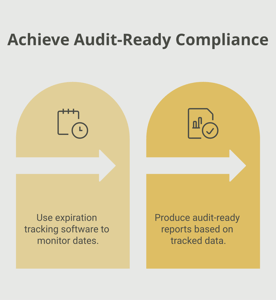
When a regulator asks for documentation, you shouldn't need to spend two days pulling it together. Tracking platforms can generate compliance reports instantly — showing every document, its status, and its expiration date in a format auditors can review quickly. That's the kind of readiness that builds credibility.

Role-Based Accountability

Good tracking tools don't just store documents — they assign ownership. When a certification belongs to a specific employee, and that employee's manager receives reminders about upcoming expirations, accountability becomes part of the system rather than an afterthought.

Platforms like Expiration Reminder centralize all of this in one place, automating reminders and giving compliance teams the visibility they need to walk into any audit with confidence.

Building a Culture of Continuous Compliance

The organizations that handle audits best aren't the ones that prepare hardest right before — they're the ones that maintain compliance readiness all year long. That means treating audit preparation not as an event but as an ongoing process built into daily operations.


The Vanta guide to compliance audit preparation emphasizes that continuous monitoring — rather than periodic review — allows organizations to detect issues proactively and respond before they become findings. That's the goal: problems caught early, not during an audit.


Frequently Asked Questions

What does a compliance audit typically involve?

A compliance audit is a formal review of your organization's adherence to relevant regulations, policies, and standards. Auditors typically examine documentation (licenses, certifications, permits), process records, and evidence that your policies are being followed consistently. The scope depends on your industry and the regulatory framework being evaluated.

How far in advance should I start preparing for a compliance audit?

Ideally, compliance preparation is ongoing rather than event-driven. If you're starting from scratch, begin at least 90 days before a known audit. Use that window to centralize documents, identify gaps, assign ownership, and get your tracking system in order. Organizations that maintain continuous compliance readiness don't need a major preparation push because their records are always current.

What's the difference between a compliance audit and an internal audit?

An internal audit is conducted by your own team to assess your compliance posture and identify gaps before they become external issues. A compliance audit is typically conducted by a regulator, certifying body, or third-party auditor to formally verify that you meet specific standards. Internal audits are a valuable tool for preparing for — and passing — external ones.

Can tracking software actually help with compliance audits?

Yes, significantly. Compliance tracking software centralizes your documentation, automates renewal reminders, and generates audit-ready reports on demand. Instead of manually pulling documents when an audit is announced, you have everything organized and accessible at all times. This reduces preparation time dramatically and eliminates the risk of missing an expired credential.

What industries benefit most from compliance tracking tools?

Any industry with regulatory requirements around staff credentials, permits, or documentation benefits from tracking tools. Healthcare (nursing licenses, CPR certifications, HIPAA training), construction (COIs, OSHA permits, equipment inspections), and HR-heavy industries (employee certifications, training renewals) see particularly strong returns. But any organization managing multiple expiring documents will benefit from centralized tracking.

What if we already use spreadsheets for compliance tracking? Is it worth switching?

For small organizations with a handful of documents, a spreadsheet may be workable. But as document volume grows, the risks multiply. Spreadsheet errors are extremely common, and a missed renewal discovered during an audit is far more costly than the investment in a dedicated platform. Most organizations that make the switch report significant time savings and fewer compliance gaps within the first few months.

PS: Missed renewals and surprise compliance gaps don't have to be part of your story. With the right tracking system in place, every expiration date is visible, every renewal reminder is automated, and audit day becomes just another day at work.

#Training & Development
#HR
Read time:
11
min
How to Organize a Training Session That Drives Compliance

Why Well-Organized Training Sessions Matter for Compliance

The HR manager at a mid-size construction firm had run the same annual safety training for four years. The schedule was set, the presenter was booked, and the sign-in sheets were filed away neatly afterward. But when an OSHA inspector asked her supervisor whether employees could explain the lockout/tagout procedures they had trained on six months earlier, the answers were inconsistent. Two employees had forgotten the steps entirely. One thought it was different equipment.

The training had happened. The records confirmed it. But the learning had not stuck—and the compliance gap was real.

Organizing a training session that satisfies your regulatory obligations and actually transfers usable knowledge to your employees requires more than booking a room and getting signatures on an attendance sheet. This guide covers everything from initial planning through post-session tracking so your next training session accomplishes both goals: it is properly documented and it genuinely works.

Employee training sits at the intersection of operational performance and regulatory compliance. For HR managers, safety coordinators, and operations leaders, training sessions are not just educational—they are evidence. When an auditor or inspector reviews your records, they need to see that the right employees completed the right training at the right time, and that those certifications are current.

The consequences of poorly managed training go in two directions: employees lack the knowledge to do their jobs safely and effectively, and your organization lacks the documentation to demonstrate compliance. Valamis notes that compliance training failures can result in regulatory fines, legal liability, safety incidents, and damage to an organization’s reputation with clients and regulators.

Step-by-Step Guide to Organizing a Training Session

Step 1: Define Clear Training Objectives

Every effective training session starts with a clear answer to a simple question: what should participants be able to do differently after this session? Vague goals like “improve safety awareness” produce vague outcomes. Specific goals like “employees can correctly demonstrate lockout/tagout procedures on three types of equipment” produce measurable results.

Tie your training objectives to a business or compliance outcome. Are you meeting a regulatory requirement? Closing a skill gap identified in a performance review? Preparing a team for a new piece of equipment? Knowing the objective guides every other decision—content, format, duration, and assessment.

According to Explorance’s framework for employee training programs, goals may relate to faster onboarding, improved skill application, compliance readiness, or project delivery—and should always be tied to measurable targets.

Step 2: Conduct a Training Needs Assessment

Not every employee needs the same training at the same time. A training needs assessment helps you identify who needs what, and prioritize accordingly. This prevents the common mistake of running the same session for everyone when only a subset of employees actually has a gap to close.

Your needs assessment should pull from three sources: regulatory requirements (what certifications does each role require and when do they expire?), performance data (where are quality or safety issues clustered?), and employee feedback (what do people feel unprepared to do?). Combining these three inputs gives you a defensible, data-driven training schedule.

Step 3: Choose the Right Training Format

There is no universally correct training format. The right choice depends on the content, your learners, and the compliance requirements you are working within. Common formats include:

  • Instructor-led classroom sessions: Best for hands-on skills, team discussions, and formal certifications that require observed demonstration
  • Online self-paced modules: Best for knowledge-based content, geographic distribution, and documentation of completion at scale
  • Blended learning: Combines online pre-work with in-person application sessions—often the most effective for compliance training
  • Microlearning: Short, focused modules (5-10 minutes) delivered regularly to reinforce knowledge between formal training events
  • On-the-job coaching: Pairing employees with experienced colleagues for real-world skill transfer

Research consistently shows that short, frequent learning moments outperform long, infrequent ones for knowledge retention. Docebo’s employee training research recommends mixing modalities to accommodate different learning styles and the practical realities of busy workdays.

Step 4: Build Your Training Logistics Plan

Once the objective, audience, and format are defined, the operational planning begins. A logistics plan prevents the small failures—wrong room, missing materials, unclear schedule—that derail even well-designed training.

Your logistics checklist should cover:

  • Date, time, and location (or virtual platform setup)
  • Facilitator or presenter confirmation with materials review date
  • Room capacity and equipment (projector, screen, safety equipment for demonstrations)
  • Pre-work or reading to be distributed to participants in advance
  • Attendance tracking method and sign-in sheet or digital check-in
  • Assessment or evaluation form to be completed after the session
  • Backup plan for technical issues or facilitator absence

Step 5: Communicate Clearly With Participants

Poorly communicated training sessions produce poor attendance, disengaged participants, and managers who are surprised when half their team is unavailable. Effective pre-training communication does three things: it tells employees what they are attending and why it matters, it gives them any pre-work they need to complete, and it confirms the schedule clearly enough that attendance becomes an expected commitment.

Send the initial training notification at least two weeks in advance for scheduled sessions. Follow up with a reminder 48 hours before the session. For compliance-required training with certification outcomes, confirm that employees understand the importance of completion to their standing in their role.

Step 6: Facilitate an Engaging Session

The quality of facilitation directly affects knowledge retention. Training sessions that rely entirely on lecture do not transfer skills effectively. Participants need to engage with the material actively—through discussion, demonstration, scenario practice, or problem-solving.

Practical facilitation tips that improve engagement:

  • Start with a brief agenda so participants know what to expect and when they will be able to contribute
  • Use real scenarios from your industry or workplace—abstract examples do not stick the way familiar ones do
  • Break longer sessions into focused segments with natural transition points
  • Build in at least one practice or demonstration component for skills-based content
  • Leave time for questions and create a safe environment where confusion can be voiced
  • Close with a clear summary of what participants are expected to do differently going forward

Step 7: Assess Learning Outcomes

Assessments serve two purposes: they reinforce learning by requiring participants to actively recall and apply what they covered, and they produce documentation that employees understood the material. Both purposes matter for compliance.

Your assessment format should match your training objective. For knowledge-based compliance content, a short quiz works well. For skill-based training, a demonstrated performance assessment is more appropriate and more defensible in an audit context. Document the results in each employee’s training record, including the date, the assessed competency, and the outcome.

Step 8: Record and Track Certifications Systematically

This step is where many well-run training sessions fail at the finish line. The training happened, the assessment was passed, the certificate was issued—and then it was scanned into a folder that no one monitors, or noted in a spreadsheet that is not connected to any reminder system. The certification expires two years later without anyone noticing.

Effective training session management requires a systematic approach to recording certifications and tracking their renewal dates. Every certificate issued should be entered into a central system with:

  • Employee name and role
  • Certification type and issuing body
  • Date of completion
  • Expiration date
  • Reminder schedule (30, 60, and 90 days before expiration)

Platforms like Expiration Reminder are designed specifically for this purpose—centralizing certification records and automatically sending renewal reminders before expirations approach. When your next training session is driven by the system that tracks who is actually due for renewal, your scheduling becomes proactive rather than reactive.

Step 9: Gather Feedback and Improve

Every training session generates useful data for making the next one better. A short feedback form—three to five questions—captures participant reactions while they are fresh. Over time, this feedback reveals which facilitators, formats, and topics land well and which need revision.

Compare completion and assessment scores across sessions to identify patterns. If a particular module consistently produces low scores, the content needs revision. If attendance drops for a recurring session, the timing or relevance may need to change. Treating training as an iterative program rather than a fixed event is what separates compliance-ready organizations from those that run the same session every year and hope for different results.

Step 10: Schedule Follow-Up and Renewal in Advance

At the moment a training session ends and certifications are issued, set the next renewal date. Do not wait until 30 days before expiration to figure out when the next session should run. For certifications that require group sessions—CPR, forklift, hazmat handling—you need lead time to schedule instructors, book space, and confirm attendance.

If your certification tracking system is connected to your training scheduling, this step is nearly automatic. Renewal reminders trigger the scheduling process, giving your team a clear, predictable cadence rather than a scramble every time a group of certifications approaches expiration.

Your Complete Training Session Planning Checklist

  1. Define specific, measurable training objectives tied to a compliance or performance outcome
  2. Complete a training needs assessment to identify who needs training and when
  3. Select the training format best suited to the content and audience
  4. Book the facilitator, location, and equipment with enough lead time
  5. Distribute pre-training communication and materials at least two weeks in advance
  6. Send a 48-hour reminder to all participants
  7. Facilitate an engaging session using real scenarios, practice components, and active discussion
  8. Administer and document the learning assessment for each participant
  9. Issue certificates and record completion in your central tracking system
  10. Enter expiration dates and set automated renewal reminders immediately
  11. Collect feedback within 24 hours of the session
  12. Schedule the next renewal session at the point of certification issuance

The Connection Between Training Organization and Compliance Readiness

Well-organized training is not just about delivering a good session—it is about building a sustainable compliance program. When your training calendar is driven by certification renewal data, your employees are never working with lapsed credentials. When your records are centralized and searchable, your audit preparation takes minutes rather than days. When your feedback loops inform continuous improvement, your training sessions get more effective over time.

The organizations that maintain the strongest compliance records are not the ones with the most training budget or the most elaborate curricula. They are the ones with reliable systems: clear processes, consistent documentation, and automated reminders that make sure nothing falls through the cracks.

If your training records currently live in spreadsheets or scattered email threads, the next step is straightforward. See how Expiration Reminder centralizes training records and automates renewal reminders—so your next training session starts with accurate data and ends with a system that keeps your compliance current automatically.

Key Takeaways

  • Start every training session with specific, measurable objectives tied to a compliance or business outcome.
  • A training needs assessment ensures you train the right people at the right time.
  • Short, frequent learning moments outperform long, infrequent sessions for knowledge retention and compliance readiness.
  • Strong facilitation—with active engagement, real scenarios, and practice components—dramatically improves whether training knowledge actually sticks.
  • Recording certifications with expiration dates in a centralized system, with automated renewal reminders, closes the most common compliance gap.
  • Gathering post-session feedback and tracking assessment scores allows continuous improvement of your training program over time.
  • The most compliance-ready organizations treat training as an ongoing system, not an annual checkbox.

Frequently Asked Questions

How long should a compliance training session be?

It depends on the content complexity and format. Skills-based compliance training that requires demonstration typically runs 2-4 hours to allow adequate practice time. Knowledge-based compliance content is often more effective as shorter sessions of 30-60 minutes, or as self-paced online modules that employees can complete in segments. The key is avoiding sessions so long that attention and retention drop off before the most critical content is covered.

What is the best way to track employee training completion and certifications?

A centralized platform that stores certification records, completion dates, and expiration dates—and automatically sends renewal reminders—is the most reliable approach. Spreadsheets work for very small organizations but become error-prone and unmanageable at scale. Purpose-built systems like Expiration Reminder track the full certification lifecycle so nothing expires without advance notice.

How do I make compliance training more engaging for employees?

Use real scenarios from your industry rather than abstract examples. Break content into shorter segments with natural discussion breaks. Incorporate hands-on practice or demonstration for skills-based content. Connect the training directly to employees’ own roles and the specific consequences of non-compliance in their work.

How far in advance should I schedule a training session?

For sessions requiring an external certified instructor, book at least 6-8 weeks in advance to secure your preferred date and allow time for participant communication. For internally facilitated sessions, 3-4 weeks of lead time is typically sufficient. The key is scheduling renewals at the point of initial certification—not 30 days before expiration.

What records do I need to keep after a training session?

Retain attendance records, assessment results, certificates issued, the names of facilitators or instructors, and the date and content of each session. Many regulated industries have specific retention requirements—OSHA, for example, requires training records to be kept for the duration of employment plus three years for certain standards.

How do I know when employees need to renew a certification?

The certification itself typically specifies the renewal period. The challenge is not knowing the renewal period—it is remembering to act on it across dozens or hundreds of employees. Automated expiration tracking systems solve this by sending alerts to the responsible manager 30, 60, and 90 days before each expiration date, giving you adequate lead time to schedule the renewal session.

PS: Even the best training session loses its compliance value the moment a certification expires unnoticed. Automated expiration tracking ensures your team’s credentials stay current—so the work you put into training never goes to waste.