Introduction
If your business has a website, the web hosting plan is what keeps it online. Hosting is one of those services everyone signs up for once, sets to auto-renew, and forgets about — until the credit card on file expires, the renewal fails, the website disappears, and somewhere on a server in a data center, the grace-period clock starts counting down toward irreversible data loss.
This article explains what a web hosting plan is, how renewal cycles work, what the grace periods look like across major providers, and what happens when hosting lapses. You will also see the most practical way to track hosting renewals across one site or a portfolio of dozens.
For most marketing, IT, and operations teams, the renewal is automatic in theory. The hard part is making sure the auto-renewal actually works — and that the team finds out when it does not.
What Is Web Hosting?
A web hosting plan is a paid service that provides server space, bandwidth, and supporting infrastructure to make a website available on the internet. Hosting providers handle the underlying servers, storage, networking, and (depending on plan) operating system, web server software, databases, and email services.
Common hosting types include:
- Shared hosting — multiple sites share a single server. Cheapest, used by small sites and many startups.
- VPS (Virtual Private Server) — a virtual machine with dedicated resources on a shared host.
- Dedicated hosting — a full physical server allocated to one customer.
- Cloud hosting — distributed across cloud infrastructure with elastic scaling (AWS, Azure, GCP, DigitalOcean, Linode).
- Managed hosting (WordPress, Magento, Shopify, etc.) — provider handles platform-specific operations, security, updates.
Hosting plans are typically billed monthly, annually, or in multi-year terms. Multi-year terms (often 3 years) are commonly discounted, and many providers offer significant first-year promotions followed by higher renewal rates.
Most providers offer auto-renewal, which charges the payment method on file before expiry. When auto-renewal fails (expired card, declined payment, removed payment method), the renewal flow falls back to manual — and the account moves toward expiration.
Why Web Hosting Currency Matters for Your Organization
Web hosting currency protects against three concrete risks: site downtime, data loss, and SEO damage.
From a site uptime standpoint, an expired hosting plan typically suspends the website. Visitors see an expiration notice or a generic provider page instead of the site. For ecommerce, lead-gen, and brand-critical sites, even minutes of downtime are operationally serious.
From a data loss standpoint, the grace period after expiry is finite. Different providers have different policies — Bluehost typically offers 21 days, SiteGround 7–30 days depending on plan, others as little as a few days — and after that, website files, databases, email data, and backups can be permanently deleted.
From an SEO standpoint, even short outages can damage rankings. Search engines crawling a 404 or expiration page from the host can drop the site from results, and recovery takes time. Repeated downtime compounds the effect.
For multi-site organizations — agencies, holding companies, franchises with location-specific microsites — the hosting calendar across the portfolio is one of the easiest things to lose track of.
Common Scenarios for Tracking Web Hosting Expiration Dates
Single-Business Websites
Even a single-site organization can lose its website if the credit card on file lapses, the auto-renew fails, and no one checks the renewal notice. Marketing and IT often share responsibility, and the line between them is where most outages happen.
Marketing Agencies Managing Client Sites
Agencies hosting on behalf of clients (or managing client hosting accounts) face multiplied complexity. Renewal coordination, billing reconciliation, and clear ownership are essential.
Multi-Brand and Multi-Microsite Organizations
Organizations with multiple brands, product microsites, campaign landing pages, and event sites often have dozens of hosting accounts spread across providers and time.
Ecommerce and Lead-Generation Sites
Revenue-driving sites cannot afford any downtime from a missed renewal. Tracking matters most where the cost of being offline is highest.
Acquired Brands and Legacy Sites
Sites inherited through acquisition or kept alive for legacy reasons often have hosting set up by someone who left the company. These are the sites most likely to expire unnoticed.
How Web Hosting Tracking Benefits Your Organization
A reliable hosting tracking program produces measurable benefits.
For the company, current hosting keeps every site online, preserves SEO rankings, prevents customer-facing outages, and avoids the worst-case scenario of irreversible data loss after the grace period.
For marketing and IT teams, the hosting calendar becomes a planned activity rather than a fire drill. Provider renewal notices can be cross-checked against the team's own tracker.
For finance and procurement, accurate tracking supports better budgeting and clearer cost visibility across providers.
How to Track Web Hosting Expiration Dates
Most hosting providers send renewal notices by email — typically 30 days, 7 days, and on the date of expiry. This works as long as the emails go to the right inbox and someone reads them.
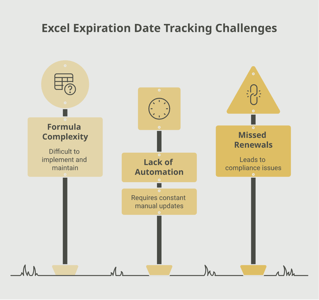
Spreadsheets centralize the data but do not actively prompt anyone and rarely survive team transitions.
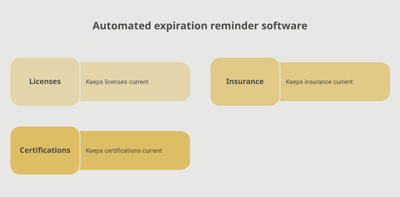
A dedicated tracking platform like Expiration Reminder stores each hosting account with its provider, plan, account ID, expiration date, payment method, and responsible owner. Reminders fire automatically before each renewal, lapsing accounts surface on a dashboard, and the supporting documents (invoice, contract) can be attached.
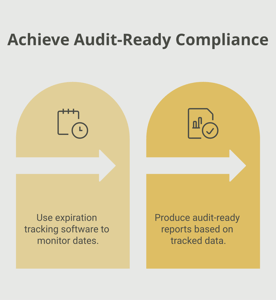
Key features include automated reminders at multiple intervals (60, 30, 14, 7 days before expiry — payment method changes need lead time), document storage for invoices and account records, dashboard views by site, provider, or expiry window, audit-ready reports for marketing and IT, and the ability to log the new expiration date in one step.
Key Takeaways
- A web hosting plan is a paid service providing server space, bandwidth, and infrastructure to keep a website online.
- Plans are typically billed monthly, annually, or in multi-year terms with promotional first-year pricing.
- Auto-renewal works when it works — failed payments, expired cards, and unmonitored inboxes are the common failure modes.
- Grace periods after expiry typically run 7–30 days depending on provider; after that, data can be permanently deleted.
- Site downtime damages SEO rankings, customer trust, and (for ecommerce) revenue.
- Manual tracking via provider emails fails at portfolio scale; automated tracking with reminders is the reliable approach.
Frequently Asked Questions
How long is web hosting valid?
Plans are typically billed monthly, annually, or in multi-year terms (often 3 years). Multi-year terms are commonly discounted but lock in for longer.
What happens when web hosting expires?
The website is typically suspended and visitors see an expiration notice. After a grace period (commonly 7–30 days depending on provider), website files, databases, email data, and backups may be permanently deleted.
Does auto-renewal always work?
Auto-renewal works when the payment method on file is valid and accepted. Failed payments — expired cards, declined transactions, removed payment methods — break the auto-renewal flow and the account moves toward expiration unless someone notices the failure notice.
How long is the grace period after web hosting expires?
It varies by provider. Bluehost typically offers 21 days, SiteGround 7–30 days depending on plan, others as short as a few days. Check the specific provider's terms.
Can I recover a website after the grace period?
If you have your own backups, yes — you can deploy them on a new hosting account. If you relied entirely on the provider's storage, recovery may be impossible after deletion.
Does the hosting expiration affect SEO?
Yes. Search engines crawling a 404 or expiration page from the host can drop the site from results, and recovery takes time. Repeated or extended downtime amplifies the effect.
Is web hosting the same as a domain name?
No. Hosting provides the server space; the domain name is the address. Both must be current for the website to work. They are often purchased from the same provider but are separate services with separate renewal cycles.
How do agencies track hosting across many client sites?
Agencies typically use a combination of provider portals, internal CRMs, and dedicated tracking platforms to centralize renewal calendars across clients.
Conclusion
Web hosting is one of those quietly critical services that almost nobody thinks about until it lapses — and then everyone thinks about it at once. The substantive work — choosing a provider, building the site, configuring DNS — is well understood. The administrative work — making sure the renewal actually happens, the payment goes through, and the grace period clock never runs out — is where most outages start.
If your team tracks hosting through provider emails or a spreadsheet, you already know how easy it is for one site to fall off the radar. A purpose-built tracking platform like Expiration Reminder centralizes every hosting account, sends reminders before each renewal, stores the supporting documents, and produces audit-ready reports the moment anyone asks.
Keep the sites online, plan the renewals, and let the system handle the calendar.