Introduction
If your backup and recovery strategy runs on Veeam — Veeam Backup & Replication, Veeam ONE, Veeam Backup for Microsoft 365, or any of the broader Veeam Data Platform — the license is what keeps the software running and entitles you to support, updates, and feature releases. When a Veeam maintenance contract lapses, the backups continue (for perpetual licenses) but updates and support stop, and the protection layer starts to age.
This article explains what a Veeam license is, the difference between perpetual and subscription models, how maintenance and support renewals work, and what happens when coverage lapses. You will also see the most practical way to track Veeam licenses across a single deployment or a large environment.
For most backup and storage teams, ordering the right license at purchase is well understood. The hard part is the calendar — knowing when maintenance lapses, when subscriptions need renewal, and how the pricing rules affect renewal timing.
What Is a Veeam License?
A Veeam license is a paid authorization to use Veeam products, combined with a support and maintenance contract that entitles the customer to updates, technical support, and (depending on contract) new feature releases. Veeam licenses are typically managed through the Veeam Customer Portal.
Veeam has historically offered two licensing models:
- Perpetual licensing — the customer owns the software in perpetuity, with a separate annual maintenance contract for support and updates. Production Support and Basic Support tiers are available.
- Subscription licensing — the customer licenses the software for a defined term (typically 1, 3, or 5 years). The subscription includes support; when it ends, both the software entitlement and the support stop.
License units have evolved over time. Older perpetual licenses are typically per-socket. Modern Veeam licensing is primarily VUL (Veeam Universal License), which is portable across workloads — physical, virtual, cloud, and SaaS — based on protected instances.
According to Veeam's renewal documentation, annual perpetual maintenance renewals are typically priced at 27% of the full new license MSRP for Production Support and 22% for Basic Support. Subscription renewals are typically priced based on the discount applied to the original term.
When a perpetual maintenance contract expires, the Veeam software continues to function, but the customer loses access to updates, patches, and technical support. The license itself does not expire — only the maintenance and support entitlement.
When a subscription license expires, both the entitlement and the support stop. After a grace period, jobs may stop running and the management console may restrict actions.
Why Veeam Licenses Matter for Your Organization
Veeam license currency protects against three concrete risks: data protection erosion, support unavailability, and compliance findings.
From a data protection standpoint, lapsed maintenance means missing updates and patches. New backup features, new platform compatibility (VMware, Hyper-V, cloud providers, SaaS), and new security capabilities (immutability, ransomware detection) become unavailable. The protection layer ages quickly in the face of evolving threats.
From an operational standpoint, lapsed support means no Veeam TAC access during incidents. When a critical recovery fails or a job persistently errors out, the support line is the line between resolution and improvisation.
From a compliance standpoint, audit frameworks increasingly look at backup and recovery as a core control. PCI DSS, HIPAA, SOC 2, ISO 27001, and ransomware-aware cyber insurance all expect active, supported backup software.
Common Scenarios for Tracking Veeam License Expiration Dates
Enterprise Backup Environments
Large enterprises running Veeam to protect hundreds or thousands of VMs and physical workloads need continuous maintenance to access new platform support, new immutability features, and security updates.
Cloud and SaaS Backup
Organizations using Veeam Backup for Microsoft 365, Veeam Backup for AWS, Veeam Backup for Azure, or Veeam Backup for Salesforce typically run subscription licenses with clear renewal cycles.
Managed Service Providers
MSPs using Veeam Cloud Connect, Veeam Service Provider Console, or Veeam Backup for hosted environments manage many customer tenants with different licensing terms.
Compliance-Driven Industries
Healthcare, finance, government, and other regulated industries need to be able to prove active backup software is in place during audits. Lapsed Veeam maintenance is a finding waiting to happen.
Mid-Market IT Operations
Mid-market organizations often run Veeam as the central backup product with annual or three-year maintenance cycles. Tracking the cycle matters because the next renewal often coincides with budget planning and capacity reviews.
How Veeam License Tracking Benefits Your Organization and Backup Teams
A reliable Veeam license tracking program produces measurable benefits.
For the company, current Veeam maintenance ensures continuous access to updates, support, and new features. It also preserves audit posture and cyber-insurance eligibility.
For backup and infrastructure teams, the renewal calendar becomes predictable. Capacity reviews, license unit recalculations (especially the VUL transition), and budget conversations happen with adequate lead time.
For finance, accurate license tracking supports cleaner budgeting and more informed renewal negotiations.
How to Track Veeam License Expiration Dates
The Veeam Customer Portal shows entitlements and renewal dates. Veeam also displays license information inside the Veeam Backup & Replication console — Help → License → Show details. These are good for one-off lookups but do not actively prompt anyone before expiry.
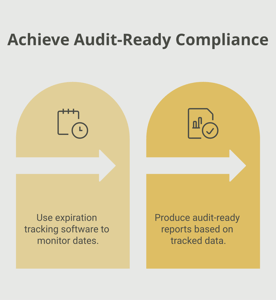
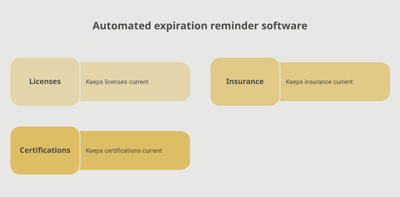
A dedicated tracking platform like Expiration Reminder stores each Veeam license with its product, edition, license unit count, maintenance or subscription type, expiration date, and supporting documents. Reminders fire automatically before expiration, lapsing licenses surface on a dashboard, and reports support IT, procurement, and audit needs.
Key features include automated reminders at multiple intervals (120, 90, 60, 30 days before expiry — Veeam quotes often need lead time for capacity reviews and VUL recalculations), document storage for license keys and purchase orders, dashboard views by product, edition, or expiry window, audit-ready reports for compliance, and the ability to log the new expiration date in one step.
Key Takeaways
- A Veeam license is a paid authorization to use Veeam products, combined with maintenance and support entitlements.
- Veeam offers perpetual licensing (with separate annual maintenance) and subscription licensing (typically 1, 3, or 5 years).
- Modern licensing is primarily VUL (Veeam Universal License), portable across workloads based on protected instances.
- Annual perpetual maintenance renewals are typically priced at 22–27% of MSRP depending on support tier.
- Lapsed maintenance means missing updates and support; lapsed subscription stops both entitlement and support.
- Automated tracking with reminders is the reliable approach for any non-trivial Veeam deployment.
Frequently Asked Questions
How long is a Veeam license valid?
Perpetual licenses are valid indefinitely but require annual maintenance for support and updates. Subscription licenses run 1, 3, or 5 years.
What is the difference between perpetual and subscription Veeam licensing?
Perpetual licensing means you own the software in perpetuity with separate annual maintenance. Subscription licensing licenses the software for a defined term; both entitlement and support stop when the subscription ends.
What is a VUL (Veeam Universal License)?
VUL is Veeam's portable licensing model that covers protected instances across physical, virtual, cloud, and SaaS workloads, allowing customers to reallocate licenses as their environments evolve.
What is the difference between Basic Support and Production Support?
Basic Support is the lower-tier support option with reduced response times and hours of coverage. Production Support is the standard enterprise-grade tier with 24/7 response and faster SLAs. Renewal pricing differs accordingly.
What happens when Veeam maintenance lapses?
The software continues to function and existing licenses remain valid for perpetual customers. However, access to updates, patches, and Veeam TAC support stops until the maintenance contract is renewed.
Can I renew Veeam maintenance after expiry?
Yes, but reinstatement may require back-dating fees to cover the lapsed period or, in some cases, a new contract. Renewing before expiry is typically simpler and cheaper.
How are Veeam renewal prices calculated?
Veeam annual perpetual maintenance renewals are typically 27% of full new-license MSRP for Production Support and 22% for Basic Support. Subscription renewals are based on the original subscription pricing.
Where can I see my Veeam license status?
Inside the Veeam Backup & Replication console (Help → License → Show details) and in the Veeam Customer Portal.
Conclusion
Veeam licenses are the foundation of one of the most widely deployed backup and recovery stacks in business IT — and the foundation only holds when the maintenance and support entitlement is current. The renewal itself is well understood. The failure mode is administrative — a maintenance contract that slips past, taking the support and update entitlement with it.
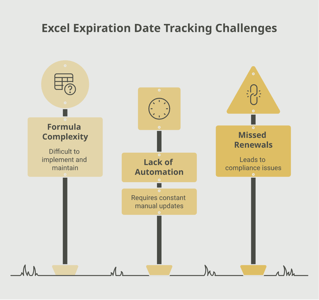
If your team tracks Veeam licenses through the customer portal, the BR console, or a spreadsheet, you already know how easy it is for a renewal to slip past, especially when contracts are aligned to fiscal years rather than purchase anniversaries. A purpose-built tracking platform like Expiration Reminder centralizes every license, sends reminders before each expiration date, stores the supporting documents, and produces audit-ready reports the moment anyone asks.
Protect the data, plan the renewals, and let the system handle the calendar.