Introduction
If your organization uses Sophos to protect endpoints, firewalls, email, or cloud workloads, the Sophos license is the difference between a security stack that is actively defending you and a stack that is quietly aging out of usefulness. When the license lapses, the appliances keep running but stop receiving the threat intelligence updates, signature databases, and product features that make them effective.
This article explains what a Sophos license is, the main product families and license types, how renewals work, and what happens when coverage lapses. You will also see the most practical way to track Sophos licenses across a single-site deployment or a multi-tenant environment.
For most security and IT teams, the renewal itself is well understood — a partner provides a quote, the order goes through, and the new license appears in Sophos Central. The hard part is the calendar across multiple license SKUs, each with its own renewal cycle.
What Is a Sophos License?
A Sophos license is a paid subscription that authorizes the use of Sophos products and entitles the customer to threat intelligence updates, feature releases, and technical support during the license period. Licenses are managed primarily through Sophos Central, Sophos's cloud-based management console.
Sophos's main licensable product families include:
- Sophos Central Endpoint and Server protection — Intercept X for endpoints and servers, with Standard, Advanced, and XDR/MDR tiers.
- Sophos Firewall (XGS series) — base appliance plus Xstream Protection bundles covering web protection, application control, IPS, sandboxing, and ZTNA.
- Sophos Email — cloud email security and continuity.
- Sophos Cloud Native Security — Cloud Optix and related cloud workload protection.
- Sophos Managed Detection and Response (MDR) — 24/7 monitored detection and response service.
License terms are typically 1, 2, or 3 years, with multi-year commitments often discounted. Firewall licenses combine hardware coverage (Sophos hardware support) with the security service subscription — both must be current for full functionality.
When a license expires, Sophos typically provides a grace period (often 30–90 days) during which the customer can renew without service interruption. After the grace period, threat updates stop, certain features deactivate, and the management console may restrict actions.
Why Sophos Licenses Matter for Your Organization
Sophos license currency protects against three concrete risks: security gap exposure, operational disruption, and compliance findings.
From a security standpoint, an expired Sophos license means the deployed agents and appliances stop receiving threat intelligence updates. New malware, phishing campaigns, and exploit signatures stop arriving. The protection layer becomes a snapshot of yesterday's threats rather than a current defense.
From an operational standpoint, expired licenses can disable specific product features (sandboxing, ZTNA, Web Application Firewall) or restrict management functions. Lapsed firewall licenses may cause the appliance to fall back to a reduced functionality state.
From a compliance standpoint, frameworks like PCI DSS, ISO 27001, SOC 2, and HIPAA expect active endpoint protection and firewall security with current threat intelligence. Auditors routinely check license status, and an expired Sophos license can be a finding.
For Managed Service Providers using Sophos to protect customer environments, license currency is also a contractual obligation. Customer service-level agreements typically require active protection at all times.
Common Scenarios for Tracking Sophos License Expiration Dates
Single-Site Businesses Using Sophos Central
Small and mid-sized businesses standardizing on Sophos Central need to track endpoint, server, firewall, and email licenses — typically aligned to a single renewal date for simplicity, but often drifting apart as products are added.
Multi-Site Enterprises
Larger organizations may run multiple Sophos Firewall appliances, hundreds or thousands of Intercept X seats, and additional services like MDR. Each license SKU has its own term, and consolidating them onto a unified renewal calendar takes effort.
Managed Service Providers
MSPs delivering Sophos protection to customers manage many separate tenants in Sophos Central, each with its own subscription. Renewal coordination across tenants is a recurring operational task.
Compliance-Driven Industries
Healthcare, finance, education, and government organizations using Sophos to meet specific regulatory requirements need to be able to prove license status during audits.
Hybrid and Cloud-First Environments
Organizations using Sophos for cloud workload protection alongside endpoint and firewall must coordinate licenses across multiple deployment models.
How Sophos License Tracking Benefits Your Organization and Security Teams
A reliable license tracking program produces measurable benefits.
For the company, current Sophos licenses maintain continuous threat protection, satisfy audit requirements, support cyber-insurance underwriting, and prevent the cliff-edge of an expired license disabling functionality.
For security teams, the renewal calendar becomes a predictable planning exercise rather than a fire drill. Knowing which licenses come up in the next 60–90 days lets the team prepare quotes, negotiate terms, and align with budget cycles.
For MSPs and partners, accurate tracking is the basis of customer trust — no one wants to learn from the customer that protection lapsed last week.
How to Track Sophos License Expiration Dates
Sophos Central displays license status for each subscription tied to the tenant. This works well for single-tenant environments but breaks down for MSPs and large enterprises with multiple Central tenants.
Sophos Partner portals and quoting tools (often via firewalls.com, MagoFOG, or other resellers) provide additional visibility, particularly for multi-tenant or multi-product renewals.
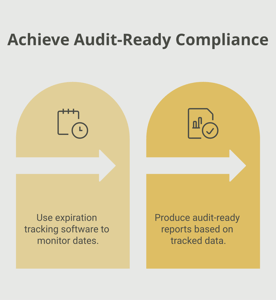
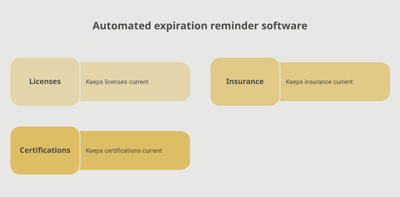
A dedicated tracking platform like Expiration Reminder stores each Sophos license with its SKU, term, expiration date, supporting purchase order, and responsible owner. Reminders fire automatically before expiration, lapsing licenses surface on a dashboard, and reports support both IT and procurement workflows.
Key features include automated reminders at multiple intervals (90, 60, 30 days before expiry — firewall and security licenses often need lead time to quote and procure), document storage for license keys and purchase orders, dashboard views by tenant, product family, or expiration window, audit-ready reports for compliance and cyber-insurance, and the ability to log the new expiry date in one step.
Key Takeaways
- A Sophos license is a paid subscription authorizing use of Sophos products and providing threat updates, feature releases, and support.
- Sophos's main product families include Central Endpoint/Server, Sophos Firewall (XGS), Sophos Email, Cloud Native Security, and MDR.
- License terms are typically 1, 2, or 3 years; multi-year terms are often discounted.
- Firewalls require both hardware support and security service subscriptions to remain fully functional.
- Sophos typically provides a grace period after expiry, but threat updates and certain features stop without renewal.
- Manual tracking via Sophos Central works for small deployments; automated tracking with reminders is essential for MSPs, multi-tenant environments, and large fleets.
Frequently Asked Questions
How long is a Sophos license valid?
Typically 1, 2, or 3 years. Multi-year terms are commonly discounted relative to annual renewals.
What happens when a Sophos license expires?
Sophos generally provides a grace period during which renewal can be processed without interruption. After the grace period, threat updates stop, some features deactivate, and management actions may be restricted.
Do I need separate licenses for firewall hardware and services?
Yes. The Sophos Firewall appliance is licensed for hardware support and for the security service bundle (Xstream Protection). Both must be current to keep all features active.
Where can I see my Sophos license status?
In Sophos Central, navigate to the Licenses page. Each subscription shows the term, expiration date, and entitlements.
Can I renew early without losing the remaining term?
Yes, in most cases. Sophos and authorized partners can structure the renewal so the new term extends from the existing expiration date.
What is the difference between Sophos Central licenses and firewall licenses?
Sophos Central is the cloud management console for endpoint, server, email, and cloud workload products. Sophos Firewall is the network security appliance with its own license structure. Both are managed through Sophos Central in newer deployments.
How do MSPs manage Sophos licenses across many customers?
MSPs use Sophos Central Partner / Enterprise consoles to manage multiple tenants. Many also use dedicated tracking platforms to centralize renewal calendars across customer environments.
What does MDR coverage include?
Sophos MDR provides 24/7 monitored detection and response — Sophos analysts investigate alerts, contain threats, and respond on the customer's behalf within agreed scope.
Conclusion
Sophos licenses are the safety net for one of the most widely deployed endpoint and network security stacks. The renewal itself is a routine procurement task. The failure mode is almost always administrative — a renewal that slips past unnoticed, taking the protection layer with it.
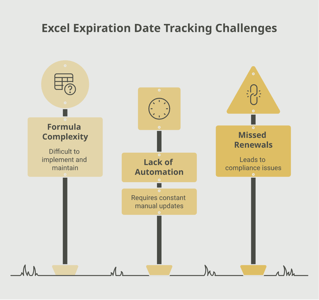
If your team tracks Sophos licenses through Sophos Central, partner portals, or a spreadsheet, you already know how fragile that is across a multi-product, multi-tenant environment. A purpose-built tracking platform like Expiration Reminder centralizes every license, sends reminders before each expiration date, stores the supporting documents, and produces audit-ready reports the moment anyone asks.
Keep the protection current, plan the renewals, and let the system handle the calendar.