Introduction
If your network is protected by SonicWall — TZ, NSa, NSsp, or any of the broader SonicWall portfolio — the licenses on those appliances are what keep the threat intelligence flowing and the support line open. When a SonicWall license lapses, the firewall keeps moving packets, but the security services that justify its presence start to deactivate one by one.
This article explains what a SonicWall license is, the main service bundles, how renewals work, and what happens when coverage lapses. You will also see the most practical way to track SonicWall licenses across a single firewall or a multi-site network.
For most network teams, the renewal itself is routine — a partner provides a quote, the new key is applied, the appliance is back to fully licensed. The hard part is the calendar across multiple appliances and multiple service licenses on each one.
What Is a SonicWall License?
A SonicWall license is a paid subscription that authorizes the use of SonicWall security services and support during a defined term. SonicWall organizes licensing around two primary categories:
- Security services — threat intelligence and feature subscriptions: Gateway Anti-Virus, Anti-Spyware, Intrusion Prevention Service, Application Control, Content Filtering Service, Capture Advanced Threat Protection (sandboxing), Botnet Filter, and Geo-IP Filter.
- Support services — 8x5 or 24x7 support, hardware coverage, RMA, and firmware updates.
These are most commonly purchased as bundles:
- Essential Protection Service Suite (EPSS) — entry-level bundle including core security services and 24x7 support.
- Advanced Protection Service Suite (APSS) — adds Capture ATP sandboxing, RTDMI engine, advanced content filtering, and additional services on top of EPSS.
- Comprehensive Anti-Spam Service — add-on email security available on supported appliances.
License terms typically run 1, 2, or 3 years. Multi-year licenses are commonly discounted compared to annual renewals.
When a SonicWall security service license expires, the corresponding service stops receiving updates. Gateway Anti-Virus and IPS continue to enforce yesterday's signatures, but new threat intelligence stops arriving. After a grace period (typically 30 days, depending on the service), the service may deactivate entirely. Firmware updates and TAC access require active support coverage.
Why SonicWall Licenses Matter for Your Organization
SonicWall license currency protects against three concrete risks: security gap exposure, support unavailability, and compliance findings.
From a security standpoint, an expired SonicWall service means the appliance enforces yesterday's policy with yesterday's threat intelligence. Each lapsed service (IPS, AV, CFS, Capture ATP) creates its own gap.
From an operational standpoint, expired support means no firmware updates and no TAC access during incidents. A critical CVE that requires a firmware patch becomes unreachable until coverage is reinstated.
From a compliance standpoint, frameworks like PCI DSS, HIPAA, SOC 2, and ISO 27001 expect active firewall security services. Lapsed licenses are visible during audits.
For organizations running SonicWall at branch sites and remote locations, the calendar becomes harder to manage because the appliance is not visible day-to-day. Branch sites are typically where lapsed licenses show up first.
Common Scenarios for Tracking SonicWall License Expiration Dates
Small and Mid-Market Business Networks
Many small businesses run a single SonicWall TZ or NSa as their primary firewall. A single appliance has a single renewal date, but it also has no redundancy — a lapsed license means the protection that exists is the only protection there is.
Multi-Site and Branch Office Networks
Larger organizations may deploy SonicWall across dozens of branches. Each appliance has its own bundle and renewal date, and centralizing the calendar across sites is essential.
Managed Service Providers
MSPs delivering SonicWall-based managed firewall services manage many customer tenants. Renewal coordination across tenants is a recurring operational task and a customer-trust issue.
Education and Public Sector
Schools, libraries, and municipalities frequently deploy SonicWall for content filtering (CIPA compliance in U.S. schools) and basic firewall protection. CIPA-related content filtering subscriptions in particular need continuous coverage to maintain federal E-rate eligibility.
Healthcare Practices and Small Clinics
Small healthcare practices often run SonicWall as a HIPAA-aware perimeter device. Lapsed licenses create both security and compliance gaps.
How SonicWall License Tracking Benefits Your Organization and IT Teams
A reliable license tracking program produces measurable benefits.
For the company, current SonicWall services maintain continuous threat protection, ensure firmware updates and CVE patches remain available, satisfy audit requirements, and prevent the cliff-edge of service deactivation.
For IT teams, the renewal calendar becomes predictable. Quotes are requested early, licenses are applied before expiry, and the appliance never enters a degraded state.
For finance, multi-year renewals offer meaningful savings — but only when there is enough lead time to evaluate them properly.
How to Track SonicWall License Expiration Dates
SonicWall's MySonicWall portal displays license and service status for each appliance tied to the account. Useful for single-account environments; harder to manage across many tenants.
Partner portals (firewalls.com, MagoFOG, and other resellers) often provide consolidated views and proactive renewal outreach.
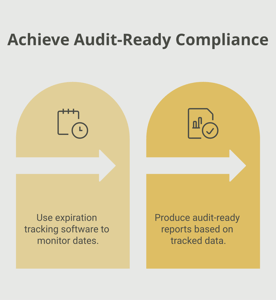
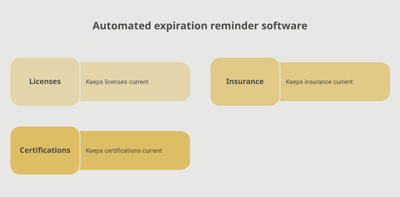
A dedicated tracking platform like Expiration Reminder stores each appliance with its serial number, bundle, security service expirations, support expiration, and supporting documents. Reminders fire automatically before each expiration, lapsing appliances surface on a dashboard, and reports support IT, procurement, and audit needs.
Key features include automated reminders at multiple intervals (90, 60, 30 days before expiry), document storage for license certificates and purchase orders, dashboard views by site, bundle, or expiry window, audit-ready reports for compliance, and the ability to log the new expiration date in one step after each renewal.
Key Takeaways
- A SonicWall license is a paid subscription covering security services and support for SonicWall appliances.
- Common bundles include Essential Protection Service Suite (EPSS) and Advanced Protection Service Suite (APSS).
- License terms typically run 1, 2, or 3 years; multi-year terms are often discounted.
- Expired services stop receiving threat updates; expired support cuts off firmware updates and TAC access.
- Branch and multi-site networks make centralized license tracking essential.
- Manual tracking via MySonicWall works for small accounts; automated tracking with reminders is the reliable approach at scale.
Frequently Asked Questions
How long is a SonicWall license valid?
Typically 1, 2, or 3 years. Multi-year terms are commonly discounted relative to annual renewals.
What is the difference between EPSS and APSS?
EPSS (Essential Protection Service Suite) is the entry-level bundle including core security services and 24x7 support. APSS (Advanced Protection Service Suite) adds Capture ATP sandboxing, RTDMI engine, and advanced content filtering.
What happens when a SonicWall license expires?
Security services stop receiving updates, and after a brief grace period may deactivate. Expired support means no firmware updates and no TAC access. The hardware continues to pass traffic but loses its security stack.
Where can I check SonicWall license status?
Through MySonicWall.com — entering the appliance serial number returns the active services and expiration dates.
Can I renew SonicWall licenses early?
Yes. Renewals typically extend from the existing expiration date, so renewing 60–90 days early preserves the remaining term.
Does CIPA compliance require a specific SonicWall license?
CIPA-compliant content filtering for U.S. schools and libraries requires the Content Filtering Service subscription to be active. Lapsed CFS can put E-rate funding eligibility at risk.
Can I run different bundles on different appliances?
Yes. Each appliance is licensed independently. Branch appliances may run a lighter bundle while data center appliances run APSS or higher.
How do MSPs track SonicWall licenses across customers?
MSPs use MySonicWall multi-tenant accounts plus their own tracking systems to coordinate renewals across customer environments, with reminders set well ahead of expiration.
Conclusion
SonicWall licenses are what turn a network appliance into an active security stack — without them, the appliance is hardware, but not really a firewall in the modern sense. The renewal itself is routine. The failure mode is administrative — a license that lapses unnoticed while the appliance keeps appearing to "work" but no longer defends.
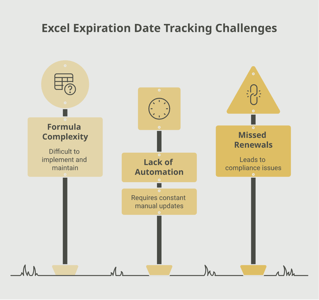
If your team tracks SonicWall licenses through MySonicWall, partner portals, or a spreadsheet, you already know how fragile that is across multiple appliances. A purpose-built tracking platform like Expiration Reminder centralizes every appliance, sends reminders before each expiration date, stores the supporting documents, and produces audit-ready reports the moment anyone asks.
Keep the protection current, plan the renewals, and let the system handle the calendar.