Introduction
If your business depends on physical servers — for ERP, databases, virtualization hosts, file storage, or any production workload — the warranty on those servers is the difference between a planned support call and an unplanned outage. When the warranty lapses, you keep running the workload but lose access to the parts, expertise, and response times that make recovery predictable.
This article explains what a server warranty is, the coverage tiers that vendors typically offer, what happens after the original warranty ends, third-party support options, and what happens when coverage lapses. You will also see the most practical way to track server warranties across a data center, multiple sites, or a hybrid on-prem and colocation environment.
For most IT operations teams, ordering the right warranty at purchase is straightforward. The hard part is the calendar — keeping every server, every year, with the right level of coverage in place to match the workload it carries.
What Is a Server Warranty?
A server warranty is the manufacturer's commitment to repair or replace failed hardware components and provide technical support for a defined period. Warranties are tied to the server's serial number and are activated at the date of shipment or installation.
Most enterprise server warranties from major vendors (Dell PowerEdge, HPE ProLiant, Lenovo ThinkSystem, Cisco UCS, IBM Power Systems) follow a similar structure:
- Base warranty — typically 1 to 3 years included with the hardware purchase.
- Extended warranty — purchased at the time of sale or before expiry, extending coverage in 1-, 2-, or 3-year increments up to a vendor-defined maximum (often 5 to 7 years).
- Service tiers — generally tracking next-business-day on-site, 24/7 response, 4-hour mission-critical, and proactive monitoring options.
Vendors brand their service tiers differently — Dell ProSupport / ProSupport Plus, HPE Foundation Care / Proactive Care / Tech Care, Lenovo Premier Support, Cisco SmartNet — but the underlying structure (response time, hours of coverage, advance parts, on-site service) is largely consistent.
Many enterprise servers reach an "end of service life" (EOSL) milestone after the manufacturer stops offering renewal options — typically 5 to 7 years after the last shipment date for the product line. After EOSL, customers either replace the hardware, accept the risk of unsupported operation, or move to third-party maintenance providers that continue offering parts and support beyond the manufacturer's window.
Why Server Warranties Matter for Your Organization
Server warranty coverage protects against three concrete risks: production downtime, unbudgeted hardware costs, and erosion of support access.
For production workloads, an unplanned server failure during an expired warranty turns a routine break/fix into an extended outage. Sourcing parts on the secondary market, finding qualified technicians, and recovering data without vendor support can mean hours or days when the workload is supposed to be available in minutes.
For budget planning, server warranty timing dictates lifecycle planning. Knowing which servers come off-warranty in the next 12–24 months drives refresh planning, virtualization consolidation, and cloud migration decisions.
For audit and compliance, regulated environments (PCI DSS, HIPAA, SOC 2, ISO 27001) often expect production hardware to be under active support. Auditors routinely check warranty status during reviews.
For risk management, an out-of-warranty server hosting a critical workload is a known but often unacknowledged single point of failure. Surfacing those servers as their warranties approach expiry is essential to informed risk decisions.
Common Scenarios for Tracking Server Warranty Expiration Dates
Data Center and Production Workloads
Enterprise data centers running ERP, databases, virtualization clusters, and storage arrays depend on continuous server support. The warranty calendar feeds directly into capital planning, refresh cycles, and risk reviews.
Branch and Edge Server Deployments
Branch offices and retail locations often house local servers for printing, file sharing, point-of-sale, and similar workloads. These edge devices are easy to lose track of, and their warranties often lapse before anyone notices.
Colocation and Hybrid Environments
Servers in colocation facilities are managed remotely. Warranty tracking is essential because no one walks past the device every day — the calendar is the only signal.
Managed Service Providers and Hosting
MSPs and hosting providers managing customer servers face multiplied warranty complexity. Each customer's hardware has its own renewal cycle, and customer agreements often require active warranty as a condition of the managed service.
Lab, Development, and Test Servers
Lab and test environments often house older, off-warranty servers running development workloads. Tracking these separately from production helps make informed decisions about which to refresh, which to replace, and which to accept as known-risk.
How Server Warranty Tracking Benefits Your Organization and Operations Teams
A reliable warranty program produces measurable benefits.
For the company, current coverage means faster recovery from failures, cleaner audit posture, more informed refresh planning, and better risk visibility.
For operations teams, knowing every server's coverage status removes a recurring source of incident-time uncertainty. The on-call engineer can act decisively when a server fails because the warranty status, support number, and tier are all known.
For finance and procurement, warranty visibility supports better budgeting, stronger renewal negotiations, and cleaner asset records for depreciation and capital planning.
How to Track Server Warranty Expiration Dates
Vendor portals (Dell TechDirect, HPE Support Center, Lenovo Service Connect) provide warranty data for hardware purchased through that vendor. Useful, but most organizations run mixed-vendor fleets and need a consolidated view.
IT asset management tools store warranty data alongside other inventory information but rarely actively remind teams as expiration approaches.
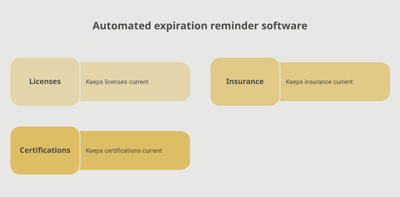
A dedicated tracking platform like Expiration Reminder stores each server with its vendor, model, serial number, warranty tier, expiration date, and supporting documents. Reminders fire automatically before expiry, servers approaching end-of-warranty surface on a dashboard, and reports support IT, finance, and audit needs.
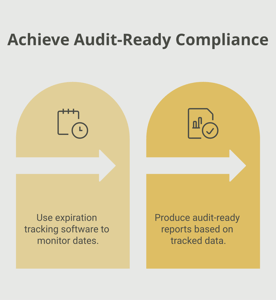
Key features include automated reminders at multiple intervals (180, 90, 60, 30 days before expiry — server renewals often need longer lead times), document storage for purchase orders and support contracts, dashboard views by vendor, role, or location, audit-ready reports of warranty status across the fleet, and the ability to log a new expiration date the moment a renewal is in place.
Key Takeaways
- A server warranty is the manufacturer's commitment to repair or replace failed hardware and provide technical support, tied to the server's serial number.
- Base warranties typically run 1–3 years; extensions and tiered support options can extend coverage to 5–7 years depending on vendor and product.
- Major vendors (Dell, HPE, Lenovo, Cisco, IBM) offer similar tier structures with different branding.
- After end-of-service-life, third-party maintenance providers can extend support beyond the manufacturer's window.
- Out-of-warranty servers hosting production workloads represent known but often unmanaged risk.
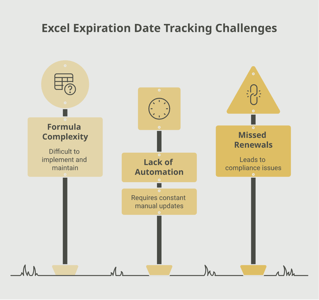
- Manual tracking via vendor portals or ITAM tools fails at multi-vendor scale; automated tracking with reminders is the reliable approach.
Frequently Asked Questions
How long does a server warranty last?
Most enterprise servers ship with 1 to 3 years of base warranty. Extensions are typically available in 1- to 3-year increments, with a vendor-defined maximum (often 5 to 7 years total).
What is end-of-service-life (EOSL)?
EOSL is the point at which the manufacturer stops offering warranty renewals for a product line. After EOSL, customers either replace the hardware, accept the risk of unsupported operation, or use third-party maintenance providers.
Can I get support after the warranty expires?
The vendor may offer time-and-materials support or short-term reinstatement, but parts availability and response times degrade quickly after the warranty lapses. Third-party maintenance providers can offer continued support, often at a significant discount to vendor renewals.
What is the difference between basic, foundation, and proactive care tiers?
Basic and foundation tiers typically include break/fix support with next-business-day response. Proactive tiers (Dell ProSupport Plus, HPE Proactive Care, Lenovo Premier) add monitoring, predictive failure detection, and faster on-site response.
Should I extend my server warranty or refresh the hardware?
It depends on the workload, the cost of extension versus refresh, the performance and feature gap with current generation, and the strategic direction of the workload (on-prem vs cloud). Most organizations make this decision 12–18 months before the current warranty expires.
Are software and firmware updates affected by warranty status?
Yes, in many cases. Security updates and critical firmware may remain available, but advanced features, predictive analysis, and proactive monitoring typically require active support contracts.
How do third-party maintenance providers work?
Third-party providers (Park Place, Curvature, Service Express, others) maintain parts inventory and certified technicians for major server platforms, offering support contracts that often extend years beyond manufacturer EOSL at lower cost than direct vendor renewals.
How do I track warranties across multiple vendors?
Vendor-specific portals work for single-vendor environments. Mixed-vendor environments typically use IT asset management tools or dedicated tracking platforms that consolidate warranty data across vendors and send reminders centrally.
Conclusion
Server warranties are the safety net for the workloads that run your business — and the safety net only works when it is current. The substantive work — choosing tiers, negotiating renewals, deciding when to refresh versus extend — sits with IT and procurement. The administrative work — knowing every serial number's expiration date and acting before it passes — is the part where most programs stumble.
If your team tracks server warranties through vendor portals, ITAM tools, or spreadsheets, you already know how easy it is for a key server to slip past coverage. A purpose-built tracking platform like Expiration Reminder centralizes every server, sends reminders before each expiration date, stores the supporting contracts, and produces audit-ready reports the moment anyone asks.
Cover the hardware, plan the renewals, and let the system handle the calendar.