Nursing License: What It Is, Who Needs It & How to Track Expiration Dates
What Is a Nursing License?
A nursing license is a state-issued credential that authorizes an individual to practice nursing within a specific jurisdiction. In the United States, nursing licenses are issued and regulated by each state's Board of Nursing (BON), which sets the requirements for education, examination, and ongoing licensure. No one may legally practice nursing without an active license from the state where they work.
Nursing licenses cover several distinct credential levels, each with its own scope of practice. The most common types include Registered Nurse (RN), Licensed Practical Nurse (LPN) or Licensed Vocational Nurse (LVN), Certified Nursing Assistant (CNA), and Advanced Practice Registered Nurse (APRN). Each level requires different educational preparation, examination, and renewal criteria. RNs and LPNs must pass the NCLEX examination (NCLEX-RN or NCLEX-PN) to obtain initial licensure, while CNAs must pass a state competency evaluation.
Nursing license renewal cycles vary by state and license type, typically ranging from one to four years. Most states use a two-year renewal cycle for RNs and LPNs. Continuing education (CE) requirements also vary — for example, Pennsylvania requires 30 contact hours per renewal period for RNs, while Massachusetts requires 15 contact hours, and Indiana requires no CE at all. Some states also require practice hour minimums; Arizona, for instance, requires RNs to have practiced at least 960 hours in the preceding five years to qualify for renewal.
Renewal fees vary by state and license type, generally ranging from $50 to $200 for RNs and LPNs, with CNA renewals typically costing less. Many states also charge late renewal penalties that can double the standard fee. The renewal process is typically completed online through the state Board of Nursing's portal.
It is worth noting that 41 states and territories participate in the Nurse Licensure Compact (NLC), which allows nurses with a multistate license to practice in any compact state without obtaining additional state licenses. However, even compact licenses must be renewed according to the home state's schedule and requirements.
Why Nursing Licenses Matter for Your Organization
For healthcare organizations, verifying and tracking active nursing licenses is not optional — it is a regulatory, accreditation, and patient safety imperative. The Joint Commission, CMS (Centers for Medicare and Medicaid Services), and state health departments all require healthcare facilities to ensure that every nurse providing patient care holds a current, active license in the state where they practice.
The consequences of employing a nurse with an expired license are severe. In most states, practicing nursing without an active license is a criminal offense — a misdemeanor in many jurisdictions, and potentially a felony if serious patient harm occurs. Penalties can include fines up to $10,000, license suspension or revocation, and even imprisonment. The employing organization shares liability: facilities that fail to verify staff licensure face regulatory sanctions, accreditation deficiencies, and significant legal exposure.
Beyond the legal dimension, there is an immediate operational impact. When a nurse's license expires, they must be removed from patient care duties until they reinstate their credential. For units already stretched thin by staffing shortages, losing even one nurse to a licensure lapse creates a cascade of overtime, agency staffing costs, and workload strain on remaining staff. In specialty areas like ICUs, operating rooms, or labor and delivery, the disruption can be particularly acute.
For large health systems managing thousands of nurses across multiple facilities and states, the tracking challenge is enormous. Staggered renewal dates, varying CE requirements, different state deadlines, and the complexities of the Nurse Licensure Compact create a web of compliance obligations that demand a systematic approach.
Common Scenarios for Tracking Nursing License Expiration Dates
Hospital Credentialing and Medical Staff Offices
Credentialing offices at hospitals are responsible for verifying that every nurse holds an active license before they begin clinical duties and throughout their employment. With RNs, LPNs, CNAs, and APRNs all on different renewal schedules, and with nurses who may hold licenses in multiple states, credentialing staff need a tracking system that provides advance notice of approaching expirations and clear status visibility across the entire nursing workforce.
Nurse Managers Overseeing Unit Staffing
Nurse managers on medical-surgical floors, ICUs, emergency departments, and specialty units must ensure that every nurse on their roster is properly licensed for every shift. If a nurse's license expires without notice, the manager faces an immediate staffing gap and must find coverage — often at premium overtime or agency rates. Proactive tracking allows managers to coordinate renewals around scheduling demands and avoid surprises.
HR Departments at Multi-Facility Health Systems
HR teams at health systems with multiple hospitals, clinics, and outpatient facilities manage nursing licensure across potentially thousands of employees and multiple states. Each state has its own renewal cycle, CE requirements, and fee structure. HR needs centralized visibility into license status across all facilities to ensure consistent compliance and to support workforce planning when nurses transfer between locations.
Compliance Officers Preparing for Regulatory Surveys
When The Joint Commission, CMS, or a state health department conducts a survey, staff licensure records are among the first items reviewed. Compliance officers must be able to produce documentation showing that every nurse held an active license on every day they provided patient care. A centralized tracking system with historical records and audit-ready reporting makes survey preparation manageable rather than a high-stress scramble.
Staffing Agencies Managing Travel and Per Diem Nurses
Nursing staffing agencies place travel nurses, per diem nurses, and contract nurses at facilities across multiple states. Agency compliance teams must verify active licensure in each state where a nurse will work, track renewal dates for every credential, and ensure that compact license eligibility is properly documented. The dynamic nature of travel nursing — with nurses moving between assignments and states — makes automated tracking essential for maintaining compliance at scale.
How Nursing Licenses Benefit Your Company and Employees
For Your Organization
Maintaining verified, active nursing licenses across your workforce is foundational to regulatory compliance, accreditation readiness, and risk management. It protects your organization from the legal and financial consequences of employing unlicensed practitioners, ensures uninterrupted patient care operations, and demonstrates the due diligence that surveyors and regulators expect. Organizations with strong license tracking processes also benefit from better workforce planning, since they have clear visibility into when staffing adjustments may be needed around renewal periods.
For Your Employees
For nurses, an active license is the credential that defines their professional identity and enables their livelihood. Keeping it current ensures career continuity, protects them from disciplinary action, and maintains their standing with the Board of Nursing. When organizations provide proactive renewal reminders and support, nurses feel valued and can focus on patient care rather than administrative worry. For nurses participating in the Nurse Licensure Compact, staying current also preserves the flexibility to practice across state lines.
For Your Patients
Patients and their families trust that every nurse at the bedside is properly educated, examined, and licensed to provide care. Nursing licensure is the public's assurance that minimum competency standards have been met and maintained. When your organization tracks licenses diligently, you uphold that trust and contribute to a culture of safety that benefits every patient who walks through your doors.
How to Track Nursing License Expiration Dates
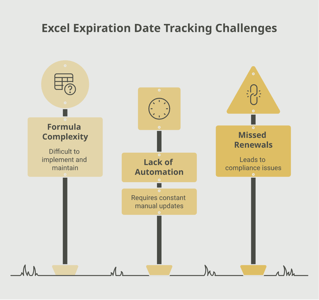
Many healthcare organizations track nursing licenses using spreadsheets, shared drives, or basic HR system fields. While these methods can work for small practices, they become unreliable at scale. Spreadsheets require manual updates every time a nurse renews, provide no automated alerts, and make it nearly impossible to generate the compliance reports that regulatory surveys demand. With thousands of nurses on staggered renewal cycles across multiple states, a single missed update can mean a nurse is working with an expired license for days or weeks before the gap is discovered.
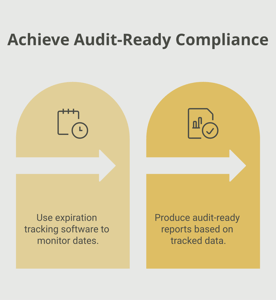
A more dependable approach is to use a dedicated expiration tracking platform that automates the entire lifecycle. Solutions like Expiration Reminder let you store every nursing license in a centralized dashboard, set up automated reminder sequences (such as 90 days, 60 days, and 30 days before expiration), and generate audit-ready reports showing real-time compliance status across your entire organization. When a nurse completes their renewal, the record is updated once, and the system automatically schedules the next round of reminders.
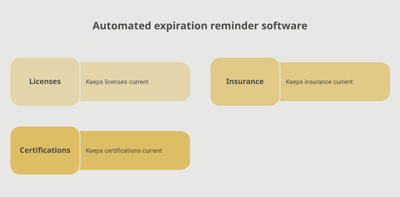
For organizations managing nursing licenses alongside other credentials — BLS, ACLS, PALS, specialty certifications, DEA registrations, and malpractice insurance — a centralized platform eliminates the need to maintain separate tracking systems for each document type. Everything is visible in one place, with clear indicators showing who is current, who is approaching expiration, and who needs immediate attention.
Key Takeaways
- Nursing licenses (RN, LPN, CNA, APRN) are state-issued credentials with renewal cycles typically ranging from one to four years, depending on the state and license type.
- Practicing nursing with an expired license is a criminal offense in most states, with penalties ranging from fines to felony charges if patient harm occurs.
- Continuing education requirements vary significantly by state — from zero hours in some states to 30 or more contact hours per renewal period.
- Healthcare organizations share liability for employing nurses with expired licenses and face regulatory sanctions, accreditation deficiencies, and legal exposure.
- The Nurse Licensure Compact (NLC) allows multistate practice but does not eliminate the need to track and renew the home state license on schedule.
- Start the renewal process at least 60 to 90 days before expiration to allow time for CE completion, application submission, and processing.
- Automated tracking systems replace error-prone manual methods and provide centralized visibility, automated reminders, and audit-ready reporting across your entire nursing workforce.
Frequently Asked Questions
What happens if a nursing license expires?
Once a nursing license expires, the holder cannot legally practice nursing. Continuing to provide patient care with an expired license is a criminal offense in most states, potentially resulting in fines, license suspension or revocation, and even imprisonment. The employing organization also faces regulatory sanctions and legal liability.
How long is a nursing license valid?
Validity periods vary by state and license type. Most states use a two-year renewal cycle for RN and LPN licenses, though some states issue licenses for one, three, or four-year terms. CNA certifications typically renew every two years. Check with your state Board of Nursing for specific timelines.
How long does it take to renew a nursing license?
The online renewal application itself takes only minutes to complete. However, completing the required continuing education hours may take days to weeks depending on your state's requirements. Processing times after submission vary by state, typically ranging from a few days to several weeks during peak renewal periods.
Who is required to have a nursing license?
Anyone who practices nursing in the United States must hold an active license from the state where they practice. This includes Registered Nurses (RNs), Licensed Practical Nurses (LPNs/LVNs), Certified Nursing Assistants (CNAs), and Advanced Practice Registered Nurses (APRNs). Nurses in the Nurse Licensure Compact may practice in multiple states under a single multistate license.
Can a nurse work with an expired license?
No. A nurse with an expired license must stop providing patient care immediately. Working with an expired license is illegal and can result in criminal charges, Board of Nursing disciplinary action, and termination of employment. Most states do not offer a grace period for nursing licenses.
How far in advance should a nurse start the renewal process?
Plan to begin at least 60 to 90 days before your license expires. This provides adequate time to complete any outstanding continuing education hours, gather documentation, submit the renewal application, and allow for state processing times. Many state Boards of Nursing open the renewal window 60 to 90 days before expiration.
How much does it cost to renew a nursing license?
Renewal fees for RN and LPN licenses typically range from $50 to $200, depending on the state. CNA renewals are generally less expensive. Late renewal penalties can double the standard fee. You should also budget for continuing education courses, which vary in cost based on the number of hours required and the provider.
What is the Nurse Licensure Compact (NLC)?
The Nurse Licensure Compact is an agreement among 41 states and territories that allows nurses with a multistate license to practice in any compact state without obtaining separate licenses. To qualify, a nurse must meet uniform licensure requirements and hold a license in their primary state of residence. The multistate license still follows the home state's renewal schedule and requirements.
Conclusion
Nursing licenses are among the most critical credentials in healthcare. They are the legal and professional foundation that ensures every nurse at the bedside has met the education, examination, and competency standards required to provide safe patient care. For healthcare organizations, tracking these licenses is not a back-office convenience — it is a compliance obligation with serious consequences when it falls short.
With varying renewal cycles, CE requirements, and state-specific rules to manage, nursing license tracking is a challenge that grows with your organization. A centralized, automated platform like Expiration Reminder transforms this challenge into a manageable process with automated reminders, real-time compliance dashboards, and audit-ready reports. Your credentialing and HR teams can stop chasing spreadsheets and start operating with confidence.
Every nurse on your team deserves the support of an organization that takes licensure seriously. By investing in proactive tracking and timely renewal reminders, you protect your nurses' careers, your organization's compliance standing, and — most importantly — the safety of every patient in your care. Take the time today to review your license tracking processes and close any gaps before the next renewal cycle arrives.
Make sure your company is compliant
Say goodbye to outdated spreadsheets and hello to centralized credential management. Avoid fines and late penalties by managing your employee certifications with Expiration Reminder.