NRP Certification: What It Is, Who Needs It & How to Track Expiration Dates
You are the nurse manager for a labor and delivery unit, and during a routine credentialing review you discover that four of your nurses have NRP certifications expiring within the next six weeks. Two of them are scheduled for overnight shifts next weekend, and without current NRP credentials, they cannot be assigned to deliveries. Now you are scrambling to find open NRP renewal courses, arrange coverage, and figure out how this deadline slipped past everyone.
The Neonatal Resuscitation Program (NRP) is one of the most critical certifications in maternal and neonatal care. It prepares healthcare providers to respond decisively in the first minutes of a newborn’s life when resuscitation is needed. Because NRP certification expires every two years and is required for anyone involved in newborn care at the time of delivery, tracking these expiration dates is essential for hospitals, birthing centers, and any facility where babies are born. This article explains what NRP certification is, who needs it, what happens when it lapses, and how to build a reliable tracking system for your organization.
What Is NRP Certification?
NRP stands for Neonatal Resuscitation Program, an evidence-based educational program jointly developed by the American Academy of Pediatrics (AAP) and the American Heart Association (AHA). The program teaches healthcare providers a systematic approach to resuscitating newborns who need help transitioning to life outside the womb. Approximately 10% of newborns require some form of resuscitation assistance at birth, making NRP skills relevant to every delivery.
The NRP curriculum is currently in its 8th Edition and is built around an algorithm-based approach that covers initial assessment, positive-pressure ventilation, chest compressions, medication administration, and special considerations for preterm newborns. The program emphasizes team-based care and structured communication, recognizing that neonatal resuscitation is rarely a solo effort.
NRP certification is required for healthcare professionals who direct or participate in the care of newborns at the time of delivery. This includes:
- Obstetricians and maternal-fetal medicine specialists
- Neonatologists and pediatricians
- Certified nurse-midwives (CNMs) and certified professional midwives
- Labor and delivery nurses and neonatal intensive care (NICU) nurses
- Respiratory therapists who attend deliveries
- Anesthesiologists and CRNAs involved in obstetric care
- Nurse practitioners (neonatal and pediatric)
- Emergency physicians and nurses at facilities that handle precipitous deliveries
To obtain NRP certification, providers must complete the NRP online examination (the cognitive component), then attend an instructor-led hands-on session that includes skills practice and simulation scenarios. Upon successful completion, the provider receives an NRP Provider e-Card. The course is offered in two tracks: NRP Essentials (for providers who attend deliveries but are less likely to lead resuscitation) and NRP Advanced (for providers expected to lead neonatal resuscitation teams).
NRP certification is valid for two years from the date of completion. The NRP Provider Curriculum costs approximately $45 per participant for either the Essentials or Advanced track, with additional costs for the hands-on session varying by institution. Initial certification provides 8 CEU/CME credits, while renewal provides 4 CEU/CME credits.
Why NRP Certification Matters for Your Organization
NRP certification is not an optional professional development activity—it is a core competency requirement for any facility that delivers babies.
Regulatory and accreditation requirements. The Joint Commission, state health departments, and hospital accreditation bodies expect that personnel involved in neonatal care are trained and currently certified in neonatal resuscitation. For hospitals seeking or maintaining Baby-Friendly designation or Level II/III/IV NICU designation, current NRP certification among staff is a baseline requirement that surveyors will verify.
Patient safety. When a newborn requires resuscitation, the response team has minutes—sometimes seconds—to act. NRP training ensures that every provider in the delivery room knows the algorithm, understands their role, and can perform interventions correctly. An expired certification signals a gap in demonstrated competency that could affect outcomes during the most critical moments of a newborn’s life.
Credentialing and privileging. Most hospitals require current NRP certification as a condition of clinical privileges for physicians and advanced practice providers who attend deliveries. For nursing staff, it is typically a condition of employment or a requirement for assignment to labor and delivery, mother-baby, or NICU units. A lapsed NRP certification can result in a provider being pulled from clinical duties until they are recertified.
Liability and risk management. If an adverse neonatal outcome occurs and it is discovered that a member of the care team had an expired NRP certification, the liability exposure for the provider and the institution increases substantially. Current certification demonstrates that the organization maintained its standard of care through proper credentialing.
Common Scenarios for Tracking NRP Certification Expiration Dates
NRP certification affects a broad range of clinical staff across multiple departments. Here are five scenarios where tracking is essential.
Labor and Delivery Nurse Managers Scheduling Staff
Nurse managers on labor and delivery units must ensure that every shift has at least one NRP-certified nurse available. When certifications are expiring across the unit, managers need advance notice so they can adjust schedules, arrange coverage, and ensure that affected nurses are enrolled in renewal courses before their credentials lapse. Without a tracking system, a manager might not realize a gap exists until the shift assignment is already made.
Credentialing Offices Processing Physician Privileges
Hospital credentialing offices are responsible for verifying that physicians and advanced practice providers maintain all required certifications, including NRP. During the initial credentialing process and every reappointment cycle (typically every two years), the credentialing team must confirm that NRP is current. If a provider’s NRP expires between reappointment cycles, the credentialing office needs to be notified so that privileges can be updated accordingly.
NICU Directors Maintaining Unit Readiness
Neonatal intensive care units require the highest level of resuscitation readiness. NICU directors must track NRP Advanced certification for physicians, neonatal nurse practitioners, and nursing staff. Because NICU teams often include per diem, travel, and agency nurses alongside permanent staff, the tracking challenge is compounded by workforce variability. A centralized system that captures all providers, regardless of employment type, is critical.
Education Departments Coordinating NRP Courses
Clinical education departments are responsible for scheduling and conducting NRP courses for the facility. To plan effectively, educators need to know how many providers will need renewal in each quarter of the coming year. This allows them to schedule an appropriate number of courses, secure NRP instructors, and avoid the bottleneck that occurs when too many providers need renewal at the same time.
Birthing Centers and Midwifery Practices Managing Small Teams
Freestanding birthing centers and midwifery practices may have small clinical teams of five to ten providers where every person must be NRP-certified. In a small team, a single expired certification can represent 10-20% of the workforce, creating an immediate operational problem. These organizations need a simple, reliable way to track NRP dates and receive reminders far enough in advance to arrange renewal without disrupting clinical operations.
How NRP Certification Benefits Your Company and Employees
For your organization, current NRP certification across your clinical staff ensures that your facility is always prepared to handle neonatal emergencies with confidence. It supports accreditation and survey readiness, reduces liability exposure, and demonstrates to patients and families that your team meets the highest standards of neonatal care. For organizations with multiple birthing sites, a consistent NRP tracking process also standardizes competency expectations across locations.
For your employees, NRP certification validates their specialized skill in one of the most high-stakes areas of healthcare. It is a credential that supports career progression, clinical confidence, and professional credibility. Maintaining current certification also protects providers from the personal liability that comes with practicing in a delivery setting without demonstrated competency in neonatal resuscitation.
For patients and families, knowing that every provider in the delivery room is NRP-certified provides reassurance during a vulnerable time. Families trust that if their newborn needs help, the team surrounding them has the training and current knowledge to respond effectively. NRP certification is, at its core, a commitment to the safety of the most vulnerable patients.
How to Track NRP Certification Expiration Dates
With two-year expiration cycles, multiple staff categories, and the high stakes of neonatal care, NRP certification tracking demands a dependable approach.
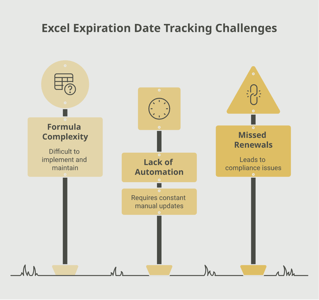
The limitations of manual tracking. Hospitals and birthing centers that rely on spreadsheets or paper files to track NRP certifications face predictable challenges. Staff turnover introduces gaps in documentation, per diem and agency staff add layers of complexity, and the responsibility for monitoring often falls on already overburdened managers or educators. A spreadsheet cannot send a reminder to a nurse whose NRP is expiring in 90 days, and it cannot alert the credentialing office when a physician’s certification lapses.
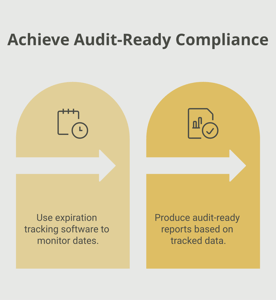
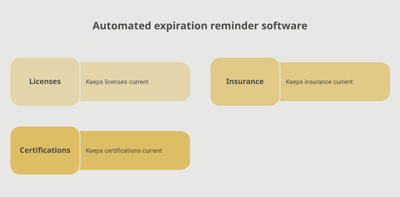
The value of automated tracking. An automated system centralizes all NRP certification data in a single platform, sends tiered reminders as expiration dates approach, and gives managers real-time visibility into their team’s certification status. It can also generate reports for accreditation surveys and credentialing audits, saving hours of manual data gathering.
A tool like Expiration Reminder is designed to handle this kind of healthcare credential tracking. You can configure reminder schedules that notify providers, their managers, and the credentialing office at strategic intervals—for example, 120 days, 60 days, 30 days, and 14 days before expiration. The centralized dashboard makes it easy to see the full picture across departments and employment types, ensuring that no certification slips through the cracks.
Key Takeaways
- NRP certification is a two-year credential from the AAP and AHA required for all healthcare professionals involved in newborn care at the time of delivery.
- The program is in its 8th Edition and offers two tracks: NRP Essentials and NRP Advanced, each costing approximately $45 for the online curriculum.
- Certification requires both a cognitive online exam and an instructor-led hands-on skills and simulation session.
- Hospitals, birthing centers, and NICU units require NRP as a condition of employment, privileging, and accreditation.
- A lapsed NRP certification can result in a provider being pulled from clinical duties, creating staffing gaps in high-acuity areas.
- Education departments need advance data on upcoming expirations to plan course offerings and avoid renewal bottlenecks.
- Automated tracking systems provide the tiered reminders, centralized visibility, and audit-ready reporting that manual methods cannot deliver reliably.
Frequently Asked Questions
What happens if my NRP certification expires?
Once your NRP certification expires, you are no longer considered a credentialed neonatal resuscitation provider. Your hospital or employer will likely remove you from assignments that require NRP certification, such as labor and delivery, mother-baby, or NICU. To restore your credential, you must complete the full NRP renewal process, including the online exam and an instructor-led hands-on session. If your certification has been expired for more than 60 days, your employer may impose additional requirements.
How long does it take to renew NRP certification?
The renewal process typically requires completing the NRP online examination followed by an instructor-led hands-on session. The online portion can be completed at your own pace. The hands-on session is usually a half-day event. Total time commitment for renewal is generally four to six hours, not including scheduling and travel. Renewal provides 4 CEU/CME credits compared to 8 for initial certification.
Who is required to have NRP certification?
Any healthcare professional who directs or participates in the care of newborns at the time of delivery should hold current NRP certification. This includes obstetricians, neonatologists, pediatricians, certified nurse-midwives, labor and delivery nurses, NICU nurses, respiratory therapists, anesthesiologists, CRNAs, and emergency physicians at facilities that handle deliveries.
What is the difference between NRP Essentials and NRP Advanced?
NRP Essentials is designed for healthcare professionals who attend deliveries and may participate in neonatal resuscitation but are less likely to serve as the team leader. NRP Advanced is for providers who are expected to lead neonatal resuscitation efforts, including physicians, neonatal nurse practitioners, and advanced practice providers. Both tracks share the same online curriculum platform but differ in the depth of the hands-on simulation scenarios.
Can I attend deliveries with an expired NRP certification?
Most hospitals and birthing facilities require current NRP certification as a condition for attending deliveries. If your certification has expired, you will likely be reassigned to non-delivery roles until you complete the renewal process. Working in a delivery setting without current NRP certification creates significant liability exposure for both you and your employer.
How far in advance should I start the NRP renewal process?
Begin planning your renewal at least 90 to 120 days before your expiration date. NRP instructor-led sessions may have limited availability, especially at smaller facilities. Completing your online exam early gives you flexibility to schedule the hands-on component at a convenient time. If you renew within 60 days of your current expiration date, your new two-year cycle is extended from your existing expiration date, not the renewal date.
How much does NRP certification cost?
The NRP Provider Curriculum (online examination) costs approximately $45 for either the Essentials or Advanced track. Institutional costs for the hands-on session vary and may range from no additional charge (if your hospital covers it internally) to $100 to $200 at external training sites. Bulk pricing is available for institutional purchases of the online curriculum.
Is NRP certification the same as infant CPR?
No. NRP is a specialized program focused on the resuscitation of newborns in the immediate period following birth. It covers a distinct clinical algorithm that addresses the unique physiological needs of neonates during transition. Infant CPR, typically covered under BLS (Basic Life Support) or Pediatric Advanced Life Support (PALS), addresses cardiac arrest and respiratory emergencies in infants and children beyond the immediate newborn period. Healthcare providers involved in deliveries typically need both NRP and BLS certifications.
Conclusion
NRP certification is the credential that ensures healthcare teams are ready for one of the most time-sensitive situations in medicine: a newborn who needs help breathing. The skills taught through the NRP program are used in delivery rooms and birthing centers every day, and maintaining current certification is both a professional obligation and a commitment to the safety of the smallest patients.
The two-year renewal cycle is straightforward, but keeping track of it across an entire department or facility requires deliberate planning. Between staff turnover, per diem providers, and the competing demands on clinical education departments, NRP expiration dates can easily be overlooked without a reliable system in place. A purpose-built tracking platform like Expiration Reminder helps you stay ahead of every deadline, plan course offerings proactively, and keep your team’s credentials in order. When every provider’s NRP status is visible and every renewal is on track, your organization can focus on what matters most—welcoming new lives with the highest standard of care.
Make sure your company is compliant
Say goodbye to outdated spreadsheets and hello to centralized credential management. Avoid fines and late penalties by managing your employee certifications with Expiration Reminder.