Introduction
If your organization runs on Microsoft 365 (formerly Office 365) — Word, Excel, Outlook, Teams, SharePoint, OneDrive, and the broader Microsoft Cloud — the license is what keeps every employee's productivity software live. Under Microsoft's New Commerce Experience (NCE), the licensing rules now include strict commitment terms, narrow cancellation windows, and a meaningful price gap between monthly and annual billing.
This article explains what a Microsoft 365 / Office 365 license is, the current NCE commitment structure, what happens when a subscription lapses, and the most practical way to track renewals across one entity or many.
For most IT and procurement teams, ordering the right plan is well understood. The hard part is the calendar — annual commitments, the 7-day cancellation window, three-year CSP terms, and the recent 5% premium on monthly billing.
What Is a Microsoft 365 License?
A Microsoft 365 license is a paid subscription authorizing use of Microsoft's productivity, collaboration, and cloud services for a defined term. Microsoft 365 is sold through several channels — direct from Microsoft, through Cloud Solution Provider (CSP) partners, through Enterprise Agreements (EAs), and through specific channels for government and education.
The current commerce platform is the New Commerce Experience (NCE), which standardized the way subscriptions are sold and managed. Under NCE:
- Monthly subscriptions — flexible to add, reduce, or cancel each month, but priced at roughly 20% higher than annual plans.
- Annual subscriptions — committed for 12 months, billed monthly or annually. After the first 7 days, you cannot reduce or cancel until the anniversary date.
- Tri-annual (3-year) subscriptions — available in CSP for enterprises wanting longer commitments. Billing can be annual or tri-annual, but the underlying commitment is binding for three years.
Plans include Microsoft 365 Business Basic / Standard / Premium for SMBs, Microsoft 365 Apps for Business, Microsoft 365 E3 / E5 for enterprises, Microsoft 365 F1 / F3 for frontline workers, and several education and government variants.
Starting April 1, 2025, Microsoft introduced a 5% premium on per-user monthly billing for annual-term subscriptions billed monthly. The price difference between purely annual and monthly-billed-annual is now a real factor in budgeting.
When a subscription expires, Microsoft typically allows a grace period before deprovisioning. After deprovisioning, user data is retained for a defined period (typically 30 days) before deletion.
Why Microsoft 365 Licenses Matter for Your Organization
Microsoft 365 license currency protects against three concrete risks: productivity disruption, data loss, and unbudgeted commitments.
From a productivity standpoint, a lapsed Microsoft 365 subscription affects every user on day one — no Outlook, no Teams, no OneDrive, no Office apps. Even a brief disruption is operationally serious for most modern businesses.
From a data standpoint, after the grace period, user data (mailboxes, OneDrive contents, SharePoint sites) is eventually deleted. Recovery after that point ranges from difficult to impossible.
From a commitment standpoint, the NCE rules mean that mistakes — wrong SKU, wrong quantity, wrong commitment length — are very hard to unwind after the 7-day cancellation window closes. Tracking renewal dates matters not just for renewal itself but for the narrow window in which changes can be made.
For multi-entity organizations, holding companies, and franchise systems, Microsoft 365 contracts often exist across multiple tenants and partners. Centralizing the renewal calendar across this footprint is essential.
Common Scenarios for Tracking Microsoft 365 License Expiration Dates
SMBs with Annual or Monthly Subscriptions
Small and mid-sized businesses on Microsoft 365 Business plans face the 7-day cancellation rule on annual subscriptions. Once that window closes, the commitment is binding until the anniversary date.
Enterprises on CSP Three-Year Terms
Larger enterprises often run 3-year CSP commitments with annual or tri-annual billing. Renewal planning starts well before the term ends.
Enterprise Agreement (EA) Customers
Microsoft Enterprise Agreements are typically 3-year commitments with annual true-up obligations on top of the renewal cycle.
Multi-Tenant Organizations
Holding companies, franchise systems, and multi-entity organizations may run multiple tenants and multiple CSP relationships, each with its own renewal cycle.
MSPs Managing Customer Tenants
MSPs delivering Microsoft 365 through CSP partnerships manage many customer tenants. Renewal coordination and license-quantity reconciliation across customers is a continuous task.
How Microsoft 365 License Tracking Benefits Your Organization and IT Teams
A reliable tracking program produces measurable benefits.
For the company, current Microsoft 365 subscriptions ensure continuous user productivity, prevent data loss, and avoid the worst-case scenario of a deprovisioned tenant.
For IT, finance, and procurement teams, the renewal calendar becomes predictable. The 7-day cancellation window is captured. License-quantity changes can be planned for the right anniversary dates. EA true-ups can be reconciled with HR headcount data.
For multi-tenant organizations, centralized visibility prevents subsidiaries from quietly running over-licensed or under-licensed.
How to Track Microsoft 365 License Expiration Dates
The Microsoft 365 admin center shows renewal dates for direct-purchase subscriptions. CSP partners typically provide consolidated views and proactive renewal outreach.
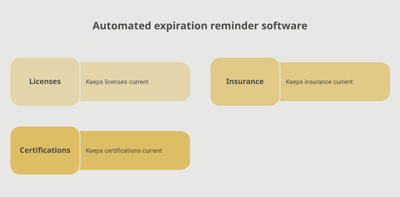
A dedicated tracking platform like Expiration Reminder stores each Microsoft 365 subscription with its tenant, plan, seat count, commitment type (monthly/annual/tri-annual), expiration date, and supporting documents. Reminders fire automatically before expiry.
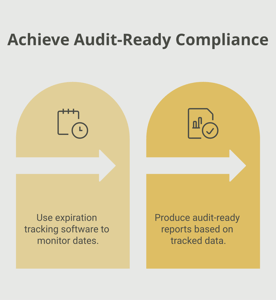
Key features include automated reminders at multiple intervals (120, 90, 60, 30 days — Microsoft renewals often need lead time for true-up and EA negotiations), document storage for contracts, dashboard views by tenant or plan, audit-ready reports for compliance and finance, and the ability to log new expiration dates after each renewal.
Key Takeaways
- A Microsoft 365 / Office 365 license is a paid subscription authorizing use of Microsoft productivity and cloud services.
- Under NCE, subscriptions are sold as monthly, annual, or tri-annual commitments with distinct rules.
- Annual subscriptions can only be cancelled or reduced within the first 7 days of activation.
- Monthly billing on annual terms now carries a ~5% premium (effective April 1, 2025).
- Enterprise Agreements typically run 3 years with annual true-ups.
- Lapsed subscriptions risk user productivity disruption and eventual data deletion.
- Automated tracking with reminders is essential for any organization with more than a handful of subscriptions.
Frequently Asked Questions
What is the New Commerce Experience (NCE)?
NCE is Microsoft's commerce platform that standardized how Microsoft 365 and other subscriptions are sold and managed, including commitment terms (monthly, annual, tri-annual) and strict cancellation rules.
Can I cancel an annual Microsoft 365 subscription?
Only within the first 7 days of activation. After that, the commitment is binding until the anniversary date.
What is the difference between annual and monthly Microsoft 365 billing?
Annual subscriptions commit you for 12 months but at a lower per-user rate. Monthly subscriptions are flexible but priced at roughly 20% higher than annual. Annual-billed-monthly carries a 5% premium versus annual-billed-annually (effective April 1, 2025).
What is a Microsoft Enterprise Agreement?
A Microsoft Enterprise Agreement is a 3-year volume licensing commitment for organizations of 500+ users (or 250+ for academic) with annual true-up obligations.
What is a Microsoft CSP partner?
A Cloud Solution Provider is a Microsoft partner authorized to sell, provision, and manage Microsoft Cloud services on behalf of customers, often including support, billing, and management.
What happens when my Microsoft 365 subscription expires?
After a grace period, the tenant is deprovisioned. Users lose access to Microsoft 365 apps and services. User data is retained for a defined period (typically 30 days) before deletion.
Can I reduce license quantities mid-term?
For annual and tri-annual subscriptions, only at the end of the term (anniversary date). Monthly subscriptions can be adjusted each month.
How do I track Microsoft 365 across multiple tenants?
The admin center shows individual tenant subscriptions. Cross-tenant visibility typically requires partner tools or dedicated tracking platforms.
Conclusion
Microsoft 365 is the productivity backbone of most modern businesses — and the NCE commitment rules make the renewal calendar more consequential than it used to be. The substantive work — choosing the right SKU, commitment, and channel — sits with IT and procurement. The administrative work — knowing every tenant's renewal date and the 7-day cancellation window — is where most programs need help.
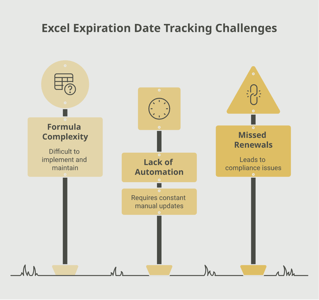
If your team tracks Microsoft 365 through the admin center, partner emails, or a spreadsheet, you already know how easy it is for an anniversary date to pass before you have planned for it. A purpose-built tracking platform like Expiration Reminder centralizes every subscription, sends reminders before each renewal, stores the supporting contracts, and produces audit-ready reports the moment anyone asks.
Keep the apps active, manage the commitments, and let the system handle the calendar.