General Liability Insurance
Picture this: a client visits your office and slips on a freshly mopped floor. Or a subcontractor accidentally damages a neighboring property while working on your project. Or a competitor claims your advertising unfairly disparages their product. In each of these scenarios, general liability insurance is the safety net that keeps your business from absorbing the full financial impact of the claim.
General liability insurance is one of the most fundamental forms of business coverage, yet many organizations struggle to keep their policies current. When a policy lapses — even briefly — the consequences can be severe: denied claims, contract violations, increased premiums, and gaps in coverage that leave your business exposed at exactly the wrong moment.
This article covers everything you need to know about general liability insurance, from what it covers and who requires it, to the real-world risks of letting your policy expire and how to build a reliable tracking system that keeps your coverage active.
What Is General Liability Insurance?
General liability insurance, sometimes called commercial general liability (CGL) insurance, is a foundational business insurance policy that protects your organization against third-party claims for bodily injury, property damage, and personal or advertising injury. It covers the legal costs, settlements, and medical expenses that arise when someone outside your organization alleges that your business caused them harm.
General liability insurance is typically written as an occurrence-based policy, meaning it covers incidents that happen during the policy period regardless of when the claim is filed. The standard policy form used across the industry is the ISO CGL form (CG 00 01), which provides a consistent framework for coverage terms and conditions.
Key details about general liability insurance include:
- Issuing authority: Private insurance carriers, regulated by state insurance departments
- Standard coverage limits: $1 million per occurrence and $2 million aggregate are the most common baseline limits for small to mid-sized businesses
- Policy period: Typically one year, with renewal required annually
- Who needs it: Virtually every business that interacts with the public, operates from a physical location, or provides services to other businesses
- How to obtain it: Through an insurance agent or broker, often bundled with other coverages in a Business Owner's Policy (BOP)
General liability insurance covers three main categories of claims:
- Bodily injury: A third party is physically injured on your premises or as a result of your business operations
- Property damage: Your business operations cause damage to someone else's property
- Personal and advertising injury: Claims of libel, slander, copyright infringement in advertising, or wrongful eviction
It is important to note that general liability insurance does not cover employee injuries (that is workers' compensation), professional errors (that requires professional liability or errors and omissions coverage), or damage to your own property (that falls under commercial property insurance).
Why General Liability Insurance Matters for Your Organization
General liability insurance is not legally mandated in most states the way workers' compensation often is. However, it is a practical requirement for nearly every business, because the cost of a single uninsured claim can far exceed the cost of maintaining the policy.
Contractual requirements. Most commercial leases, client contracts, and subcontractor agreements require proof of general liability insurance with specified minimum limits. Without a current policy, your business may not be eligible to sign leases, bid on projects, or maintain existing vendor relationships. In construction, for example, general contractors routinely require subcontractors to carry at least $1 million per occurrence and $2 million aggregate in general liability coverage.
Legal defense costs. Even if a claim against your business is frivolous or unfounded, the cost of legal defense can be substantial. General liability insurance covers attorney fees, court costs, and settlements — whether the claim has merit or not. Without coverage, your business pays out of pocket for every hour of legal work.
Licensing and permits. Some local jurisdictions and industry licensing boards require proof of general liability insurance as a condition of maintaining a business license or operating permit. Letting your policy lapse could jeopardize your ability to legally operate.
Financial stability. A significant liability claim without insurance could force a small or mid-sized business to close. The average cost of a slip-and-fall claim, legal defense for an advertising injury allegation, or repair costs for third-party property damage can quickly reach six figures. General liability insurance absorbs these costs so your business can continue operating.
Premium impact of lapses. If your general liability policy lapses and you need to reinstate coverage or obtain a new policy, insurers may charge higher premiums. A lapse signals increased risk to underwriters, and premium increases of eight to thirty-five percent are common for businesses with coverage gaps on their record.
Common Scenarios for Tracking General Liability Insurance Expiration Dates
Small Business Owners Managing Their Own Policy Renewal
For small business owners who handle their own insurance, the annual renewal can easily be overlooked amid the demands of running the business. A missed renewal notice buried in an inbox, a payment that slips past its due date, or a policy that auto-cancels after a grace period — any of these can result in a coverage gap. Tracking the policy expiration date with automated reminders ensures that renewal stays on the radar well before the deadline arrives.
General Contractors Verifying Subcontractor Coverage
General contractors are responsible for ensuring that every subcontractor on a project carries the required insurance, including general liability. With dozens of subcontractors rotating through a job site, each with different policy renewal dates, manually tracking every expiration date is a recipe for missed deadlines. An automated tracking system allows the GC to monitor all subcontractor policies from a single dashboard and receive alerts when any policy is approaching expiration.
Commercial Landlords Requiring Tenant Insurance
Many commercial lease agreements require tenants to maintain general liability insurance throughout the lease term. Property managers overseeing multiple buildings with numerous tenants must track each tenant's policy expiration and follow up when coverage lapses. Without a systematic approach, a tenant's expired policy may go unnoticed until an incident occurs — at which point the landlord may discover that the coverage they relied on no longer exists.
Compliance Officers Preparing for Client Audits
When clients, regulatory bodies, or internal audit teams review your compliance documentation, proof of continuous general liability coverage is often at the top of the list. Compliance officers who can pull current and historical policy records on demand demonstrate operational maturity and build trust with stakeholders. Those who have to scramble for documentation at audit time risk findings, follow-up actions, and reputational damage.
HR Directors Managing Multi-Location Coverage
Organizations that operate across multiple states or locations may carry separate general liability policies or endorsements for each location, each with its own renewal schedule. HR directors and operations managers in these environments need to track multiple expiration dates simultaneously and ensure that no location operates without valid coverage. A centralized tracking system eliminates the complexity of managing policies across a distributed organization.
How General Liability Insurance Benefits Your Company and Employees
For your company: General liability insurance provides a financial shield against the unpredictable. It covers legal defense costs, settlement payments, and medical expenses for third-party claims — costs that could otherwise threaten your cash flow and long-term viability. Beyond the direct financial protection, maintaining continuous coverage demonstrates to clients, partners, and regulators that your business takes risk management seriously. This credibility can be a decisive factor when competing for contracts or negotiating partnerships.
For your employees: While general liability insurance does not cover employee injuries directly (that is the role of workers' compensation), it protects the business that employs them. A company that suffers a devastating uninsured claim may need to reduce staff, cut benefits, or close entirely. By maintaining proper liability coverage, you protect the stability of the organization that your employees depend on for their livelihoods.
For your clients and customers: Clients and customers benefit from knowing that the businesses they work with carry adequate liability coverage. If your operations cause injury or damage, the insurance provides a clear path to resolution without protracted disputes about who will pay. This assurance strengthens business relationships and builds the kind of trust that leads to long-term partnerships and repeat business.
How to Track General Liability Insurance Expiration Dates
Tracking a single general liability policy is straightforward enough. But most organizations do not exist in isolation — they need to track their own policy renewal alongside the policies of every vendor, subcontractor, tenant, and partner they do business with. This is where manual methods break down.
Common pitfalls of manual tracking include:
- Renewal reminders that arrive too late to take action before the policy expires
- Vendor and subcontractor COIs that reference general liability policies with stale expiration dates
- Decentralized records across email, spreadsheets, and filing cabinets that make it difficult to get a complete picture of coverage status
- No escalation process when a vendor fails to provide updated insurance documentation
- Gaps in records that surface during audits and require time-consuming retroactive documentation
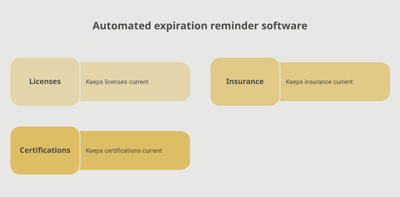
Automated tracking platforms address these challenges by providing a single, centralized system for managing all insurance-related expiration dates. A solution like Expiration Reminder allows you to store policy details, set custom reminder schedules, and automate notification workflows so that nothing expires without advance warning. You can track both your own policies and those of your vendors, contractors, and tenants — all from one dashboard.
When evaluating an insurance tracking system, look for these capabilities:
- Customizable reminder schedules with multiple notification points (90, 60, 30, and 14 days before expiration)
- Automated email notifications to both internal stakeholders and external certificate holders
- A centralized dashboard that provides a real-time overview of all tracked policies
- Document storage so policy documents and COIs are attached directly to each tracked record
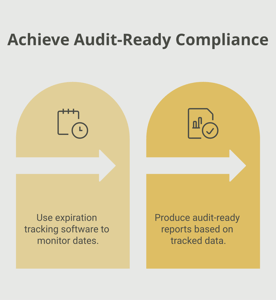
- Reporting and export features for audit preparation and compliance documentation
Key Takeaways
- General liability insurance protects businesses against third-party claims for bodily injury, property damage, and personal or advertising injury.
- While not always legally required, it is a practical necessity for contracts, leases, licensing, and overall financial stability.
- Standard coverage limits are $1 million per occurrence and $2 million aggregate, with annual policy renewals.
- A policy lapse can result in denied claims, contract violations, higher premiums, and gaps in coverage that leave your business exposed.
- Organizations need to track not only their own policy renewal but also the general liability coverage of every vendor, subcontractor, and tenant.
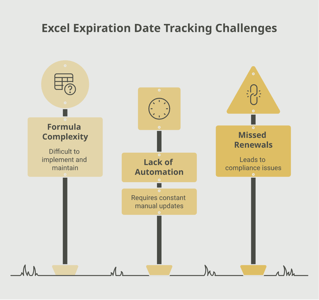
- Manual tracking methods like spreadsheets break down as the number of tracked policies grows.
- Automated tracking with proactive reminders ensures that no policy expires unnoticed and that audit-ready documentation is always available.
Frequently Asked Questions
What happens if your general liability insurance expires?
If your policy expires and is not renewed, you lose coverage for any incidents that occur after the expiration date. You may also be in breach of contracts, lease agreements, or licensing requirements that mandate continuous coverage. Reinstating coverage after a lapse often results in higher premiums.
How long does a general liability insurance policy last?
Most general liability policies are written for a one-year term. Some insurers offer multi-year policies, but annual renewal is the industry standard. The policy effective and expiration dates are specified in the policy declarations page.
Who is required to have general liability insurance?
While there is no universal legal mandate, most businesses need general liability insurance as a practical requirement. It is commonly required by commercial landlords, general contractors, government agencies, and clients as a condition of doing business. Certain local jurisdictions also require it for business licensing.
Can you operate your business with expired general liability insurance?
Technically, yes — but at significant risk. Without coverage, your business is fully exposed to the financial consequences of any third-party claim. Additionally, operating without the insurance required by your contracts, leases, or licenses may result in breach of those agreements.
How far in advance should you start the renewal process?
Begin the renewal process two to three months before your policy expiration date. This gives you time to review your current coverage, compare options, negotiate terms, and ensure there is no gap between the old and new policy periods.
Is there a grace period if you miss the renewal date?
Grace periods vary by insurer and state but are typically 15 to 31 days for general liability policies. However, not all policies or states require a grace period, and during any gap in coverage you are unprotected. It is always best to renew before the expiration date rather than rely on a grace period.
How much does general liability insurance cost?
Costs vary based on industry, business size, claims history, location, and coverage limits. For small businesses, the median annual premium is typically in the range of $500 to $2,000 for standard $1 million per occurrence and $2 million aggregate limits. High-risk industries like construction pay more.
What is the difference between general liability and professional liability insurance?
General liability covers third-party bodily injury, property damage, and advertising injury. Professional liability (also called errors and omissions, or E&O, insurance) covers claims arising from professional mistakes, negligence, or failure to deliver promised services. Most businesses that provide professional services need both types of coverage.
Conclusion
General liability insurance is one of those business essentials that works best when you never have to think about it — until you need it. And when that moment comes, having an active, properly maintained policy is the difference between a manageable incident and a financial crisis. The key is making sure your coverage never lapses in the first place.
Whether you are tracking your own policy renewal or managing the insurance requirements of dozens of vendors and subcontractors, a proactive approach to expiration tracking saves time, reduces risk, and keeps your operations running smoothly. Tools like Expiration Reminder can help you centralize your insurance records, automate renewal notifications, and maintain the kind of audit-ready documentation that gives your team confidence year-round.
Start by reviewing your current general liability policy details and building a renewal timeline. A few minutes of setup now can prevent significant headaches — and financial exposure — down the road.
Make sure your company is compliant
Say goodbye to outdated spreadsheets and hello to centralized credential management. Avoid fines and late penalties by managing your employee certifications with Expiration Reminder.