EMT Certification: What It Is, Who Needs It & How to Track Expiration Dates
Picture this: your EMS agency is gearing up for a busy summer season, and you discover that three of your EMTs have certifications expiring within the next 30 days. None of them have started the recertification process, and the continuing education hours are nowhere near complete. Suddenly, you are staring at a staffing gap that could affect response coverage for your entire district.
EMT certification is the credential that allows emergency medical technicians to provide pre-hospital care, and it carries a strict two-year expiration cycle with specific continuing education requirements. For the individuals who hold it, keeping it current is essential to their livelihood. For the organizations that employ them, tracking dozens or even hundreds of EMT certifications is a compliance challenge that demands a reliable system. This guide covers everything you need to know about EMT certification—what it is, how it works, and how to keep your team’s credentials on track.
What Is EMT Certification?
EMT certification is a professional credential that authorizes an individual to provide emergency medical care at the EMT level. In the United States, the National Registry of Emergency Medical Technicians (NREMT) serves as the primary national certification body, while individual states issue their own licenses or certifications that may incorporate NREMT certification as a requirement.
There are four nationally recognized EMS certification levels, each representing a progressively broader scope of practice:
- Emergency Medical Responder (EMR) – The entry-level credential focused on immediate life-saving interventions until higher-level providers arrive.
- Emergency Medical Technician (EMT) – The foundational EMS certification, covering patient assessment, CPR, splinting, oxygen administration, and use of basic emergency medications such as epinephrine auto-injectors, aspirin, and oral glucose.
- Advanced Emergency Medical Technician (AEMT) – An intermediate level that adds intravenous access, fluid therapy, and administration of a broader range of medications.
- Paramedic – The most advanced pre-hospital provider level, with capabilities including advanced airway management, cardiac monitoring, medication administration, and interpretation of 12-lead ECGs.
To obtain initial EMT certification, candidates must complete an approved EMT training program (typically 120 to 150 hours of instruction), pass the NREMT cognitive (written) examination, and successfully complete a psychomotor (practical skills) examination. Most states also require a background check. The initial EMT course covers topics including patient assessment, airway management, trauma care, medical emergencies, and ambulance operations.
NREMT certification is valid for two years. The certification cycle runs on a fixed schedule, with all certifications expiring on March 31 of the expiration year. Candidates who complete initial certification between January 1 and June 30 receive an expiration date of March 31 two years later. Those certified between July 1 and December 31 receive an expiration date of March 31 three years later, effectively giving them a longer initial period.
Why EMT Certification Matters for Your Organization
EMT certification is not just an individual credential—it directly affects your organization’s ability to operate, respond to calls, and meet regulatory requirements.
Legal authorization to practice. In every state, providing emergency medical care requires a valid, current certification or license. An EMT who provides patient care with an expired credential is practicing without authorization, which exposes both the individual and the employing agency to significant legal liability. In many states, this constitutes a violation of EMS practice acts and can result in fines, suspension, or permanent revocation of the individual’s certification.
Staffing and operational readiness. EMS agencies must maintain minimum staffing levels to keep ambulances in service. If multiple EMTs allow their certifications to lapse simultaneously, the agency may be forced to take units out of service, reduce response coverage, or rely on costly overtime and mutual aid agreements. For fire departments with EMS responsibilities, expired certifications can affect the department’s ability to staff apparatus.
Insurance and liability. Most professional liability insurance policies require that covered providers maintain current, valid certifications. If an EMT provides care with an expired credential and a malpractice claim arises, the insurer may deny coverage, leaving both the individual and the agency financially exposed.
Accreditation and contract compliance. Agencies that hold accreditation through the Commission on Accreditation of Ambulance Services (CAAS) or that operate under municipal contracts must demonstrate that all personnel maintain current certifications. Non-compliance can jeopardize accreditation status or breach contractual obligations.
Common Scenarios for Tracking EMT Certification Expiration Dates
EMT certifications require proactive management. Here are five scenarios where tracking expiration dates is essential.
EMS Agency Managers Overseeing Large Rosters
A mid-sized EMS agency with 80 to 120 field providers has certifications expiring throughout the two-year cycle. The operations manager or training coordinator needs a clear picture of who is due for renewal in the coming months so they can schedule continuing education sessions, remind individuals of outstanding requirements, and avoid last-minute scrambles that could create staffing gaps.
Fire Department Training Officers Tracking Dual Certifications
Many firefighters also hold EMT or paramedic certifications. Training officers must track both their fire service credentials and their EMS certifications, which often operate on different renewal cycles. Missing an EMT renewal could mean a firefighter-EMT can no longer respond to medical calls, reducing the effective capability of the crew.
Hospital-Based EMS Programs Coordinating with HR
Hospitals that operate their own ambulance services or employ EMTs for emergency department roles need close coordination between the EMS program and human resources. HR must verify that EMT certifications are current as a condition of employment, and credentialing offices need documentation for accreditation surveys. When a certification expires, the employee may need to be pulled from patient-facing duties until it is renewed.
Private Ambulance Companies Meeting Contract Requirements
Private ambulance companies that provide interfacility transports, event medical standby, or 911 services under municipal contracts must demonstrate that all field staff hold current certifications. Contract compliance audits are common, and a single expired certification can trigger a formal notice of non-compliance, jeopardizing the contract and the revenue that comes with it.
State EMS Offices Monitoring Continuing Education Compliance
State EMS regulatory offices require that EMTs complete specific continuing education hours before recertifying. For agencies, this means tracking not just the expiration date but also the progress toward CE requirements for each provider. If a provider reaches their expiration date without completing the required 40 NREMT credits (or state-specific requirements), they cannot recertify through the CE pathway and may need to retake the cognitive exam.
How EMT Certification Benefits Your Company and Employees
For your organization, maintaining current EMT certifications across your workforce ensures uninterrupted operations and response capability. It protects the agency from legal liability, supports accreditation and contract compliance, and demonstrates a commitment to professional standards. A well-managed certification tracking program also reduces administrative chaos during renewal periods and helps training coordinators plan CE offerings strategically rather than reactively.
For your employees, a current EMT certification is their license to practice their profession. It validates their training and competency, supports career advancement to higher certification levels (AEMT, Paramedic), and provides the legal protection that comes with practicing within their authorized scope. Timely renewal also avoids the stress and expense of lapsed certifications, which in many states require additional coursework, skills verification, or a full re-entry process to restore.
For patients and the community, current EMT certifications mean that the people responding to 911 calls and providing emergency care have demonstrated continued competency. The recertification process, including its continuing education requirements, ensures that EMTs stay current with evolving protocols, equipment, and clinical guidelines.
How to Track EMT Certification Expiration Dates
With two-year cycles, a fixed March 31 expiration date, and continuing education requirements that must be completed before renewal, EMT certification tracking requires more than a simple calendar reminder.
Challenges of manual tracking. Many EMS agencies still use spreadsheets, binder systems, or basic calendar alerts to track certifications. These methods break down as rosters grow, staff turn over, and the distinction between national (NREMT) and state certifications creates multiple deadlines for each provider. A spreadsheet cannot remind a provider that they are 10 CE credits short with 60 days to go, and it cannot escalate an alert to a supervisor when a deadline is approaching without action.
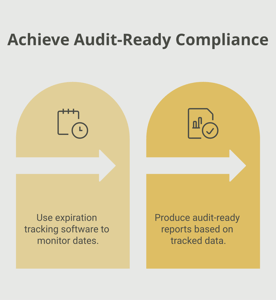
Benefits of automated tracking. A dedicated tracking system can store each provider’s certification details, send automated reminders on a schedule that escalates as deadlines approach, and give managers a dashboard view of the entire roster’s compliance status. This visibility makes it possible to plan CE offerings around actual needs, identify providers at risk of lapsing early, and generate reports for accreditation surveys or contract audits.
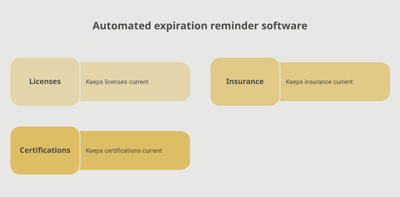
A platform like Expiration Reminder is built for exactly this kind of credential management. You can configure reminder schedules—for example, 180 days, 90 days, 30 days, and 7 days before expiration—and route notifications to the individual provider, their supervisor, and the compliance team. The centralized dashboard provides a real-time view of certification status across the entire organization, so you always know where your team stands.
Key Takeaways
- EMT certification is a two-year credential issued through the NREMT and individual states that authorizes emergency medical care at the EMT level.
- All NREMT certifications expire on March 31 of the expiration year, regardless of when the initial certification was earned.
- Recertification requires 40 hours of continuing education across national, local/state, and individual components, or successful completion of the cognitive exam.
- Late renewal incurs a $50 NREMT fee and must be submitted by April 30; certifications lapsed beyond this window require a re-entry process.
- Practicing with an expired EMT certification exposes individuals and agencies to legal liability, insurance coverage gaps, and potential disciplinary action.
- Organizations must track both national NREMT certification and state-level licensure, which may have different requirements and timelines.
- Automated tracking systems provide the reminder escalation, centralized visibility, and audit-ready reporting that manual methods cannot match at scale.
Frequently Asked Questions
What happens if my EMT certification expires?
If your NREMT certification expires on March 31 and you have not submitted your renewal application, you have until April 30 to submit a late application with a $50 late fee (all CE must still have been completed by March 31). If you miss the April 30 deadline, your certification lapses and you must go through the NREMT re-entry process, which may require additional coursework, skills verification, and passing the cognitive exam again.
How long does it take to renew EMT certification?
The NREMT processes renewal applications within a few business days once all requirements are met and the fee is paid. The real time investment is in completing the 40 hours of continuing education over the two-year cycle. Starting your CE early in the cycle prevents a last-minute crunch as the March 31 deadline approaches.
Who is required to have EMT certification?
Anyone who provides emergency medical care at the EMT level in a professional capacity must hold a valid EMT certification. This includes ambulance personnel, firefighter-EMTs, hospital emergency department technicians, industrial safety personnel, and event medical staff. Specific requirements vary by state, but nearly all states require NREMT certification or an equivalent state-issued credential.
How much does EMT certification cost?
The initial NREMT cognitive exam fee is $80. The initial EMT training program typically costs $1,000 to $3,000 depending on the provider and location. Recertification through the NREMT costs $40 biennially. State certification or licensure fees vary and may range from $25 to $150 in addition to NREMT fees.
Can I work as an EMT with an expired certification?
No. Providing patient care with an expired EMT certification is practicing without authorization and is illegal in all states. It exposes you to personal liability and your employer to regulatory sanctions. If your certification lapses, you must stop providing patient care until it is restored through the appropriate recertification or re-entry pathway.
What continuing education is required for EMT recertification?
The NREMT National Continued Competency Program (NCCP) requires 40 hours of continuing education over the two-year cycle, divided into three components: a national component (covering specific clinical topics), a local or state component (addressing regional protocols and procedures), and an individual component (topics of your choice relevant to your practice).
How far in advance should I start the EMT renewal process?
You should plan your continuing education throughout the entire two-year cycle rather than waiting until the final months. Set a personal goal to complete at least half of your CE hours by the halfway point of your certification period. Begin the actual NREMT renewal application process at least 60 days before the March 31 deadline to allow time for processing and to resolve any issues with CE documentation.
What is the difference between NREMT certification and state EMT licensure?
NREMT certification is a national credential that demonstrates competency against a uniform standard. State EMT licensure or certification is the legal authorization to practice in a specific state. Most states require NREMT certification as a prerequisite for state licensure, but some states have their own certification processes. You may need both to practice, and each may have different renewal requirements and timelines.
Conclusion
EMT certification is the credential that makes pre-hospital emergency care possible. It represents the training, competency, and legal authority that communities depend on when they call 911. For the individuals who hold it, keeping it current is a professional responsibility. For the organizations that manage EMS operations, tracking it reliably is an operational necessity.
The fixed March 31 expiration cycle and the 40-hour CE requirement create a predictable but unforgiving timeline. Miss it, and the consequences ripple outward—from individual providers losing their ability to practice, to agencies losing the staffing depth they need to serve their communities. A structured tracking approach, supported by a purpose-built tool like Expiration Reminder, keeps every certification visible and every deadline manageable. When you can see the full picture of your team’s certification status at a glance, you can plan ahead, act early, and keep your focus where it belongs: on delivering excellent patient care.
Make sure your company is compliant
Say goodbye to outdated spreadsheets and hello to centralized credential management. Avoid fines and late penalties by managing your employee certifications with Expiration Reminder.