Introduction
If your organization runs Dell laptops, desktops, servers, or networking gear, every device on your asset register has a warranty clock ticking somewhere in the background. When the warranty lapses, you lose access to advance parts replacement, on-site service, and 24/7 support — usually the moment you need them most. By the time the failure happens, renewing is more expensive than planning ahead.
This article explains what a Dell warranty is, the different service tiers Dell offers, what each tier covers, how long warranties typically run, and what happens when coverage lapses. You will also see the most practical way to track every Dell warranty across an asset fleet of any size.
For most IT teams, the warranty itself is well understood — the device ships with a base period of coverage and can be extended at purchase or renewed before expiry. The hard part is the calendar across hundreds or thousands of devices, each with its own service tag, purchase date, and warranty cycle.
What Is a Dell Warranty?
A Dell warranty is the manufacturer's commitment to repair or replace hardware components that fail under normal use, plus access to Dell's technical support resources. The warranty is tied to the device's service tag — a unique identifier printed on each Dell device — and runs from the date of original shipment.
Dell's warranty and support offerings include several tiers:
- Basic Hardware Support — Dell's entry-level plan covering break/fix hardware issues with telephone support during business hours and next-business-day on-site service in many regions.
- ProSupport — enterprise-level support with 24/7 telephone access, faster on-site response, and software/hardware assistance for advanced troubleshooting.
- ProSupport Plus — Dell's most comprehensive tier, adding proactive monitoring (via SupportAssist), automated case creation, predictive analysis, and accidental damage protection on PCs.
Service response options at each tier may include next-business-day on-site, 8-hour response, 4-hour mission-critical response, and parts-only options depending on the product line. Dell's enterprise products (PowerEdge servers, PowerStore/PowerScale storage, networking) typically have richer support options than client products (laptops, desktops).
Most new Dell hardware ships with 1 year of base warranty. Many enterprise products ship with 3-year coverage at the chosen tier; ProSupport and ProSupport Plus can typically be extended in 1-year, 3-year, 4-year, or 5-year increments depending on the product. After the initial warranty ends, renewal options vary by product — some products allow open-ended renewal, others have a maximum lifetime cap.
Why Dell Warranties Matter for Your Organization
Dell warranty coverage protects against three concrete risks: unplanned downtime, unbudgeted replacement costs, and loss of support access.
For business-critical hardware — particularly servers, storage, and networking — an unplanned outage during an expired warranty can mean hours or days waiting for third-party repair, advance-parts service from a non-Dell source, or replacement. The cost of even short downtime usually exceeds the cost of multi-year ProSupport coverage by a wide margin.
For end-user devices (laptops and desktops), warranty status affects break/fix turnaround. A laptop with an expired warranty going down for an executive or salesperson is a productivity hit that ripples outward.
Beyond hardware coverage, the warranty includes access to Dell technical support and to firmware/driver updates for certain products. When coverage lapses, the device may still function but loses the support layer that keeps it manageable in production.
For IT asset management, accurate warranty data drives lifecycle planning — devices approaching end-of-warranty are candidates for renewal, replacement, or repurposing depending on their role.
Common Scenarios for Tracking Dell Warranty Expiration Dates
Warranty tracking matters most for organizations with substantial Dell hardware footprints.
Data Center and Enterprise Server Fleets
PowerEdge servers, PowerStore arrays, and PowerScale storage form the backbone of many enterprise data centers. Each device has its own service tag and warranty cycle, and the consequences of a lapsed warranty on critical infrastructure are operational.
Workplace Laptop and Desktop Fleets
Knowledge-worker organizations often standardize on Dell Latitude laptops and OptiPlex desktops. With hundreds or thousands of devices, the warranty calendar becomes a real management challenge.
Education and Higher Education
K-12 and higher education institutions deploy Dell hardware at scale across labs, classrooms, and administrative offices. Warranty coverage on student-facing devices affects both budget planning and IT response capacity.
Branch and Remote Office Operations
Distributed organizations with Dell hardware at branch offices and remote locations need centralized warranty tracking — local managers may not know when devices are approaching end-of-warranty.
Managed Service Providers
MSPs managing Dell hardware on behalf of clients face multiplied warranty tracking complexity — multiple tenants, multiple service tags, multiple renewal cycles, and customer-facing reporting expectations.
How Dell Warranty Tracking Benefits Your Company and Users
A reliable warranty program produces measurable benefits.
For the company, current warranty coverage means faster repair turnaround, predictable IT budgets, fewer surprises in the middle of incidents, and stronger lifecycle planning.
For users, knowing the device is under support reduces stress during failures. A clear escalation path — log a ticket, Dell ships a part, technician comes on-site — is a fundamentally different experience than scrambling to find third-party repair.
For finance teams, accurate warranty data supports better forecasting, more accurate fixed-asset depreciation modeling, and stronger negotiating posture at renewal time.
How to Track Dell Warranty Expiration Dates
Dell's self-service support site lets anyone look up warranty status by service tag — useful for one-off checks but impractical for managing hundreds of devices.
Dell TechDirect and Dell's enterprise account portals offer bulk warranty status views for organizations with managed Dell relationships. These tools work well for Dell-only fleets but rarely integrate with broader IT asset management.
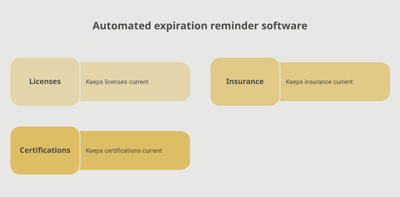
A dedicated tracking platform like Expiration Reminder stores each device with its service tag, model, warranty tier, expiration date, and assigned user. Reminders fire automatically before each expiration, devices approaching end-of-warranty surface on a dashboard, and reports support both IT operations and finance planning.
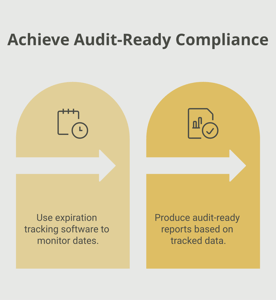
Key features include automated reminders at multiple intervals (90, 60, 30 days before expiry), document storage for purchase orders and warranty certificates, dashboard views by location, device type, or warranty tier, audit-ready reports for IT, finance, and procurement, and the ability to update the renewed coverage in one step after each renewal.
Key Takeaways
- A Dell warranty is the manufacturer's commitment to repair or replace failed hardware and provide technical support, tied to each device's service tag.
- Dell offers Basic, ProSupport, and ProSupport Plus tiers with different response times and support depth.
- Enterprise products typically ship with 3-year coverage; client products typically ship with 1 year.
- Warranty status drives repair turnaround, support access, lifecycle planning, and IT budget forecasting.
- Manual tracking via Dell's self-service tools fails at scale; automated tracking with reminders is the reliable approach.
Frequently Asked Questions
How long does a Dell warranty last?
Base coverage is typically 1 year for client products (laptops, desktops) and 3 years for many enterprise products (servers, storage, networking). Warranties can be extended at purchase or renewed before expiry — typically up to 5 years total depending on the product.
What is the difference between ProSupport and ProSupport Plus?
ProSupport offers 24/7 technical support, on-site service, and parts replacement. ProSupport Plus adds proactive monitoring via SupportAssist, automated case creation, predictive failure analysis, and (for PCs) accidental damage protection.
Can I check Dell warranty status by service tag?
Yes. Dell's self-service support site allows anyone to enter a service tag and see the warranty start date, end date, tier, and entitlements.
What happens when a Dell warranty expires?
The device continues to function, but you lose access to Dell hardware repair, on-site service, and 24/7 technical support. Some product lines also lose access to firmware updates. Renewal options vary by product.
Can I renew a Dell warranty after it expires?
In many cases, yes, but reinstatement may require an out-of-warranty inspection or longer lead time. Renewing before expiry is significantly cheaper and faster than renewing after.
Are firmware and BIOS updates affected by warranty status?
For many Dell client products, security updates and basic firmware updates remain available. Some advanced enterprise firmware features and proactive monitoring require active ProSupport or ProSupport Plus coverage.
Does the warranty cover accidental damage?
Standard warranties cover manufacturing defects and normal-use failures. Accidental damage protection (drops, spills, surges) is an optional add-on, included in some ProSupport Plus PC plans.
How do I track Dell warranties for hundreds of devices?
Dell TechDirect provides bulk warranty views for managed accounts. Many IT asset management tools and dedicated tracking platforms (like Expiration Reminder) can ingest Dell service tags and produce ongoing tracking and reminders.
Conclusion
Dell warranties are the safety net for one of the most common hardware platforms in business IT — and the safety net only works if it is current at the moment something breaks. The substantive work — choosing the right tier, deploying SupportAssist, working with Dell on renewals — sits with the IT and procurement teams. The administrative work — knowing every service tag's expiration date and acting before it passes — is where most programs stumble.
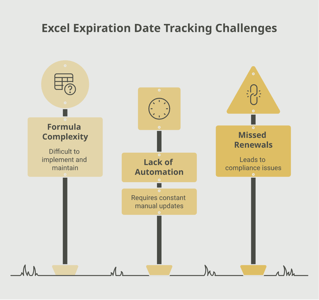
If your team is tracking Dell warranties through the Dell support site, a spreadsheet, or an IT asset system that does not actively remind, you already know how easy it is for a key device to slip past coverage. A purpose-built tracking platform like Expiration Reminder centralizes every device, sends reminders before each expiry, stores supporting documents, and produces audit-ready reports the moment anyone asks.
Cover the hardware, plan the renewals, and let the system handle the calendar.