Document tracking

Auto Insurance / Vehicle Insurance

Your delivery driver is five minutes from the client's location when a fender bender changes everything. The police arrive, insurance information is exchanged, and then you get the call: the commercial auto policy on that vehicle expired last month, and nobody caught it. What should have been a routine insurance claim is now a direct financial liability for your business — repair costs, potential injury claims, regulatory fines, and a compliance gap that could affect your entire fleet.

For any organization that operates vehicles — whether it is a single company car, a fleet of delivery vans, or a lineup of heavy commercial trucks — keeping auto insurance current is not optional. It is legally required, contractually expected, and operationally critical. Yet managing vehicle insurance across multiple policies, drivers, and renewal dates remains one of the most common compliance challenges businesses face.

Your delivery driver is five minutes from the client's location when a fender bender changes everything. The police arrive, insurance information is exchanged, and then you get the call: the commercial auto policy on that vehicle expired last month, and nobody caught it. What should have been a routine insurance claim is now a direct financial liability for your business — repair costs, potential injury claims, regulatory fines, and a compliance gap that could affect your entire fleet.

For any organization that operates vehicles — whether it is a single company car, a fleet of delivery vans, or a lineup of heavy commercial trucks — keeping auto insurance current is not optional. It is legally required, contractually expected, and operationally critical. Yet managing vehicle insurance across multiple policies, drivers, and renewal dates remains one of the most common compliance challenges businesses face.

In this article, we will explain what commercial auto and vehicle insurance covers, who is required to carry it, what happens when coverage lapses, and how to build a tracking system that ensures every vehicle in your organization is properly insured at all times.

What Is Auto Insurance / Vehicle Insurance?

Auto insurance, also referred to as vehicle insurance or motor vehicle insurance, is a policy that provides financial protection against losses resulting from vehicle-related incidents. For businesses, this takes the form of commercial auto insurance, which covers vehicles owned, leased, or used by a company for business purposes.

Commercial auto insurance is distinct from personal auto insurance in several important ways. It typically offers higher liability limits, covers vehicles driven by multiple employees, and can include specialized coverages for cargo, hired vehicles, and non-owned autos used for business errands. For businesses that operate five or more vehicles, fleet insurance policies consolidate all vehicles under a single policy, simplifying administration and often reducing overall costs.

Key details about commercial auto and vehicle insurance:

  • Regulatory authority: State insurance departments regulate auto insurance requirements. For interstate commercial carriers, the Federal Motor Carrier Safety Administration (FMCSA) sets minimum coverage standards under 49 CFR Part 387.
  • Minimum coverage: Requirements vary by state and vehicle type. FMCSA requires a minimum of $750,000 in liability coverage for most commercial carriers, rising to $1,000,000 or more for carriers transporting hazardous materials.
  • Policy period: Commercial auto policies are typically written for a one-year term, with annual renewal required.
  • Who needs it: Any business that owns, leases, or operates vehicles for business purposes, including delivery services, construction companies, sales organizations, healthcare providers, and transportation companies.
  • How to obtain it: Through a commercial insurance agent or broker. Fleet policies are available from major carriers for businesses with multiple vehicles.

Commercial auto insurance generally includes the following coverage components:

  • Liability coverage: Pays for bodily injury and property damage you cause to others in an at-fault accident
  • Collision coverage: Covers damage to your vehicle from a collision, regardless of fault
  • Comprehensive coverage: Covers damage from non-collision events such as theft, vandalism, weather, or animal strikes
  • Uninsured/underinsured motorist coverage: Protects you when the other driver lacks adequate insurance
  • Medical payments coverage: Covers medical expenses for the driver and passengers of your vehicle
  • Hired and non-owned auto coverage: Extends protection to vehicles your business uses but does not own, such as rental cars or employee personal vehicles used for business

Why Auto Insurance / Vehicle Insurance Matters for Your Organization

Unlike some forms of business insurance, auto insurance is a legal requirement in virtually every state. Operating a vehicle without valid insurance carries immediate consequences — and for businesses, the stakes are even higher than for individual drivers.

Legal compliance. Every state requires minimum levels of auto insurance for vehicles operated on public roads. For commercial motor carriers operating across state lines, FMCSA mandates minimum liability coverage and requires that proof of insurance be filed with the agency. Operating without valid coverage can result in fines, vehicle impoundment, suspension of operating authority, and even criminal penalties in some jurisdictions.

Financial protection. Vehicle accidents are among the most common and costly types of business incidents. A single serious accident can generate hundreds of thousands of dollars in medical bills, vehicle repair costs, and legal fees. Without insurance, your business absorbs every dollar of that cost. With coverage, the insurer handles the claim up to the policy limits.

Contractual and licensing requirements. Many clients, especially in industries like construction, logistics, and healthcare, require proof of commercial auto insurance before allowing your vehicles on their sites or engaging your services. Government contracts, freight broker agreements, and facility access permits frequently specify minimum auto insurance coverage as a condition of doing business.

Fleet operations continuity. When a vehicle in your fleet is involved in an accident and the insurance has lapsed, the operational impact extends beyond the financial cost. That vehicle may be impounded, the driver's license may be at risk, and your ability to fulfill deliveries, service calls, or project commitments is immediately compromised.

Driver and public safety. Maintaining valid auto insurance is not just a financial and legal concern — it is a matter of responsibility. When accidents happen, insurance ensures that injured parties receive the medical care and compensation they are entitled to, without delays caused by disputes over who will pay.

Common Scenarios for Tracking Auto Insurance / Vehicle Insurance Expiration Dates

Fleet Managers Overseeing Multiple Vehicle Policies

Organizations with large fleets may operate under a single fleet policy, or they may carry separate policies for different vehicle classes — commercial trucks on one policy, passenger vehicles on another, and specialty equipment on a third. Each policy has its own renewal date and coverage terms. Fleet managers need to track every expiration date and ensure that new vehicles added to the fleet are covered promptly. A missed renewal on any single policy could leave an entire class of vehicles uninsured.

Safety Officers Ensuring Driver Compliance

In transportation and logistics, safety officers are responsible for verifying that every driver meets all compliance requirements before getting behind the wheel. This includes confirming that the vehicle they are assigned to has current insurance. When insurance expiration dates are not tracked centrally, safety officers may not discover a lapse until a post-accident review — the worst possible time to find out.

Operations Teams Managing Leased and Rented Vehicles

Businesses that supplement their fleet with leased or rented vehicles need to ensure that hired and non-owned auto coverage is in place for those vehicles as well. Lease agreements typically require that the lessee maintain specific insurance coverage throughout the lease term. If the business's policy expires or the coverage does not extend to leased vehicles, the organization may be liable for any incidents involving those assets.

Construction Companies Tracking Subcontractor Vehicle Insurance

On construction sites, subcontractors often bring their own vehicles and equipment. General contractors are responsible for verifying that each subcontractor's commercial auto insurance is current and meets the project's requirements. With subcontractors rotating on and off the site throughout the project lifecycle, tracking dozens of individual vehicle insurance policies becomes a significant administrative responsibility.

HR Departments Managing Employee Driving Records and Insurance

For businesses where employees use personal vehicles for work purposes — sales representatives, home healthcare workers, field technicians — HR departments need to verify that each employee maintains valid personal auto insurance that meets the company's minimum requirements. This often means tracking individual policy expiration dates for every employee who drives for business, in addition to the company's own non-owned auto coverage.

How Auto Insurance / Vehicle Insurance Benefits Your Company and Employees

For your company: Commercial auto insurance protects your balance sheet from the potentially devastating cost of vehicle-related incidents. It preserves your operating authority, satisfies contract requirements, and ensures that your vehicles stay on the road generating revenue rather than sitting impounded for lack of coverage. For fleet operations, a well-managed insurance program also contributes to better risk profiles and more favorable premium rates at renewal.

For your employees: Drivers who operate company vehicles benefit directly from knowing they are covered in the event of an accident. Medical payments coverage handles their immediate healthcare needs, and liability coverage protects them from personal financial exposure when driving in the course of their duties. Employees who use personal vehicles for work benefit from the company's oversight of their coverage, which helps ensure they are not unknowingly driving without adequate protection.

For your clients and customers: Clients trust organizations that maintain proper insurance on their vehicles. Whether your drivers are making deliveries, performing service calls, or transporting goods, your clients can be confident that any incidents will be handled through proper insurance channels rather than becoming a dispute between businesses. This professionalism reinforces your reputation and supports long-term business relationships.

How to Track Auto Insurance / Vehicle Insurance Expiration Dates

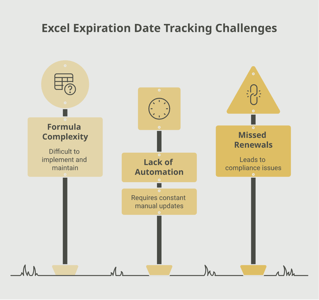
Vehicle insurance tracking presents unique challenges because it often involves multiple layers: the company's own policies, subcontractor and vendor vehicle policies, leased vehicle requirements, and employee personal auto coverage. Keeping all of these current using manual methods quickly becomes unsustainable.

Common challenges with manual vehicle insurance tracking include:

  • Multiple policies with different renewal dates, carriers, and coverage requirements
  • Vehicles being added to or removed from the fleet throughout the year, requiring mid-term policy adjustments
  • Subcontractor vehicle insurance that must be verified for every new party entering a job site
  • Employee personal auto policies that renew on individual schedules outside the company's control
  • State-specific requirements that vary by jurisdiction, adding complexity for businesses operating across multiple states

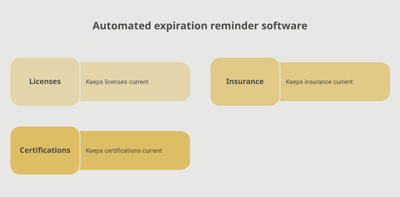
An automated tracking platform eliminates these headaches by centralizing all vehicle insurance records in one system. With a tool like Expiration Reminder, you can track every policy — company-owned, subcontractor, leased, or employee — from a single dashboard. Automated reminders go out well before expiration dates, giving you and your teams time to renew policies, request updated documentation, and verify that coverage meets requirements before any gap occurs.

Features to prioritize in a vehicle insurance tracking system:

  • Multi-level tracking for company policies, vendor policies, and employee personal coverage
  • Automated reminders at multiple intervals (120, 90, 60, and 30 days before expiration)
  • A centralized dashboard with filtering by vehicle type, policy status, and renewal date
  • Document storage for attaching insurance cards, policy declarations, and FMCSA filings
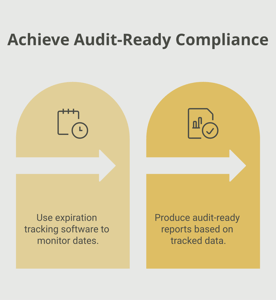
  • Reporting capabilities for fleet compliance audits and regulatory reviews

Key Takeaways

  • Auto and vehicle insurance is a legal requirement in every state, with additional federal requirements for commercial carriers under FMCSA regulations.
  • Commercial auto insurance covers liability, collision, comprehensive, uninsured motorist, medical payments, and hired or non-owned vehicle exposure.
  • Policies are typically annual, requiring proactive renewal management to avoid coverage gaps.
  • A lapse in vehicle insurance can result in fines, vehicle impoundment, loss of operating authority, and full financial exposure for accident-related costs.
  • Fleet operations, subcontractor compliance, leased vehicles, and employee personal auto coverage all create multiple layers of insurance that must be tracked simultaneously.
  • Manual tracking methods cannot scale to handle the complexity of multi-vehicle, multi-party insurance management.
  • Automated tracking with centralized dashboards and proactive reminders ensures that every vehicle in your organization remains properly covered.

Frequently Asked Questions

What happens if your commercial auto insurance expires?

Operating a vehicle without valid insurance is illegal in every state. If your policy expires, any vehicles covered under that policy must be taken off the road immediately. An accident during a lapse means your business pays all costs out of pocket. Additionally, FMCSA-regulated carriers may have their operating authority suspended.

How long does a commercial auto insurance policy last?

Most commercial auto policies are written for a one-year term. Some insurers offer six-month policies, particularly for newer businesses or those with limited claims history. The policy declarations page specifies the exact effective and expiration dates.

Who is required to have commercial auto insurance?

Any business that owns, leases, or regularly uses vehicles for business purposes should carry commercial auto insurance. For-hire carriers, trucking companies, and freight haulers are required by federal law to maintain minimum coverage levels and file proof of insurance with FMCSA.

Can you drive a company vehicle with expired insurance?

No. Driving any vehicle without valid insurance is illegal and exposes both the driver and the business to significant financial and legal liability. If pulled over or involved in an accident, the consequences include fines, points on the driver's license, vehicle impoundment, and potential criminal charges depending on the state.

How far in advance should you start the renewal process?

For fleet policies, begin the renewal process 90 to 120 days before the policy expiration date. This allows time to order loss runs, review claims history, compare coverage options, and negotiate terms. For individual vehicle policies, 60 days of lead time is a reasonable minimum.

What is the difference between personal and commercial auto insurance?

Personal auto insurance covers vehicles used for personal purposes. Commercial auto insurance covers vehicles used for business operations, typically with higher liability limits, coverage for multiple drivers, and options for cargo, hired vehicles, and non-owned autos. Using a personal policy for regular business use may void coverage if a claim is filed.

Does fleet insurance cover all vehicles automatically?

Fleet insurance covers the vehicles listed on the policy. When a new vehicle is added to the fleet, it must be reported to the insurer and added to the policy. Most fleet policies provide a short grace period (typically 30 days) for newly acquired vehicles, but coverage must be formally added within that window.

How much does commercial auto insurance cost?

Costs depend on the number of vehicles, vehicle types, driver records, industry, coverage limits, and claims history. For a single commercial vehicle, annual premiums typically range from $1,200 to $3,000 or more. Fleet policies may offer per-vehicle discounts but carry higher total premiums due to the number of covered vehicles.

Conclusion

Vehicle insurance is one of those operational essentials where the cost of getting it right is always less than the cost of getting it wrong. A single day without coverage on a single vehicle can result in fines, impounded assets, denied claims, and financial liability that far exceeds the annual premium. For organizations managing fleets, subcontractor vehicles, or employees who drive for work, the tracking challenge compounds quickly.

The most effective approach is to centralize your vehicle insurance tracking, automate renewal reminders, and build a process that catches expirations before they become problems. Platforms like Expiration Reminder are designed to handle exactly this kind of multi-layered compliance tracking — so your vehicles stay insured, your drivers stay legal, and your operations keep moving without interruption.

Take a few minutes today to audit your current vehicle insurance records. Confirm every policy's expiration date, verify that coverage meets your requirements, and put a reminder system in place that keeps everything current. Your fleet — and your peace of mind — depend on it.

Make sure your company is compliant

Say goodbye to outdated spreadsheets and hello to centralized credential management. Avoid fines and late penalties by managing your employee certifications with Expiration Reminder.
Other Documents in this category

No items found.

Category

Read our latest blog posts

#Compliance
Read time:
18
min
How SMEs Can Improve Contract Lifecycle Management Without a Legal Team

How SMEs Can Improve Contract Lifecycle Management Without a Legal Team

The email arrived on a Tuesday morning with an invoice attached. A SaaS tool the company had been using for two years had auto-renewed — at a rate 35% higher than the previous term, based on a pricing adjustment buried in the contract's renewal clause. The CFO remembered signing the original agreement. Nobody had flagged the auto-renewal window. Nobody had reviewed the updated pricing terms. The window to negotiate or opt out had closed 45 days earlier, unnoticed.

This is not a story about a sophisticated corporation with a complex vendor portfolio. This is the kind of thing that happens to small and mid-sized businesses (SMEs) every day — companies that have genuine contracts to manage, real obligations to track, and very little dedicated infrastructure for doing it. The result is not just a frustrating invoice. Over time, it is a measurable drain on revenue, negotiating leverage, and operational continuity.

This guide is for the SME leader who knows they need better contract lifecycle management but assumes it requires a legal department or expensive enterprise software. It does not. It requires a clear process, the right tools scaled appropriately, and a consistent habit of staying ahead of your contract timeline.

What Contract Lifecycle Management Actually Means for SMEs

Contract lifecycle management (CLM) is the practice of managing every stage of a contract's existence — from the initial negotiation and drafting through execution, ongoing monitoring, renewal, and eventual termination or expiration. For large enterprises, CLM often involves dedicated software platforms, legal operations teams, and complex workflows. For SMEs, it means something far more practical: knowing what contracts you have, what they say, when they expire, and what you need to do about them before you run out of time.

The World Commerce and Contracting Association reports that poor contract management costs businesses up to 9% of annual revenue. For an SME generating $2 million annually, that is $180,000 in avoidable losses — through missed renewals, unfavorable auto-renewals, contract value leakage, and failed obligations. These numbers accumulate quietly, across dozens of vendor agreements, service contracts, leases, and customer agreements, each expiring or renewing on its own schedule.

Why SMEs Struggle With Contract Lifecycle Management

No Central Home for Contracts

The most common CLM failure in small businesses is also the most fundamental: contracts live everywhere. The original signed agreement is in someone's email. The PDF version is in a shared drive folder that three people have access to. The renewal details are in a follow-up email that nobody can find. According to research cited by procurement professionals, 71% of companies cannot find 10% or more of their contracts at any given time. For SMEs without dedicated contract management infrastructure, that number is likely higher.

When you cannot find your contracts, you cannot manage them. You discover terms only when they become problems. You learn about auto-renewals after they have already fired. You find out about liability clauses during disputes. The lack of a central repository is not just an organizational inconvenience — it is a structural risk.

No Systematic Tracking of Expiration Dates

Even organizations that store contracts in one place often do not have a reliable system for tracking what is due when. Research from the contract management sector shows that approximately 33% of businesses manually track contract expiration dates, and 9% do not track them at all. Manual tracking might mean a shared spreadsheet, a calendar event set by whoever signed the deal, or simply a mental note made by the person who manages the vendor relationship.

All of these approaches have the same fatal flaw: they depend on one person remembering to act at the right time. When that person is busy, on leave, or has moved on, the tracking stops working. The contract keeps running. The expiration date keeps approaching. And unless someone catches it, the auto-renewal fires — or the contract simply lapses, leaving both parties in legal limbo.

No Clear Ownership or Process

In larger organizations, contracts have owners — a procurement manager who is accountable for vendor agreements, a legal operations team that manages compliance obligations, a finance lead who tracks licensing costs. In most SMEs, ownership is informal. The person who signed the deal is assumed to be responsible for managing it. When roles change, that assumption breaks down.

Without defined ownership, contract management tasks fall through the gaps between departments. Sales might sign customer agreements that operations depends on. IT might manage software licenses that finance is supposed to budget for. HR might handle vendor agreements that compliance needs to track. Nobody is coordinating the full picture.

The Five Stages of Contract Lifecycle Management for SMEs

Effective CLM does not require enterprise software or a legal team. It requires understanding the lifecycle and building a process for each stage.

Stage 1: Creation and Negotiation

The contract lifecycle begins before anything is signed. During creation, the most important CLM habits involve standardizing your contract templates, capturing key terms consistently, and ensuring that critical dates — start date, expiration date, auto-renewal window, notice period for termination — are always explicitly stated and easy to find.

For SMEs that primarily receive contracts rather than draft them (as a vendor or service provider), the negotiation phase is the moment to push for favorable terms on auto-renewal clauses, notice periods, and price escalation caps. Once a contract is signed, these terms are fixed. Trying to renegotiate after the fact, or after the auto-renewal has already fired, is an uphill battle.

Using standardized contract templates for recurring agreement types — vendor agreements, service contracts, non-disclosure agreements — reduces the risk of inconsistent terms and ensures that key tracking data is captured in a predictable location every time. According to Juro's guidance on contract management for small businesses, standardization is one of the highest-leverage CLM improvements an SME can make because it reduces both legal risk and administrative burden simultaneously.

Stage 2: Execution and Storage

Once a contract is signed, two things need to happen immediately: it needs to be stored in a designated location, and key data needs to be extracted and entered into whatever tracking system you use. These two steps are often skipped or deferred, which is where CLM problems originate.

Your contract storage system does not need to be complex. A well-organized shared drive with consistent naming conventions can work for small volumes. The important thing is that it is consistent, accessible to everyone who needs it, and has a clear structure that makes documents findable. A contract that exists but cannot be found in time to act on it is nearly as problematic as a contract that does not exist at all.

For the tracking data, at minimum you need: contract name, counterparty, start date, expiration date, auto-renewal window (if applicable), notice period for termination, primary owner, and annual value. This is the information that will drive your reminder schedule and renewal decisions.

Stage 3: Active Monitoring and Reminders

This is where most SMEs' CLM processes break down most visibly — not because they do not intend to monitor their contracts, but because they have no reliable mechanism for doing it. The auto-renewal trap is particularly common. Research shows that contracts that auto-renew at unfavorable rates can cost businesses tens or hundreds of thousands of dollars over a multi-year period. A healthcare network's contract reportedly auto-renewed at a rate roughly 40% higher than budgeted, costing an additional $350,000 over the contract period — because nobody flagged the notice window.

Effective monitoring requires reminders that go out early enough to act — not just to note. For most contracts, the decision-making process requires time: evaluating alternatives, gathering quotes, reviewing performance, consulting stakeholders. A reminder at 30 days rarely provides enough lead time for a substantive evaluation. Most contract management professionals recommend starting the renewal review at 90 to 120 days out for significant agreements.

Automated reminder tools eliminate the dependency on someone remembering to check a spreadsheet. When a contract enters your tracking system with a defined expiration date, the reminders go out automatically at the intervals you configure — regardless of what else is happening in the business.

Stage 4: Renewal and Renegotiation

The renewal stage is where proactive tracking pays its most visible dividend. Organizations that begin the renewal process with adequate lead time can evaluate whether the current agreement still meets their needs, whether the pricing reflects current market rates, whether alternative vendors should be considered, and whether the contract terms should be updated to reflect changes in the relationship.

Organizations that begin this process with 10 days until expiration make none of these evaluations. They renew because they have no choice, at whatever terms are in place, because the operational disruption of allowing a critical agreement to lapse is worse than the cost of an unfavorable renewal. This is the position that poor CLM puts SMEs in — and it costs real money.

Good renewal management also means distinguishing between contracts that should be renewed, contracts that should be renegotiated, and contracts that should be terminated. Not every auto-renewal is a failure of management. But every auto-renewal that happens without a deliberate decision to renew is a missed opportunity to exercise control over your cost base and vendor relationships.

Stage 5: Expiration and Termination

Contracts end in one of three ways: they are renewed, they expire according to their terms, or they are terminated early by one or both parties. Effective CLM means managing all three outcomes intentionally. Expired contracts that both parties continue to perform under create what legal professionals call a "holdover" or implied arrangement — a legally ambiguous situation where the enforceability of specific terms becomes murky and the organization loses the explicit protections the contract was designed to provide.

For contracts that are intentionally not renewed, proper termination procedures must be followed: sending notice within the required timeframe, documenting the termination in writing, and transitioning any ongoing obligations to alternative arrangements. Failing to follow these steps can trigger automatic renewal or breach claims, depending on the contract terms.

Practical CLM Tools for SMEs

What You Actually Need

The good news for SMEs is that effective contract lifecycle management does not require expensive enterprise CLM platforms. The core requirements are: a reliable storage system for contract documents, a tracking mechanism for key dates and obligations, and a reminder system that alerts the right people at the right times. These three capabilities can be achieved with a combination of tools scaled to your organization's size and complexity.

Expiration and Renewal Tracking

For SMEs that manage vendor agreements, insurance certificates, licenses, service contracts, and other time-sensitive documents, a dedicated expiration tracking platform handles the monitoring and reminder function automatically. Rather than manually managing a spreadsheet of renewal dates and calendar reminders, you configure each contract in the system with its expiration date, renewal window, and notification schedule. The platform sends reminders to the appropriate people at the configured intervals and escalates if action is not taken.

Platforms like Expiration Reminder are purpose-built for exactly this use case — organizations that need reliable, proactive tracking across multiple contract and document types without the complexity or cost of enterprise CLM suites. For SMEs managing dozens to hundreds of agreements, this kind of focused tool provides the core capability that makes CLM systems actually work in practice.

Contract Storage and Organization

For most SMEs, a well-organized shared drive (Google Drive, SharePoint, or similar) with consistent naming conventions and folder structure is a practical starting point for contract storage. The key is consistency: every contract goes into the system immediately upon execution, named according to a standard convention, and stored in a predictable location. The storage system only works if people trust that contracts are actually there when they need them.

Electronic Signatures

Electronic signature tools (DocuSign, Adobe Sign, and similar platforms) reduce the friction in contract execution and create automatic documentation of who signed, when, and from where. This audit trail has both legal and operational value. According to Malbek's CLM best practices guidance, adopting electronic signatures is one of the most accessible high-impact improvements SMEs can make to their contracting process.

The ROI of Better CLM for SMEs

The return on CLM investment for SMEs is tangible and often rapid. According to research by Procurement Tactics, the World Commerce and Contracting Association finds that poor contract management costs businesses up to 9% of annual revenue. The same research indicates that companies with mature contract management practices significantly outperform peers in both cost control and revenue retention from commercial agreements.

For an SME, the ROI calculation is not complex. If better CLM prevents two unfavorable auto-renewals per year (saving, say, $15,000 combined), reduces the staff time spent managing contract deadlines manually (saving 5 hours per week at $45 per hour), and avoids one compliance gap that might have produced a fine or penalty ($10,000), the total annual benefit easily exceeds $50,000. Against this, the cost of a practical CLM toolkit — a contract storage system and an expiration tracking platform — is a fraction of that figure.

Frequently Asked Questions

What is the most important first step in improving contract lifecycle management for an SME?

The most important first step is a contract audit: finding every active agreement your organization holds and creating a master list with key dates and ownership information. You cannot manage what you cannot see. Many SMEs discover contracts they had forgotten about, auto-renewals that have already fired unexpectedly, and agreements where the responsible person has long since left the organization. The audit reveals the actual state of your CLM and makes everything else possible.

How do auto-renewal clauses work, and how can SMEs protect themselves?

Auto-renewal clauses automatically extend a contract for an additional term — often at the same rate, or sometimes at an increased rate — if neither party provides notice of termination within a defined window before the expiration date. That window might be 30, 60, or 90 days before expiration. If you miss the window, you are committed to another full term. SMEs can protect themselves by: (1) reading and flagging all auto-renewal clauses before signing, (2) negotiating shorter notice windows or removing auto-renewal provisions where possible, and (3) setting reminders well before the notice window closes so there is time to make a deliberate decision about renewing.

Do SMEs need specialized CLM software, or will a spreadsheet work?

For organizations with fewer than 20 to 30 contracts, a well-maintained spreadsheet can be a workable short-term solution. Beyond that volume — or in any organization where contracts are managed across multiple departments or where auto-renewal risk is significant — a dedicated tracking and reminder system is worth serious consideration. The core limitation of spreadsheets is that they require someone to look at them proactively. When that does not happen consistently, the system fails. Dedicated tools send reminders automatically, which is the difference that matters most.

What is the difference between contract management and contract lifecycle management?

Contract management typically refers to the administrative management of existing agreements — tracking obligations, managing renewals, and ensuring compliance with terms. Contract lifecycle management is broader: it covers the full arc of a contract from initial drafting and negotiation through execution, active management, renewal, and eventual termination. For SMEs, focusing on the full lifecycle (rather than just managing existing contracts) means building better contracts at the outset, which reduces problems downstream.

How should SMEs handle contracts when an employee who managed them leaves?

This is one of the most common CLM failure points for SMEs, and the solution is process, not heroics. Before the employee leaves, conduct a structured knowledge transfer: identify every contract they managed, confirm that copies exist in the central repository, verify that key dates and terms are captured in the tracking system, and formally reassign ownership to a new role or person. If the tracking system is role-based rather than person-based, the reminders will continue to function even as individuals change — which is why configuring notifications to roles (not just named individuals) is a critical setup best practice.

What contracts should always be in a CLM system for an SME?

At minimum: vendor and supplier agreements, software and SaaS subscriptions, commercial insurance policies, commercial leases and facility agreements, customer contracts with recurring obligations, employment agreements with defined terms, professional services agreements, and any regulatory licenses or permits with defined expiration dates. These are the contract categories where a missed renewal or lapse is most likely to produce immediate operational or financial consequences.

Ready to get your contracts under control without hiring a legal team? Start a free trial with Expiration Reminder and see how automated tracking keeps your renewal deadlines visible and actionable.

PS: The contracts that hurt SMEs most are not the ones they negotiated poorly — they are the ones that auto-renewed without anyone noticing, or lapsed because the reminder never fired. Automated tracking costs less than a single missed renewal in almost every case. The math is straightforward; the decision is too.

#Compliance
Read time:
16
min
DIY vs. Software Solutions for Expiration Tracking: Which One Actually Works?

DIY vs. Software Solutions for Expiration Tracking: Which One Actually Works?

Marcus had a system. He was proud of it, actually. A color-coded spreadsheet with every contractor's certificate of insurance, safety certification, and permit neatly entered, with columns for expiration dates and a manual highlight protocol: yellow for 60 days out, orange for 30, red for critical. He updated it every Friday afternoon without fail — until the quarter he was pulled into a project overrun that consumed every Friday for three months straight.

He never got back to the spreadsheet. And eight weeks later, during a client site visit, it emerged that two subcontractors had been working on-site with expired COIs. The project stalled for four days while coverage was confirmed and documentation updated. The client relationship survived, but Marcus's confidence in his "system" did not.

This is the DIY expiration tracking story. Not because people are careless, but because manual systems depend on people being consistently available, consistently motivated, and consistently error-free — which is not how real work actually happens. This article compares the DIY approach against purpose-built expiration tracking software, without the hype, so you can decide what your organization actually needs.

What "DIY" Expiration Tracking Really Means

When compliance teams talk about DIY tracking, they typically mean one of four things: a spreadsheet, a shared calendar, a folder system, or some combination of all three. Each approach has genuine strengths — they are free, familiar, and require no vendor relationship. They are also plagued by the same structural limitations that make them increasingly unreliable as organizations grow.

The Spreadsheet Approach

Spreadsheets are the most widely used DIY tool for tracking expiration dates. They can be highly customized, shared across teams, and configured with formulas that flag upcoming dates. At small scale — say, tracking 20 to 30 items for a team of fewer than 10 people — a well-maintained spreadsheet can work reasonably well.

The problems compound quickly as volume grows. A 2024 analysis of business decision-making found that 94% of spreadsheets contain errors that create material risk for the organization. For expiration tracking specifically, common failure modes include formula errors that calculate renewal dates incorrectly, inconsistent naming conventions that make records unsearchable, and stale data that no one has flagged as outdated. The spreadsheet does not know it is wrong. It just displays whatever is in the cells.

The Shared Calendar Approach

Some teams use shared calendar events as their reminder system. This feels intuitive — set a reminder for 30 days before each credential expires, and the calendar will nudge you. In practice, calendar-based tracking has two fatal weaknesses: it does not scale, and it is person-dependent. When the person who created the reminders leaves the organization, the reminders leave with them. When the volume of tracked items grows beyond a few dozen, calendar management becomes a part-time job.

The Folder System Approach

Some organizations keep compliance documents in shared drive folders organized by type or vendor, assuming that having the documents somewhere means the tracking is handled. This conflates document storage with active monitoring. A folder that contains an expired certificate tells you the certificate exists. It does not tell you it has expired, notify anyone that action is needed, or escalate when nothing happens.

Where DIY Tracking Breaks Down

It Requires Human Consistency at Scale

The core requirement of any DIY system is that a person opens it, reviews it, and acts on what they find — regularly, without fail, across every item. For a team managing dozens or hundreds of credential records, this is a significant ask. According to research by Expiration Reminder, approximately 40% of organizations still track renewal dates manually via calendar or spreadsheet, despite the availability of automated tools — and this correlates directly with higher rates of lapsed credentials and missed compliance deadlines.

It Creates No Audit Trail

When an auditor asks who verified a credential, when they verified it, and what documentation they reviewed, a spreadsheet entry provides no useful answer. Audit-ready compliance documentation requires timestamps, verification records, chain of custody for document review, and a history of what changed and when. These are not features that spreadsheets provide. For industries governed by OSHA recordkeeping requirements or Joint Commission standards, an inadequate audit trail is not just inconvenient — it is itself a finding that generates corrective action requirements.

It Does Not Escalate

A spreadsheet that shows a credential expiring in 15 days does nothing with that information unless a human opens the file and sees it. If the responsible person is on leave, busy with a project, or simply overlooked the file, the deadline passes silently. DIY systems have no escalation capability — no mechanism to automatically alert a supervisor when a reminder goes unacknowledged, no way to raise the urgency as a deadline approaches without someone manually engineering that response.

It Does Not Handle Complexity Well

Real-world compliance tracking involves multiple credential types with different renewal cycles, different responsible parties, different notification requirements, and different documentation standards. A construction company might track OSHA 10 certifications (which expire every four years), forklift operator licenses (state-variable timelines), equipment inspection certificates (often annual), COIs (typically annual), and site-specific permits (project-dependent). Managing all of these with a single spreadsheet requires constant manual updates to the logic, the formulas, and the ownership assignments. One configuration change touches everything.

Staff Turnover Destroys It

Perhaps the most damaging structural flaw in DIY tracking is how completely it depends on institutional knowledge. When the person who built and maintains the spreadsheet transitions out of the role, they often take with them the understanding of what the spreadsheet means, which columns matter, which entries are stale, and which items are "handled" through an informal process that never got documented. The next person inherits a file of uncertain reliability and no clear guide to interpreting it.

What Purpose-Built Expiration Tracking Software Does Differently

Dedicated expiration tracking platforms are designed from the ground up to solve the problems that make DIY systems fail. The differences are not cosmetic. They are architectural.

Proactive, Automated Reminders

Software-based tracking sends reminders automatically, on a schedule configured for each credential type. You define the lead time — 90 days for complex renewals, 30 days for simple ones — and the platform sends notifications without any human intervention. The reminder goes to the right people: the credential holder, their manager, and the compliance owner, based on how the system is configured. If no action is taken, the reminders escalate automatically as the deadline approaches.

This is the fundamental shift from reactive to proactive. Instead of someone noticing a deadline is approaching (if they happen to check the right file at the right time), the deadline finds them — consistently, at the right lead time, with the right context.

Centralized, Searchable Records

All compliance records live in a single system with consistent structure, search capability, and access controls. Finding the current status of any credential takes seconds. Generating a report of everything expiring in the next 60 days takes a few clicks. No hunting through folders, no cross-referencing between multiple spreadsheets, no uncertainty about whether the file you are looking at is current.

Built-In Audit Readiness

Every action in a purpose-built tracking system is logged. When a document was uploaded, who reviewed it, when a reminder was sent, who acknowledged it, and what renewal documentation was submitted — all of this is captured automatically. When an auditor arrives, you pull a report that shows exactly what they need to see, in a format they can act on.

For healthcare organizations subject to Joint Commission Human Resources standards, this kind of documented verification history is not optional. It is required evidence of a functioning credentialing program.

Role-Based Access and Accountability

Software platforms enforce clear ownership at the record level. Each credential type has assigned owners and approvers. Notifications go to specific roles, not just a generic email alias. When ownership changes — because someone transfers, leaves, or changes roles — the records and the associated notifications update accordingly. The system does not depend on anyone's memory of who is responsible for what.

Scalability Without Additional Overhead

Adding 50 new employees to a purpose-built tracking system does not require 50 new spreadsheet rows and manually configured formulas for each. The structure scales automatically. New records inherit the tracking rules already defined for their credential type. The platform grows with the organization without proportional increases in administrative effort.

The Hidden Costs of DIY Expiration Tracking

Staff Time

A team managing 200 credential records manually — checking dates, sending reminder emails, following up on renewals, updating records — can easily spend 8 to 15 hours per week on this task. Annualized, that is 400 to 780 hours of staff time dedicated to an administrative function that software handles automatically. At a fully-loaded cost of $50 per hour, that is $20,000 to $39,000 annually in labor costs for a process that could be largely automated.

Penalty Exposure

The research is consistent: organizations that rely on manual compliance tracking face higher rates of lapsed credentials and the associated penalties. According to Mosey's 2025 compliance benchmark research, one-third of companies incur compliance-related penalties in any given year, averaging $16,000 per incident. A single undetected lapse in a regulated environment can cost far more. In construction, an OSHA inspection that finds expired safety certifications can produce per-violation fines and mandatory audits. In healthcare, expired staff credentials can jeopardize accreditation.

Operational Disruption

Beyond fines, the operational cost of a compliance gap can be substantial. Work stoppage while documentation is resolved, emergency renewals at premium cost, client relationship management when a gap is discovered during a site visit — these costs are real and often invisible in a risk analysis that focuses only on regulatory penalties.

When DIY Might Still Make Sense

Honesty requires acknowledging that DIY tracking does work in specific, limited circumstances. A solo consultant tracking their own three or four professional credentials. A startup with fewer than 10 employees and minimal compliance requirements. An organization in an early stage where the volume of tracked items is genuinely small and stable.

In these situations, a well-maintained spreadsheet with calendar reminders can be a practical short-term solution. The key qualifier is "well-maintained" — and the key risk is the assumption that the situation will stay simple. Organizations grow. Regulatory requirements expand. The credential volume that felt manageable last year may not feel manageable this year.

Frequently Asked Questions

Is expiration tracking software worth it for small businesses?

It depends on the number of records and the regulatory environment. For a small business in a heavily regulated industry — construction, healthcare, childcare, food service — even a handful of compliance gaps can produce serious penalties. Most platforms are priced for small organizations and the savings from even one prevented lapse typically cover months of subscription cost. If your business relies on maintaining active licenses, certificates, or insurance for legal operation, purpose-built software is worth serious consideration regardless of size.

Can I build a reliable expiration tracking system in Excel or Google Sheets?

You can build a functional system for a limited number of records with a flat renewal structure. The limitations become apparent as complexity increases: Excel cannot send automated reminders without significant custom development, it cannot maintain a proper audit trail, and it requires constant manual maintenance to stay accurate. For organizations with more than 30 to 50 records, or with regulatory audit requirements, Excel is not a sufficient long-term solution.

What is the biggest risk of staying with manual tracking?

The biggest risk is a silent lapse: a credential that expires without anyone noticing until an auditor, a client, or an incident forces the discovery. By then, the opportunity to prevent the gap has passed. The consequences — financial penalties, operational disruption, damaged client relationships — are all significantly more expensive than the software subscription that would have prevented them.

How long does it take to implement expiration tracking software?

For most small to mid-sized organizations, implementation takes days to a few weeks, not months. The key steps are importing existing records, configuring reminder schedules for each credential type, and setting up user roles and notifications. Many organizations are operational within a week of starting the setup process.

What should I look for when choosing expiration tracking software?

Prioritize: automated reminder delivery with configurable lead times, role-based notification and ownership, audit-ready reporting with activity logs, document storage and version control, and the ability to handle multiple credential types with different renewal cycles. Integration with your existing HR or operations systems is a bonus that can reduce duplicate data entry. Ease of setup matters too — a platform that requires weeks of configuration is harder to adopt and less likely to be used consistently.

Curious whether your current system is leaving you exposed? Book a free demo with Expiration Reminder to see what automated expiration tracking looks like in practice — and how quickly your team can get up and running.

PS: A missed renewal never announces itself in advance. It shows up when you can least afford it — during an audit, before an important project milestone, or after an incident. Automated expiration tracking costs a fraction of what a single lapse can produce, and it works quietly in the background so your team does not have to.

#Compliance
#HR
Read time:
16
min
Compliance Tracking 101: Why Reminders Matter More Than You Think

Compliance Tracking 101: Why Reminders Matter More Than You Think

Picture this: a mid-sized manufacturing company runs a routine quality audit. Everything looks solid until the auditor pulls up a report showing three employees had operated certified equipment with lapsed OSHA safety credentials for the past six weeks. Nobody had flagged it. Nobody had followed up. The certifications had simply expired quietly — and the company walked away with an $18,000 fine and a mandatory corrective action plan.

This kind of story is far more common than organizations like to admit. Compliance tracking failures do not usually announce themselves with alarm bells. They accumulate quietly in the background, invisible until someone looks, or until an auditor forces the issue. That is why compliance reminders are not a nice-to-have feature. They are the frontline defense between your organization and a preventable, costly mistake.

This guide breaks down what compliance tracking actually involves, why reminders are the cornerstone of any working system, and what a practical, modern approach looks like for teams across healthcare, HR, construction, and beyond.

What Is Compliance Tracking?

Compliance tracking is the ongoing process of monitoring whether your organization meets the regulatory, contractual, and operational requirements it is bound by. That includes employee certifications, professional licenses, equipment inspections, insurance certificates, vendor permits, safety training records, and dozens of other time-sensitive documents depending on your industry.

The word "ongoing" is critical. Compliance is not a one-time event. Certifications expire. Licenses come up for renewal. Regulations change. What was compliant last year may not be compliant today. That is the dynamic that makes tracking complex and reminders essential.

For most organizations, compliance tracking spans several categories:


Managing all of these simultaneously — across departments, locations, and personnel — is the compliance tracking challenge that keeps operations managers and compliance officers up at night.

Why Reminders Are the Engine of Compliance

The Human Memory Problem

No matter how organized your team is, human memory is an unreliable compliance system. People get busy. Priorities shift. The operations coordinator who tracks 200 employee certifications across three locations cannot keep those expiration dates mentally catalogued while also managing onboarding, fielding staff questions, and preparing for quarterly reviews.

According to research cited by compliance technology firms, companies that use automated regulatory tracking have cut compliance-related delays by 50% compared to manual processes. The reason is straightforward: automation does not forget. A reminder system fires at a scheduled time, every time, regardless of what else is happening in the organization.

That consistency is impossible to replicate with manual tracking. Even the most diligent human checker will eventually miss something. A well-configured reminder system will not.

The Cost of Missing a Deadline

Missed compliance deadlines carry real financial consequences. According to a 2025 Multi-State Compliance Benchmark Report from Mosey, one-third of companies incurred compliance-related penalties in the past year, with average costs of $16,000 per affected company. For regulated industries like healthcare, construction, or finance, a single missed certification renewal can trigger fines ranging from $10,000 to $50,000 or more, depending on severity and jurisdiction.

Beyond the direct fines, there are indirect costs: emergency procurement of replacement credentials, operational downtime while gaps are closed, legal defense if an incident occurs during the lapse, and reputational damage with clients, partners, or regulators. These downstream consequences are often far more expensive than the fine itself.

Regulatory Expectations Are Not Slowing Down

The regulatory environment continues to grow more complex, not less. The Occupational Safety and Health Administration (OSHA) regularly updates safety training requirements. The Centers for Medicare and Medicaid Services (CMS) issues new conditions of participation that affect healthcare credentialing. State licensing boards modify renewal requirements. Industry standards bodies update their certification timelines.

Organizations that rely on manual tracking often discover regulatory changes only when they trigger an issue. Reminder-driven compliance systems, by contrast, can be updated to reflect new requirements and ensure that teams stay current without requiring constant manual oversight.

The Real Cost of "We'll Handle It Manually"

The Spreadsheet Mirage

Spreadsheets are the most common compliance tracking tool in use today. They are familiar, free, and flexible. They are also profoundly unreliable for compliance management. A 2024 analysis found that 94% of spreadsheets used in business decision-making contain errors that pose material risks to the organization. For compliance tracking specifically, this means the same tool that is supposed to prevent costly mistakes is actively introducing them.

Spreadsheets are static. They show you a snapshot of what someone entered at a specific moment. They do not push alerts. They do not escalate when a deadline passes. They do not know when data was last verified or whether the person responsible for the data still works there. They require someone to remember to look at them, and that is exactly the failure mode that creates compliance gaps.

The Calendar Hack That Does Not Scale

Many teams try to fill the gaps with calendar reminders. A manager manually enters an expiration date and sets a reminder for 30 days out. This works fine for one or two items. Multiply it across 50 employees with multiple certifications each, add vendor credentials, add equipment records, and the calendar becomes unmanageable within months. Worse, those reminders are tied to one person's calendar. When they leave, the reminders leave with them.

Staff Turnover Breaks Manual Systems

Every organization has experienced the compliance gap that opens when a key person transitions out of their role. The institutional knowledge of which credentials are due, who is responsible for which renewals, and which vendors are tracked in which folder — that knowledge lives in people's heads or in personal files. When the person moves on, that infrastructure collapses overnight.

Centralized reminder systems solve this problem by design. The information and the alert logic live in the platform, not with any individual employee. New team members inherit a functional system, not a mystery to unravel.

What a Working Compliance Reminder System Looks Like

Centralized Record Keeping

Every compliance document, certification record, license, and credential should live in one searchable, accessible system. Not in someone's email. Not in a shared drive folder that only one person knows how to navigate. Not in three different spreadsheets maintained by three different departments. One system, with clear ownership and access controls.

Centralization does two things. First, it creates a single source of truth that teams across the organization can rely on. Second, it makes the reminder logic possible — you cannot trigger alerts on records that exist in scattered files and inboxes.

Multi-Tiered Reminder Schedules

A single reminder sent the day before a credential expires is not a compliance strategy. Effective systems send reminders at multiple intervals: 90 days out, 60 days out, 30 days out, and then with increasing urgency as the deadline approaches. Each reminder can be routed to a different audience — the employee themselves, their supervisor, and the compliance officer — ensuring that multiple people are aware and accountable.

This layered approach is particularly valuable for credentials that require preparation time. A nursing license renewal may require continuing education hours that take weeks to complete. A contractor's certification may require a testing period and processing time. A reminder at 30 days is nearly useless for these situations. A reminder at 90 days gives teams time to actually act.

Role-Based Visibility and Accountability

Effective compliance tracking assigns clear ownership to every item. The system knows not just that a credential is expiring, but who is responsible for renewing it and who needs to be notified if it lapses. This role-based structure eliminates the ambiguity that often causes compliance gaps: the situation where everyone assumed someone else was handling it.

Audit-Ready Reporting

When a regulatory auditor arrives unannounced — and in industries like healthcare and construction, they do — you need to be able to demonstrate compliance status immediately. A well-designed tracking system generates reports that show current credential status, renewal history, who took action and when, and any gaps that exist along with the steps being taken to address them.

This kind of audit-ready documentation is nearly impossible to produce from a spreadsheet on short notice. It is built into purpose-designed compliance tracking platforms as a core feature.

Industry-Specific Compliance Tracking Priorities

Healthcare: Credentialing and Certification Renewals

Healthcare organizations face some of the most complex compliance tracking requirements of any industry. Clinical staff must maintain current licenses, CPR and BLS certifications, annual mandatory training completions, and any specialty credentials required for their role. Hospitals and health systems must maintain Joint Commission accreditation, which depends heavily on demonstrating that staff credentials are current and properly documented.

The Joint Commission requires healthcare organizations to verify that licensed and certified staff credentials are current as part of its human resources standards. An expired RN license, a lapsed CPR certification, or a missed HIPAA training completion can generate a finding that jeopardizes accreditation. With nursing staff sometimes numbering in the hundreds across multiple units, manual tracking is simply not sufficient for the volume and complexity involved.

Construction: COIs, Permits, and Safety Training

Construction organizations deal with a multi-layered compliance challenge. General contractors must track their own credentials alongside those of every subcontractor and vendor on a project. Certificates of Insurance (COIs) must be current at all times — an expired COI can stop a project in its tracks, or worse, expose the general contractor to liability for an incident that the subcontractor was supposed to be insured against.

OSHA safety training certifications — including OSHA 10 and OSHA 30 credentials — expire and must be renewed on set schedules. Equipment operator certifications, scaffold inspection qualifications, and confined space entry permits all have expiration timelines that must be tracked across an often-changing workforce.

Human Resources: Employee Compliance Across the Workforce

For HR teams, compliance tracking is fundamentally a workforce management function. Every employee with a professional license, required certification, or mandatory training obligation represents a compliance record that must be kept current. In industries with heavy certification requirements — healthcare, education, financial services, childcare — HR may be managing thousands of individual records simultaneously.

The challenge intensifies during high-turnover periods or rapid growth. New hires arrive with credentials that need to be captured and scheduled for future renewal. Departing employees' credentials need to be deactivated so they do not generate spurious renewal reminders. The administrative overhead alone can become a significant time drain without the right systems in place.

How to Build a Compliance Reminder System That Actually Works

Here is a practical, step-by-step implementation checklist for organizations ready to move beyond spreadsheets:


Teams that have moved from spreadsheet-based tracking to a dedicated platform like Expiration Reminder consistently report that the shift eliminates the constant background anxiety of wondering whether something slipped through the cracks. When the system is configured correctly, the reminders go out automatically, the right people take action, and compliance status is visible at a glance without anyone having to hunt for it.

The Business Case for Automated Compliance Reminders

Nearly two-thirds of corporate risk and compliance professionals believe that automating manual processes can meaningfully reduce the complexity and cost of compliance programs, according to research from Secureframe. The math is not difficult: if your team spends 10 hours per week chasing down expiration dates, sending manual reminders, and updating spreadsheets, that is 500+ hours annually — time that could be spent on higher-value work.

Beyond time savings, the risk reduction argument is compelling. Companies using automated tracking report up to 40% improvement in compliance management outcomes. Given that the average compliance-related penalty runs $16,000 per incident for companies that get caught out, even one prevented lapse per year pays for most compliance software investments many times over.

The question is no longer whether your organization can afford a dedicated compliance reminder system. The question is whether you can afford to keep operating without one.

Key Takeaways


Frequently Asked Questions

What is the difference between compliance tracking and compliance management?

Compliance tracking refers specifically to monitoring the status of compliance-related records — certifications, licenses, permits — and ensuring they remain current. Compliance management is the broader discipline that includes policy development, risk assessment, training programs, and overall governance. Effective reminders and tracking are the operational foundation that makes compliance management programs actually function in practice.

How far in advance should compliance reminders be sent?

It depends on the credential type. Simple renewals that require only payment or a short form submission may only need a 30-day lead time. Complex renewals that require continuing education, testing, or regulatory processing should be flagged 90 days in advance or more. Best practice is to configure reminder schedules based on the actual renewal process for each credential category rather than applying a single timeline across all items.

Can a small organization afford compliance tracking software?

Most modern compliance tracking platforms scale to fit organizations of all sizes and are priced accordingly. For a small organization managing dozens of credentials rather than thousands, a basic platform tier is typically affordable and pays for itself quickly through time savings and avoided penalties. The real cost question is what it costs to keep managing compliance manually — in staff time, error risk, and potential fines.

What happens during an audit if we cannot produce current compliance records?

The consequences vary by industry and regulatory body, but they can be severe. In healthcare, missing or outdated credentialing records can result in Joint Commission findings that jeopardize accreditation. In construction, an OSHA audit that reveals expired certifications can produce per-violation fines and mandatory corrective action plans. In any regulated industry, the inability to produce current records demonstrates a deficiency in your compliance program, which typically triggers deeper scrutiny and additional requirements.

What types of records should be included in a compliance tracking system?

Any document or credential that has an expiration date and a regulatory or contractual significance should be included. This typically covers: employee professional licenses, safety certifications, CPR and first aid credentials, OSHA training records, insurance certificates, permits, equipment inspection logs, vendor compliance documents, and mandatory policy acknowledgments. If missing or letting it expire creates risk, it belongs in your tracking system.

How do compliance reminders help with staff accountability?

Automated reminders create a clear record of who was notified, when, and what action was taken. When reminders are routed to both the credential holder and their manager, accountability is shared and visible. Systems that escalate unacknowledged reminders add another layer: if someone ignores a 60-day warning, the 30-day warning automatically goes to their supervisor as well. This structured accountability makes it much harder for renewals to fall through the cracks without anyone taking responsibility.

Internal Link Suggestions


Visual Suggestions


Ready to stop relying on spreadsheets and start running compliance on autopilot? Start a free trial with Expiration Reminder and see how automated reminders can eliminate compliance gaps across your organization.

PS: Every day you spend tracking compliance manually is another day a deadline could quietly slip by. Automated reminders take minutes to configure and work continuously in the background — so your team can focus on the work that matters, not on chasing expiration dates.