Introduction
If your business uses Adobe products — Creative Cloud, Acrobat, Adobe Experience Cloud, or Adobe Sign — the license is the difference between active software and a tool that quietly stops working. Adobe has been subscription-only across its mainstream products for years, and a lapsed Adobe contract can disable the workflows your marketing, creative, legal, and operations teams depend on.
This article explains what an Adobe license is, the main subscription models, how enterprise term licensing agreements (ETLAs) work, what happens when licenses lapse, and the most practical way to track Adobe license dates across an organization.
For most IT and procurement teams, the renewal itself is straightforward. The hard part is the calendar — knowing every team's seat counts, every plan's renewal date, and the true-up obligations that come due during the contract year.
What Is an Adobe License?
An Adobe license is a paid subscription that authorizes use of Adobe software and services for a defined term. Adobe operates on a subscription-only model — there are no longer perpetual licenses for current versions of Creative Cloud, Acrobat, or other core products.
Adobe licensing options include:
- Creative Cloud for individuals — annual or monthly subscriptions for single users, covering individual Adobe apps or the full Creative Cloud suite.
- Creative Cloud for teams — small-business licensing managed through the Adobe Admin Console, typically annual.
- Creative Cloud for enterprise — larger-organization licensing with the Adobe Admin Console, identity federation, and centralized billing.
- Acrobat for teams and enterprise — Acrobat Standard and Pro subscriptions, including Acrobat Sign for electronic signatures.
- Enterprise Term License Agreement (ETLA) — a multi-year commitment (typically 3 years) for large enterprises, with negotiated pricing, named-user licensing, and annual true-up obligations.
The Adobe Admin Console (admin.adobe.com) is the central management interface for teams and enterprise licenses. Administrators assign seats, manage users, and review license utilization.
When a subscription expires, Adobe typically provides a grace period (often 30 days) during which renewal can be processed without service interruption. After the grace period, Adobe apps deactivate, and users can no longer sign in to license-protected features.
Why Adobe Licenses Matter for Your Organization
Adobe license currency protects against three concrete risks: workflow disruption, audit exposure, and unbudgeted costs.
From a workflow standpoint, an expired Adobe license disables the apps. Marketing teams cannot open InDesign files. Design teams lose Photoshop, Illustrator, and After Effects. Legal teams cannot use Acrobat or Acrobat Sign. The impact is immediate and visible.
From an audit standpoint, Adobe (like other enterprise software vendors) reserves the right to audit license utilization. ETLA customers in particular must reconcile assigned seats against contracted seats annually, with true-up fees applied for over-deployment.
From a budget standpoint, Adobe contracts often involve significant annual spend, and surprise renewals can disrupt budget planning. Multi-year ETLAs with negotiated pricing are typically more cost-effective than ad-hoc renewals, but only if the calendar supports informed renewal planning.
Common Scenarios for Tracking Adobe License Expiration Dates
Marketing, Creative, and Design Teams
Marketing departments using Creative Cloud, Adobe Express, and Adobe Stock need every seat current to maintain workflow. Even short downtime affects campaign delivery, content production, and brand operations.
Legal, HR, and Operations
Acrobat Pro and Acrobat Sign are widely used by legal, HR, finance, and operations teams for contract management, document signing, and PDF workflows. Lapsed Acrobat licenses disrupt routine processes across the organization.
Enterprise IT Managing ETLAs
Enterprise IT and procurement teams managing ETLAs face annual true-up obligations on top of the three-year renewal cycle. Tracking deployed seat counts against contracted entitlements is a recurring task.
Education
K-12 districts and higher education institutions deploy Adobe Creative Cloud broadly. Renewal cycles often align with academic years.
Agencies and Creative Services
Marketing agencies and creative service firms run Creative Cloud across creative teams, freelancers, and project-based hires. The seat count fluctuates, and tracking utilization against contracted entitlements is essential.
How Adobe License Tracking Benefits Your Company and Users
A reliable Adobe license tracking program produces measurable benefits.
For the company, current licenses prevent workflow disruption, satisfy audit and true-up requirements, support stronger procurement negotiations, and avoid the cliff-edge of an expired contract disabling apps.
For users, predictable license status means apps work when they are needed. Designers and editors do not lose access mid-project; legal teams can sign documents without scrambling to reauthenticate.
For IT and procurement, accurate tracking supports better budgeting, cleaner audit response, and more informed renewal negotiations — particularly for ETLAs where multi-year commitments require careful seat-count planning.
How to Track Adobe License Expiration Dates
The Adobe Admin Console shows seat utilization, renewal dates, and contract terms for teams and enterprise customers. Useful, but it does not actively remind administrators before expiry.
For ETLAs, Adobe account managers typically reach out 90–120 days before renewal — but the outreach can land in the inbox of someone other than the budget owner, and the renewal can come up faster than expected.
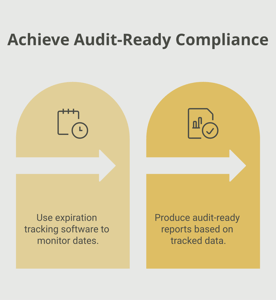
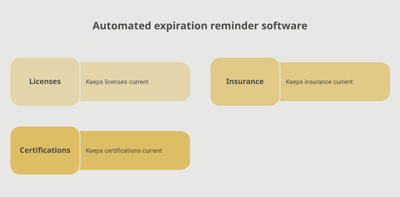
A dedicated tracking platform like Expiration Reminder stores each Adobe contract or subscription with its product, plan, seat count, renewal date, and supporting documents. Reminders fire automatically before each renewal, lapsing contracts surface on a dashboard, and reports support IT, procurement, and budget owners.
Key features include automated reminders at multiple intervals (120, 90, 60, 30 days before renewal — Adobe enterprise quotes often need lead time), document storage for purchase orders and contract documents, dashboard views by team, product, or expiry window, audit-ready reports for compliance and true-up obligations, and the ability to log the new renewal date in one step.
Key Takeaways
- An Adobe license is a paid subscription authorizing use of Adobe software and services for a defined term.
- Adobe operates on a subscription-only model for current versions — there are no perpetual licenses for current Creative Cloud or Acrobat.
- Options include Creative Cloud for individuals, teams, and enterprise; Acrobat for teams and enterprise; and Enterprise Term Licensing Agreements (ETLAs).
- Adobe Admin Console is the central management interface for teams and enterprise customers.
- Expired subscriptions disable apps after a brief grace period.
- ETLAs include annual true-up obligations; managing them requires accurate seat-utilization tracking.
- Automated tracking with reminders is the reliable approach for any non-trivial Adobe deployment.
Frequently Asked Questions
How long is an Adobe license valid?
Individual and team subscriptions are typically annual or monthly. Enterprise ETLAs typically run 3 years with annual true-up obligations.
What happens when an Adobe license expires?
Adobe typically provides a grace period (around 30 days) during which renewal can be processed without service interruption. After the grace period, apps deactivate, and users lose access to license-protected features.
What is an ETLA?
An Enterprise Term Licensing Agreement is Adobe's multi-year licensing contract for large enterprises, typically lasting 3 years with negotiated pricing, named-user licensing, and annual true-up obligations.
What is a true-up?
A true-up is the annual reconciliation between contracted seats and actually deployed seats. If deployment exceeds the contract, additional fees apply for the overage.
Can I still buy perpetual Adobe licenses?
For current Adobe Creative Cloud and Acrobat products, no — Adobe operates on a subscription-only model. Some legacy perpetual licenses for older Acrobat versions remain in customer environments but are no longer supported with updates.
How does the Adobe Admin Console work?
The Admin Console (admin.adobe.com) is the management interface for teams and enterprise customers — administrators assign seats, manage users, configure identity federation, and review license utilization.
What is the difference between Adobe Sign and Acrobat Pro?
Acrobat Pro is the desktop PDF software; Adobe Sign (now Acrobat Sign) is the electronic signature service. Both are licensed through Adobe and can be bundled together.
How do I track Adobe licenses across multiple teams?
The Adobe Admin Console provides utilization data but does not actively remind administrators of renewals. Many organizations use IT asset management tools or dedicated tracking platforms to centralize the calendar and send reminders.
Conclusion
Adobe licenses are foundational for almost every modern marketing, creative, legal, and operations workflow. The renewal itself is routine — annually for most subscriptions, every three years for ETLAs with annual true-ups in between. The failure mode is almost always administrative: a renewal that slips past, taking the apps with it.
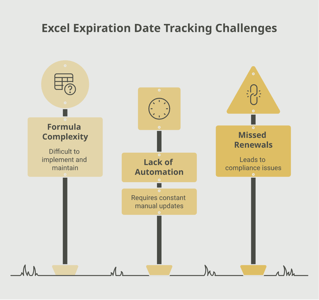
If your team tracks Adobe licenses through the Admin Console, account-manager emails, or a spreadsheet, you already know how easy it is for a key contract to be missed. A purpose-built tracking platform like Expiration Reminder centralizes every license, sends reminders before each renewal date, stores the supporting documents, and produces audit-ready reports the moment anyone asks.
Keep the apps active, plan the renewals, and let the system handle the calendar.