

Introducing the new Expiration Reminder
Faster, responsive, and built for how compliance teams actually work
Today we're launching the biggest update to Expiration Reminder in years. The platform is significantly faster, fully responsive across mobile and tablet, and ships with several new capabilities that customers have been asking for, including a document library, electronic signatures, vehicle and equipment assignment, and a standard reports library.
If you're an existing customer, your account will be automatically moved to the new version. Your data, settings, users, integrations, and history all carried over exactly as they were. Nothing was lost or reorganized.
If you're new to Expiration Reminder, welcome. Here's what's now part of the product.
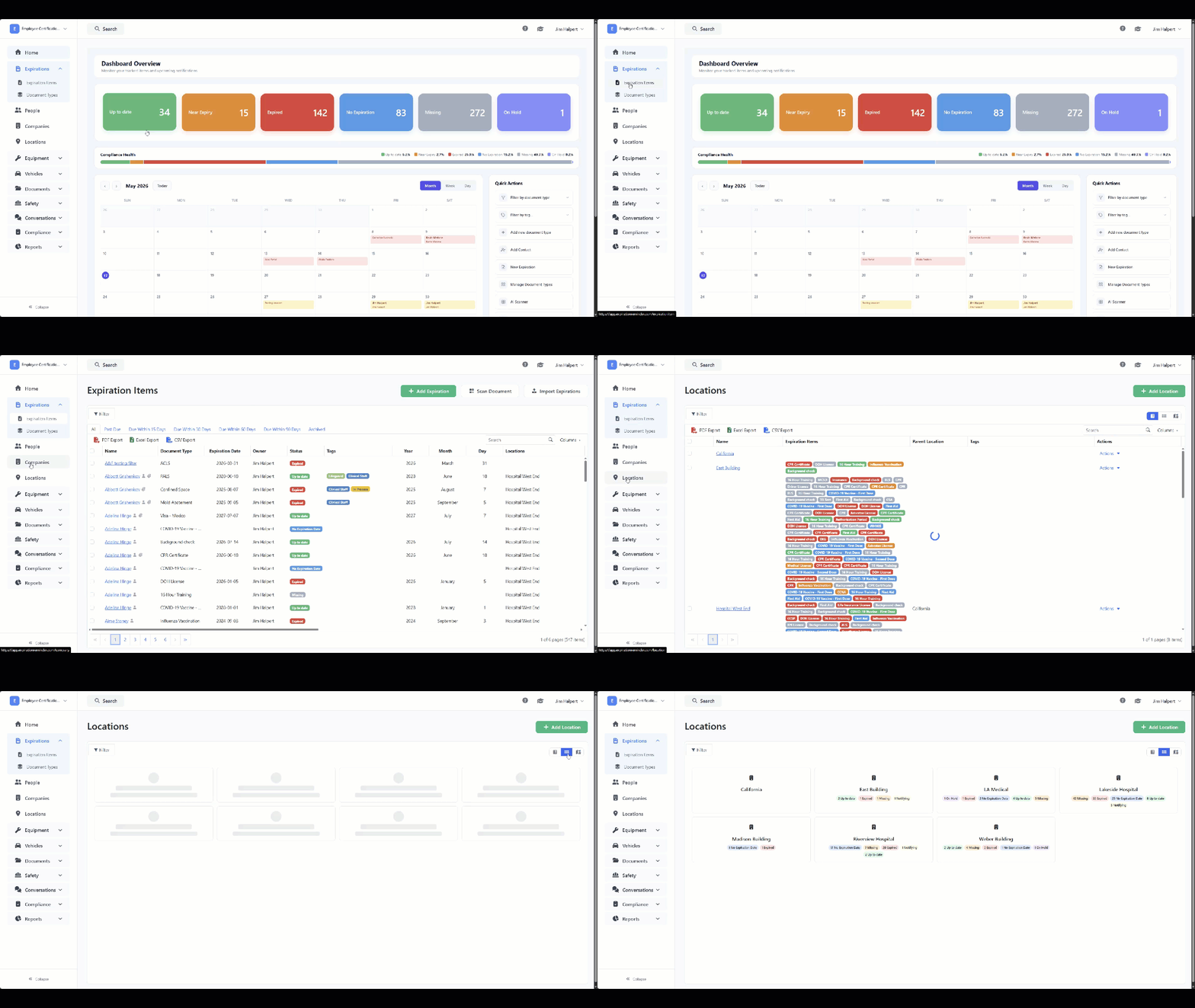
A significantly faster app
The first thing you'll notice is speed. Pages load faster, lists render instantly, and the interface responds to clicks and keyboard input with no delay. We rebuilt the application architecture from the ground up to make this possible, and the difference is noticeable from the moment you log in.
For compliance teams managing hundreds or thousands of records, this matters. The time spent waiting on a credential list to load, a filter to apply, or a record to save adds up across a workday. The new Expiration Reminder eliminates most of that friction.
Document library
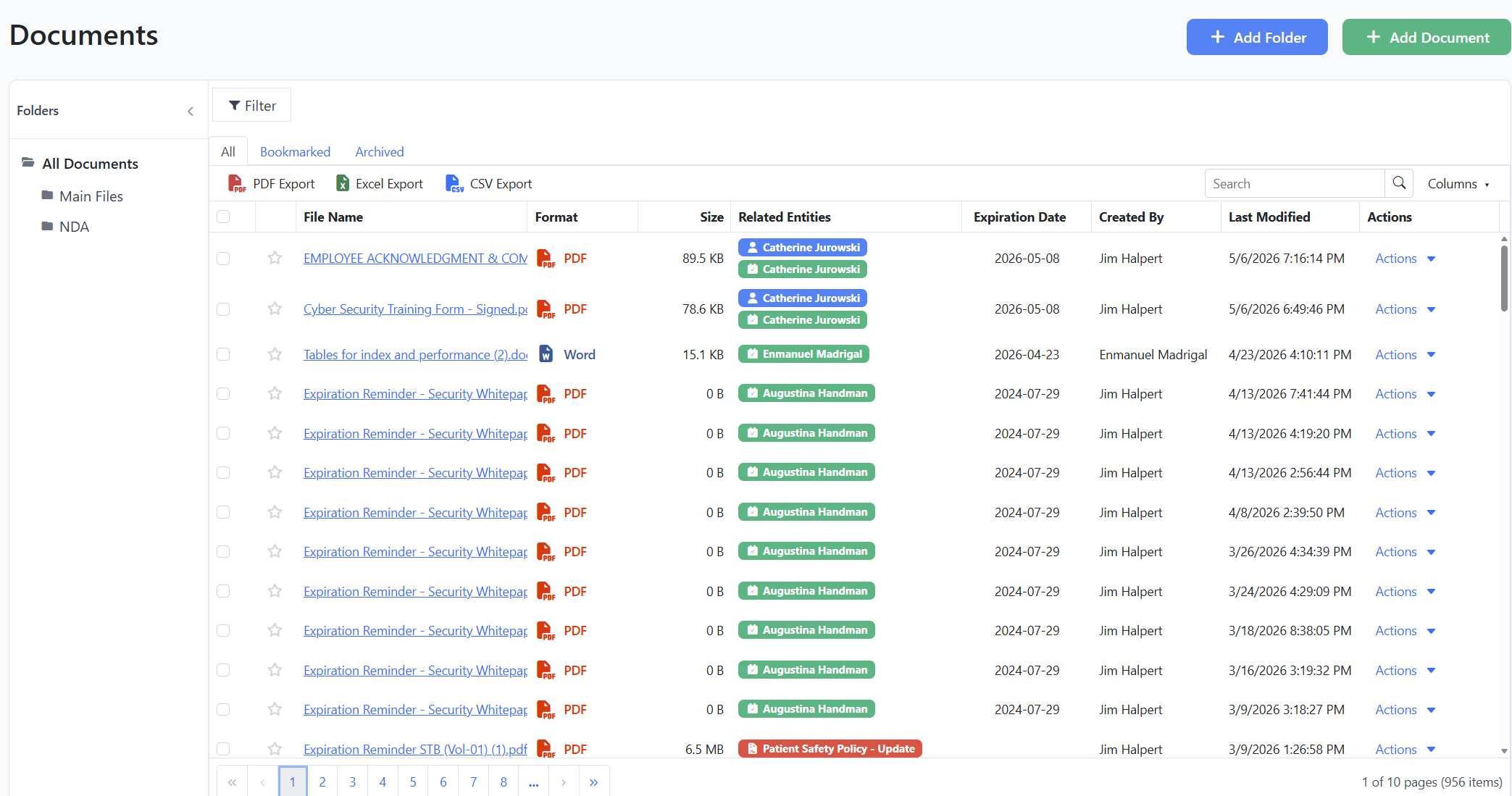
Compliance work generates documents. Insurance certificates, signed forms, expired licenses, audit reports, training certificates, equipment inspection records. Until now, those documents lived attached to individual records, which made them hard to find when you needed them as a set.
The new document library gives you a central place to store and organize compliance documents. You can search across all documents, organize them with folders, and attach them to records as needed. It's especially valuable during audits, when you need to produce documentation across categories quickly.
Electronic signatures
Manual signature collection is one of the most time-consuming parts of compliance work. Print, scan, email, follow up, store. For organizations renewing dozens of forms per month, the overhead is substantial.
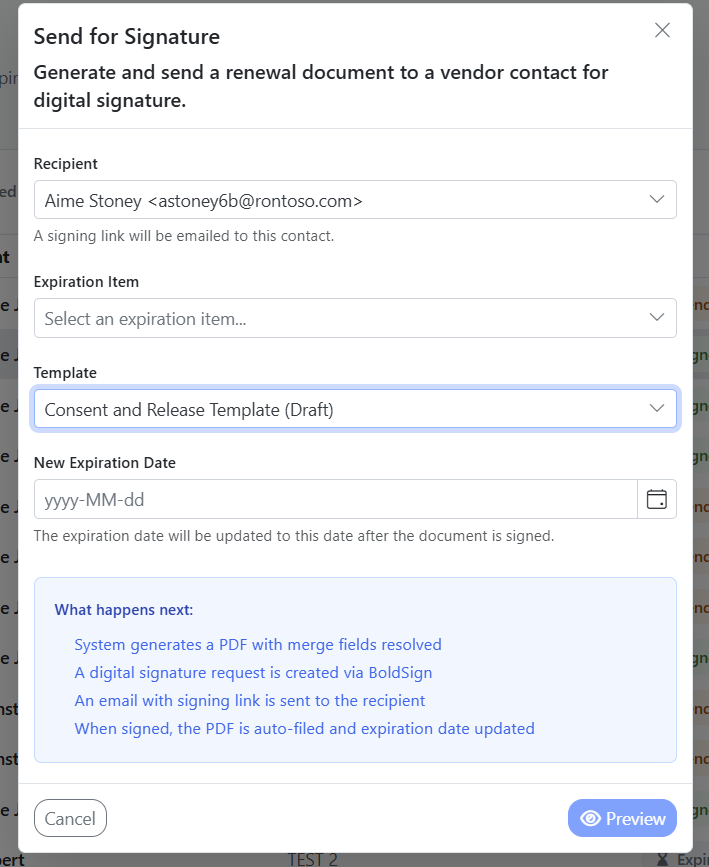
Expiration Reminder now includes electronic signatures built directly into the platform. Send a document for signature, track its status, and store the signed copy automatically against the relevant record. No third-party signing tool required, no separate workflow to manage.
This is particularly useful for healthcare credentialing (consent forms, training acknowledgments, policy attestations) and for construction COI workflows where subcontractors need to sign updated agreements alongside their insurance renewals.
Vehicle and equipment assignment
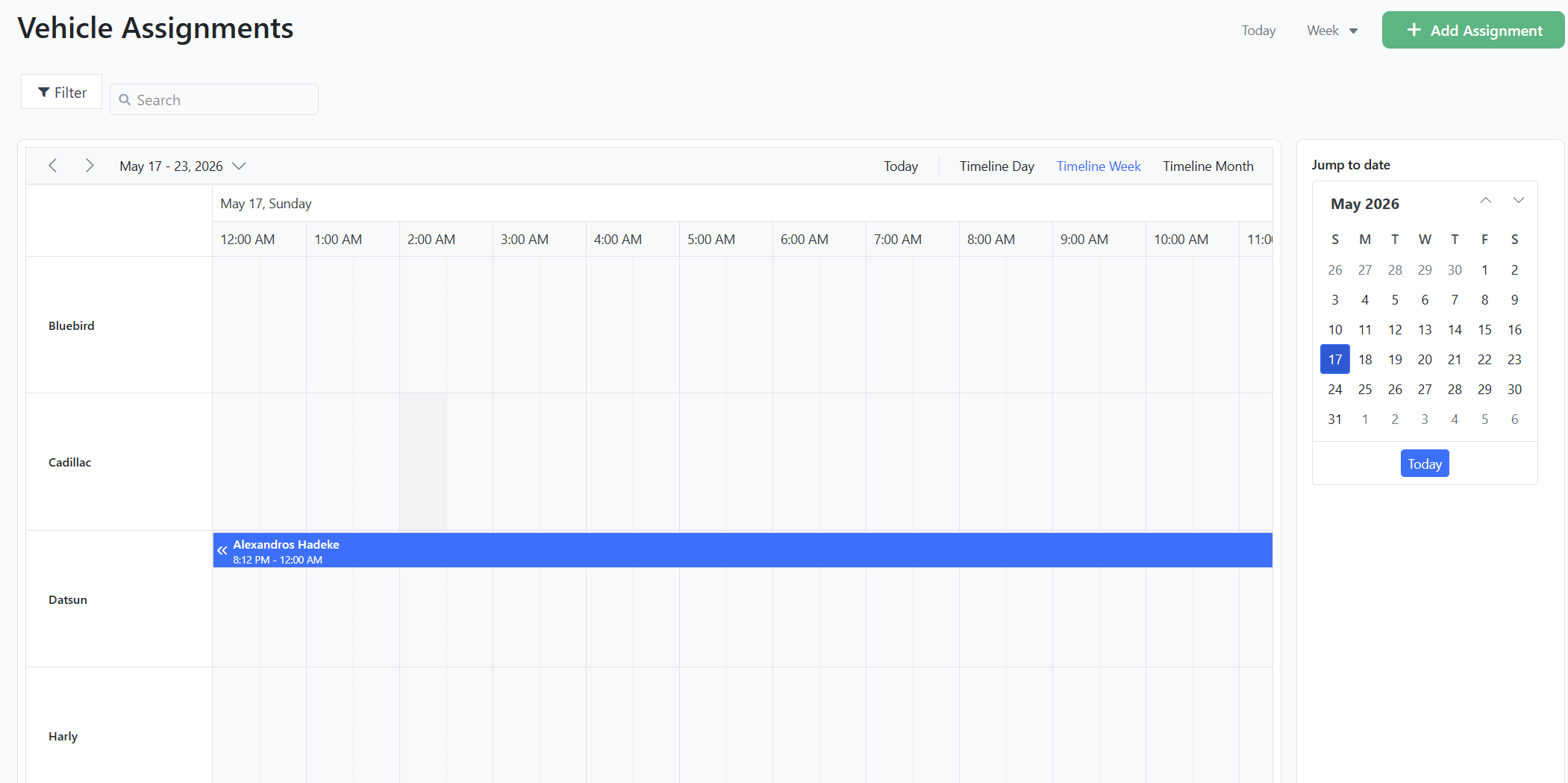
Fleet operators and construction firms have been asking for this. The new version lets you assign compliance records (registrations, inspections, certifications, insurance) to specific vehicles or pieces of equipment, rather than just to people or generic asset entries.
This makes equipment compliance tracking much more granular. You can see at a glance which trucks are due for inspection, which forklifts have current certifications, which generators have expired permits, and which assets need attention this quarter. It also makes audits significantly easier when the auditor wants to see "everything for vehicle 23."
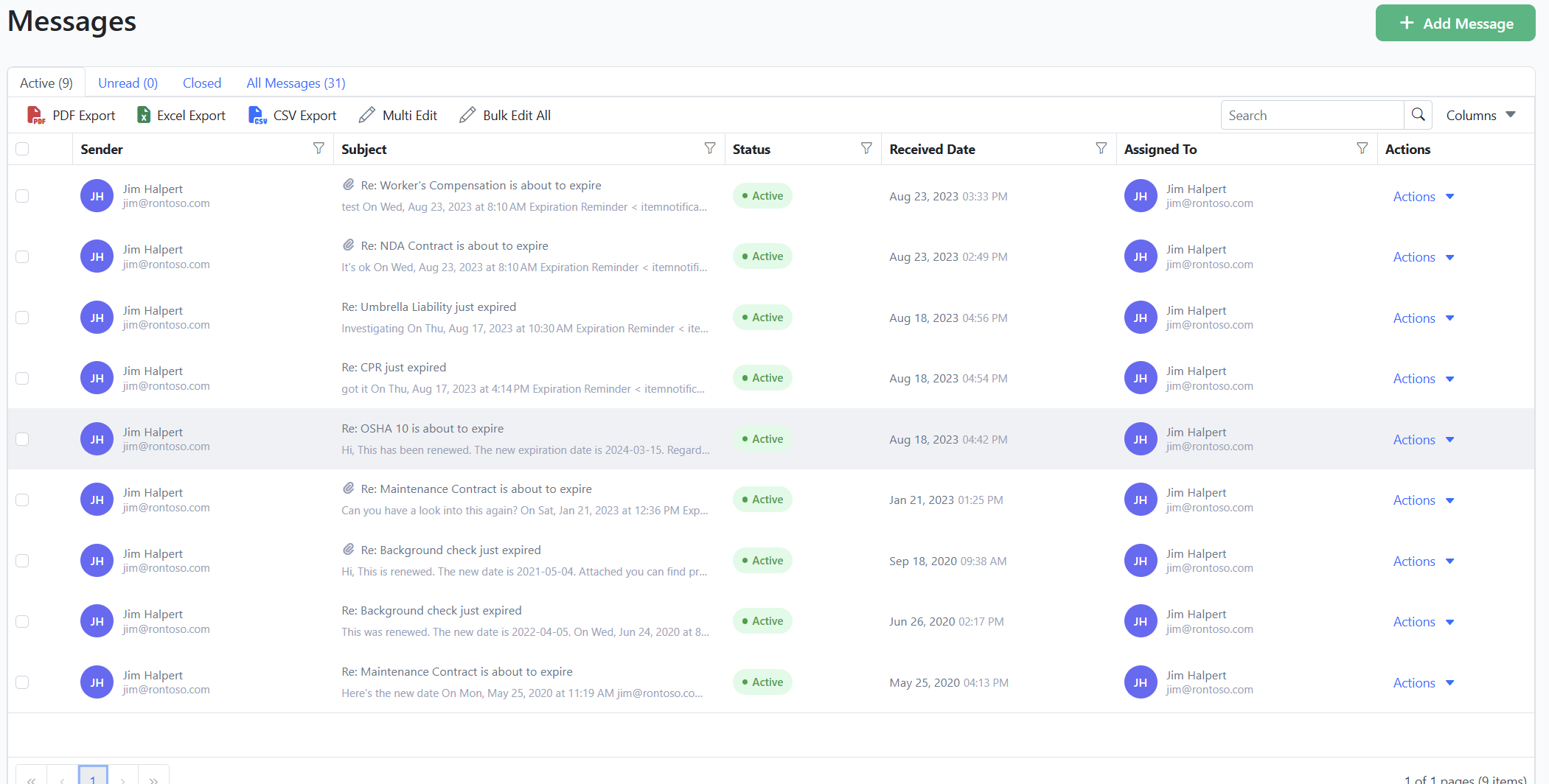
Redesigned mailbox
The mailbox is where reminder responses, customer replies, and incoming communications land. We've rebuilt it from scratch for speed and clarity. Conversations are easier to scan, threads are easier to follow, and responding to incoming messages is faster.
For teams managing high reminder volume across many records, this is one of the most-used parts of the app. The redesign reflects that.
Redesigned SMS inbox
Two-way SMS is one of Expiration Reminder's strongest features. It's why our customers consistently hit 90%+ compliance rates compared to the 40-60% typical of email-only or spreadsheet-based tracking.
The new SMS inbox makes managing those conversations significantly easier. Conversations are grouped properly, replies are easier to send, and the interface scales gracefully when you're managing hundreds of active SMS threads. If SMS is a meaningful part of how your team operates, this alone is worth the upgrade.
Standard reports
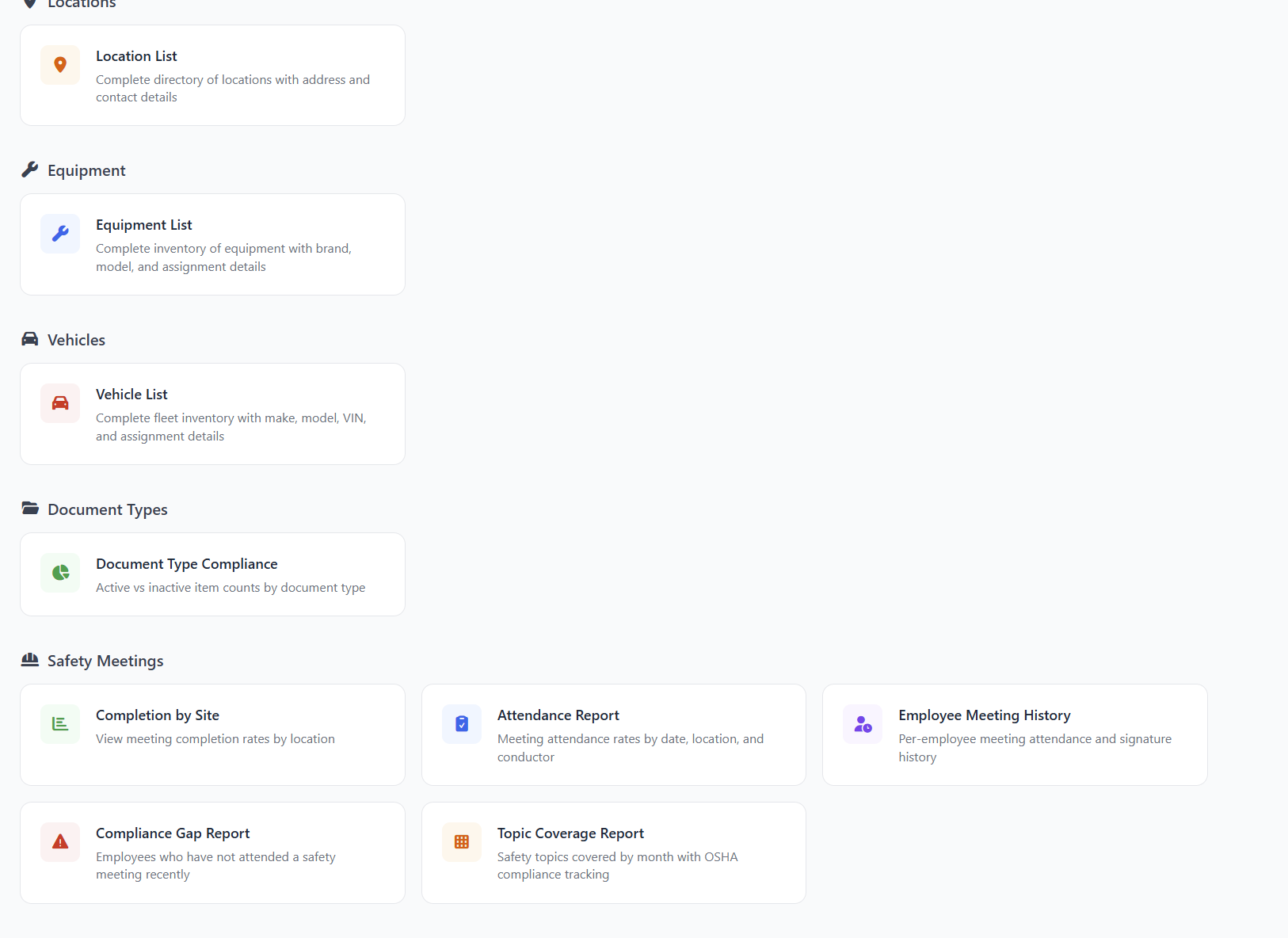
Building custom reports is powerful, but most compliance teams need the same handful of reports over and over: what's expiring this month, who's out of compliance, which records are missing documentation, what the audit-ready snapshot looks like.
The new standard reports library has these pre-built. Click, run, export. No setup, no configuration, no waiting on someone to build a custom view. For teams preparing for Joint Commission surveys, CMS audits, state licensing reviews, or quarterly compliance check-ins, this removes hours of report-building work each cycle.
What this means for your team
Compliance tracking is one of those things that's easy to ignore until it isn't. A single missed expiration can mean a failed audit, a lost contract, a fine of $10,000 to $100,000 in regulated industries, or in some cases a project shutdown.
Most organizations that miss expirations aren't careless. They're using spreadsheets, calendar reminders, or basic tools that achieve 40-60% compliance rates because manual tracking can't scale. The new Expiration Reminder is built to push that number above 90%, on any device, with less work from your team.
If you've been tracking compliance in Excel, this is a good time to look at what's possible.
Start a free trial | Book a demo
Migrating from the old version?
If you're an existing customer, your account has been moved automatically. Your data, settings, integrations, and history all carried over. You can access a short training video from inside the app by clicking the help menu (the ? icon) at the top of the screen.
If anything looks off or you can't find something, our team is standing by. Open the chat inside your account or email us at [support email] and we'll help right away.
Have feedback on the new release? We'd love to hear it. Share your feedback.