

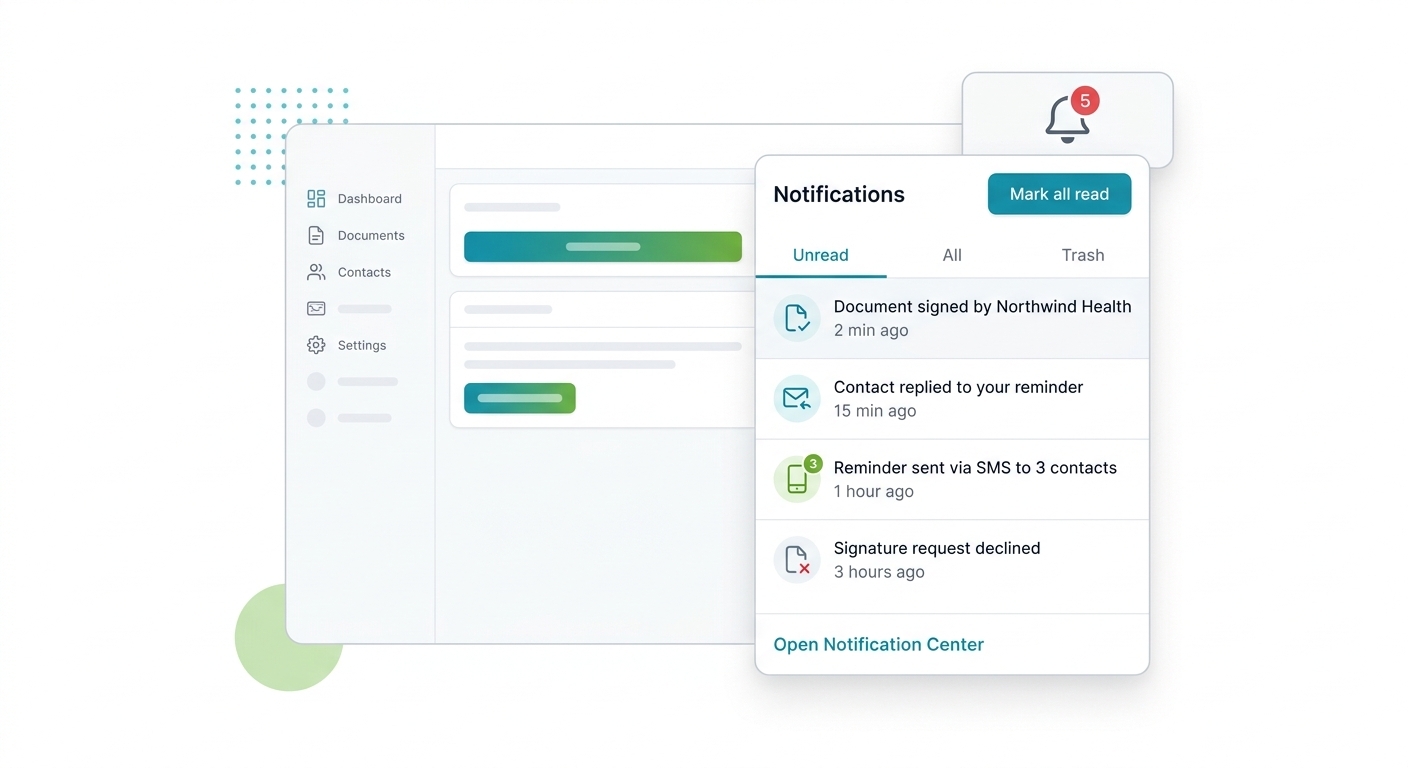
For a long time, the only way to learn that a document had been signed or a contact had written back was to catch the email. Inboxes are noisy, filters are aggressive, and a single missed message can mean a missed renewal. Today, the Notification Center is part of Expiration Reminder.
A bell icon in the main header carries an unread count and opens a panel that gathers everything needing your attention in the place you already do the work. No inbox archaeology, no wondering whether an alert slipped past a filter overnight.
The problem
Compliance work runs on timing. A certificate of insurance lapses on a fixed date, a license renews on a schedule, a signature has to land before an audit window closes. When the only signal that something happened is an email, the whole process inherits the fragility of the inbox.
Consider a healthcare credentialing coordinator tracking hundreds of provider licenses. A contact replies to a renewal request with an updated document, but the reply threads under a marketing newsletter and sits unopened for three days. Or a construction operations manager waiting on a subcontractor's certificate of insurance: the signature is declined, the notice lands in spam, and the crew is cleared to work on an expired policy. In fleet and DOT compliance, a driver's medical card reply gets buried and the vehicle rolls out of service undetected.
Manual and email-only tracking is where compliance quietly slips. Spreadsheet-based programs routinely sit at 40 to 60 percent on-time completion, while automated systems push past 90 percent. The gap is rarely a lack of effort. It is a lack of visibility at the moment something changes.
How the Notification Center works
The bell icon lives in the header on every page. When something happens that involves you, the unread badge updates in real time, so the count changes without a page refresh. Open the bell and you get a dropdown with three tabs: Unread for what still needs attention, All for the complete recent history, and Trash for what you have cleared.
Each notification is actionable. Click it and you land directly on the record it refers to, whether that is a signature document, a contact, or a reminder. Bulk actions let you mark several items read or clear them together, so a quiet morning of catching up does not become a clicking marathon.
For heavier review, the full Notification Center page at /notifications adds filtering, sorting, and paging across your entire notification history. It is built for the weekly sweep, the audit-prep session, or the Monday morning where you reconcile everything that moved over the weekend.
Notifications currently fire on the events that matter most to a compliance team:
- A reminder was successfully sent on your behalf, by email, SMS, WhatsApp, or mobile.
- A signature document was completed, declined, expired, or voided.
- A contact replied to a reminder by email.
- A contact replied to a reminder by SMS.
You stay in control of the volume. Any notification type can be muted individually, so a user who does not want a ping every time a routine reminder goes out can silence "reminder sent" while keeping "document signed" switched on. And for anyone who does not log in every day, a daily email digest summarizes unread items, but only when there is something unread older than 24 hours. Active users who clear their bell never get a redundant email.
Who this is for
The Notification Center is built for the people who own compliance day to day. A credentialing manager at a hospital system who needs to know the moment a provider's updated license comes back. An operations lead at a general contractor chasing certificates of insurance across dozens of subcontractors. A safety manager in a trucking fleet tracking medical cards, CDLs, and drug-test records against hard deadlines. An HR or facilities administrator keeping certifications, permits, and vendor documents current.
For these roles, "I did not see the email" is not an acceptable failure mode. Putting activity inside the product, where the renewal calendar and the document records already live, closes the gap between something happening and someone noticing.
What it connects to
The Notification Center sits on top of the workflows you already run in Expiration Reminder. It reflects your reminder activity across every channel you send on, email, SMS, WhatsApp, and mobile, and it surfaces signature events from your document workflows and replies coming back through connected mailboxes. Because it is driven by an organization-level setting, an administrator can enable it per account, and each user then tunes which notification types they receive. Your existing email reminders keep working exactly as before. This is an additional surface for visibility, not a replacement for anything you rely on.
What this means for your team
Compliance failures are rarely dramatic in the moment. They are quiet: a reply nobody saw, a declined signature nobody chased, a renewal that aged past its date while the notice sat in a filtered folder. The cost shows up later, in a failed audit, a lapsed policy, or a fine that can run from $10,000 to $100,000 per incident in regulated industries. Bringing notifications inside Expiration Reminder means the signals that protect you are visible where you actually work, in real time, with the noise turned down to the level you choose.
Start a free trial or book a demo to see it in action.