

Top 10 LMS Alternatives for Certification Management in 2026
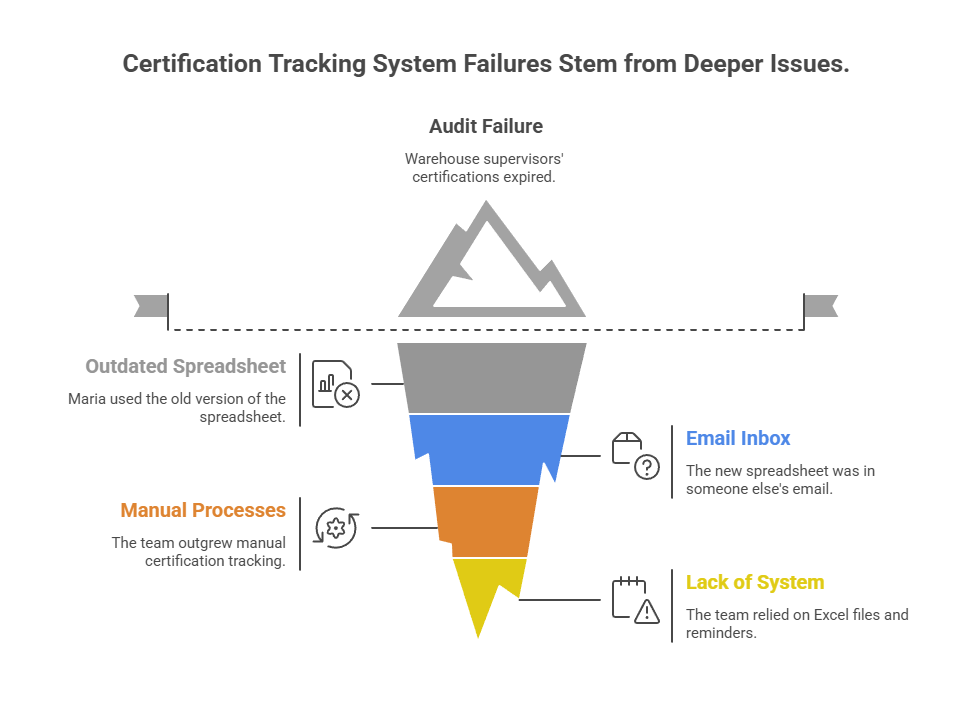
Three weeks before an audit, Maria discovered a problem. Five of her warehouse supervisors had OSHA certifications that expired six months ago. The spreadsheet she'd been updating religiously? It was the old version. The new one sat in someone else's email inbox.
The audit passed, barely. But Maria spent the next month researching alternatives to her patchwork system of Excel files, calendar reminders, and crossed fingers. She wasn't alone in this search.
If you're reading this, you've probably faced a similar moment. Maybe you inherited a chaotic certification tracking system. Or perhaps your team outgrew the manual processes that worked when you had 15 employees instead of 150.
The good news is you have options beyond buying a full-fledged Learning Management System (LMS) that costs tens of thousands annually and takes months to implement. Let's explore the alternatives that actually fit how compliance teams work today.
When Traditional LMS Platforms Feel Like Overkill
Learning Management Systems are powerful tools. They deliver training content, track course completion, and manage certifications all in one place. For organizations building comprehensive training programs, they make perfect sense.
But here's the challenge many HR and compliance managers face. You don't need to create courses or deliver online training. You simply need to track when credentials expire and ensure renewals happen on time.
, with each incident potentially costing millions. Meanwhile, breaches with a noncompliance factor cost $174,000 more on average than other incidents.
Full LMS platforms often create their own problems for certification-focused teams.
, promotions, changing job descriptions, and new legislation requiring new certifications turn into administrative nightmares.
Fitting a new platform into your existing ecosystem of HR systems, payroll software, and collaboration tools often requires custom development. L&D managers struggle with these connections, creating data silos that defeat the purpose of centralization.
When platforms are difficult to navigate, employees avoid them. Managers stop checking dashboards. The system becomes another tool that nobody uses properly.
Enterprise LMS platforms start at $10,000 annually and climb quickly as you add users, features, and integrations. For teams focused solely on certification tracking, that investment rarely delivers proportional value.
If these pain points sound familiar, you're probably in the market for an alternative approach.
What to Look for in a Certification Management Solution
Before diving into specific tools, let's establish what actually matters for certification tracking. Not every organization needs the same features, but certain capabilities separate effective solutions from digital filing cabinets.
Core Certification Tracking Features
are non-negotiable. The system should send notifications to both employees and managers well before expiration dates. Multiple reminders at customizable intervals (90 days, 30 days, 7 days) ensure nothing slips through the cracks.
keeps all certificates, licenses, and compliance records in one secure location. You should be able to upload documents, attach them to specific employees or assets, and retrieve them instantly during audits.
matter because different certifications follow different schedules. OSHA certifications might require annual renewal. HIPAA training might be every two years. Some credentials are one-time qualifications. Your system should handle all these variations without forcing workarounds.
transforms compliance from a constant worry into a routine task. One-click reports showing who's current, who's expiring soon, and who needs follow-up make auditor requests manageable instead of panic-inducing.
surfaces critical dates where your team already looks—their existing calendars. Expiration dates should sync to Outlook, Google Calendar, or whatever system your organization uses.
Nice-to-Have Features
automatically extracts expiration dates, certificate numbers, and other key details from uploaded documents. This eliminates manual data entry and the errors that come with it.
lets employees upload certifications from their phones immediately after completing training, rather than waiting until they're back at a computer.
helps track third-party certifications like contractor insurance, supplier safety credentials, and partner compliance documents.
syncs employee data automatically, so onboarding new team members or updating job roles doesn't require duplicate entry.
LMS vs. Dedicated Certification Software
The fundamental question is whether you need training delivery or just tracking.
, while certification tracking systems focus specifically on monitoring progress and completion of credentials. The distinction matters significantly for teams without training creation needs.
Choose an LMS when you need to:
Choose a dedicated certification tracker when you:
Understanding this difference helps you avoid both overspending on capabilities you won't use and underbuying for needs you actually have.
The Top 10 Alternatives Compared
Now let's examine specific solutions. We've organized these from dedicated certification trackers to full-featured LMS platforms, so you can find the right level of functionality for your needs.
1. Expiration Reminder – Best for Simplicity and Automation
A purpose-built platform for tracking any item with an expiration date—certifications, licenses, permits, contracts, equipment inspections, and insurance policies.
Expiration Reminder eliminates the complexity that plagues larger systems. You add items, set expiration dates, and the platform handles the rest. Automated reminders go to the right people at the right time.
The AI document scanning feature deserves special mention. Upload a PDF of a certification, and the system automatically extracts the expiration date, certificate number, and other key details. This eliminates the data entry that consumes hours every week.
Organizations that need comprehensive expiration tracking beyond just employee certifications. Healthcare facilities tracking medical licenses, construction companies managing contractor insurance, and HR teams handling employee credentials all find value here.
Plans start at $99/month with a 14-day free trial. No per-user fees.
Works with popular calendar systems. API available for custom integrations.
to see how automated tracking simplifies compliance.
2. 360Learning – Best for Collaborative Learning
An LMS designed around collaborative learning, where internal experts create and share knowledge across the organization.
that want a quick-to-iterate learning platform. The collaborative approach means subject matter experts can build courses without instructional design backgrounds.
For certification management, 360Learning offers solid tracking features including automatic enrollment in renewal training and certification expiration monitoring.
Organizations building internal training programs where employees teach each other, especially in fast-changing industries like technology and professional services.
Contact for quote. Typically starts around $8 per user/month for annual contracts.
The platform's strength is training delivery. If you don't need that capability, you're paying for features you won't use.
3. Absorb LMS – Best for AI-Powered Automation
An AI-powered learning system serving over 3,500 organizations, focused on streamlining training and scaling learning with automation and personalization.
. When certifications near expiry, the system auto-enrolls employees in required training and links them to updated policies or compliance materials. This reduces administrative work dramatically.
The AI recommendations help employees discover relevant training based on their role, career goals, and certification requirements. For administrators, predictive analytics highlight compliance risks before they become problems.
Mid-to-large organizations with diverse certification requirements across multiple departments and locations.
Custom pricing based on user count. Typically starts around $10,000 annually for smaller deployments.
Implementation timeline is typically 2-3 months. Best suited for organizations committed to building comprehensive training programs.
4. Skilljar – Best for Customer and Partner Certifications
A purpose-built platform for external training—specifically customer education, partner onboarding, and certification programs.
, not just employees. If your certification tracking extends beyond internal staff to resellers, consultants, or customer power users, Skilljar handles these external audiences effectively.
The platform tracks certification progress, issues digital badges, and creates certification paths that unlock advanced product features or partnership tiers.
Technology companies, SaaS providers, and manufacturers running partner networks or customer certification programs.
Starts at approximately $1,000/month for basic tiers. Custom pricing for enterprise.
Designed for external audiences. For internal employee certifications only, other tools may be more cost-effective.
5. Docebo – Best for Large-Scale Compliance Programs
An enterprise-grade LMS with AI-powered features for large organizations managing complex compliance and certification programs.
Docebo handles large compliance training programs with smart automation and simplified certification processes. The platform's AI coach provides personalized learning recommendations while administrators benefit from automated compliance tracking.
The reporting capabilities particularly shine in regulated industries. Comprehensive reports show which learners are compliant and which require follow-up, with customizable dashboards for different stakeholder needs.
Healthcare systems, financial services firms, manufacturing companies, and other enterprises with strict regulatory requirements and thousands of employees.
Custom pricing. Enterprise contracts typically start around $25,000 annually.
Feature-rich platform requires dedicated administrator. Implementation and training are significant time investments.
6. TopClass LMS – Best for Associations and Continuing Education
An LMS purpose-built for associations and organizations prioritizing compliance and continuing education.
TopClass excels at managing continuing education credits (CEUs and CMEs) that professional associations require. The platform tracks credit hours, manages accreditation requirements, and simplifies regulatory training and credential renewal.
For membership organizations that offer certification programs to their members, TopClass handles both the learning delivery and credential lifecycle management.
Professional associations, healthcare continuing education providers, and organizations managing licensed professionals who need ongoing education credits.
Contact for quote. Pricing varies based on member count and feature needs.
Designed specifically for associations. Corporate teams managing employee certifications might find the feature set misaligned with their needs.
7. Certifier – Best for Digital Credential Issuing
A credential management platform focused on issuing, tracking, and renewing digital certifications and badges.
with features like bulk issuing, digital wallets, verification, and analytics. Organizations can brand certificates, issue them automatically upon course completion, and track who's viewing and sharing credentials.
The digital wallet feature lets recipients store all their certifications in one mobile-accessible location. Verification capabilities help employers and regulators confirm credential authenticity instantly.
Training providers, educational institutions, and organizations issuing large volumes of certificates to external audiences.
Starts at $79/month for basic plans. Custom enterprise pricing available.
Focused on issuing credentials rather than tracking employee compliance. Best as part of a broader certification ecosystem.
8. TalentGuard – Best for Unified Talent Management
A talent management platform that unifies certification tracking with performance management, succession planning, and career development.
. When employees pursue certifications, the system links these credentials to career advancement opportunities, compensation discussions, and succession planning.
For organizations taking a holistic approach to talent development, this integration eliminates data silos and creates clear connections between learning and growth.
Organizations with formal career development programs where certifications tie to promotions, raises, or role transitions.
Custom pricing based on modules selected. Enterprise-focused pricing model.
The broader talent management features add value if you need them. For certification tracking alone, the platform may include more than required.
9. Gyrus – Best for Healthcare and Life Sciences
A compliance-focused LMS built specifically for highly regulated industries, particularly healthcare and life sciences.
Gyrus understands the unique compliance requirements of healthcare organizations. The platform tracks clinical competencies, manages Joint Commission requirements, handles CLIA certifications, and documents mandatory training for accreditation.
The system's audit trail capabilities provide the documentation that healthcare auditors demand. Every certification view, update, and renewal is logged with timestamps and user information.
Hospitals, clinics, pharmaceutical companies, medical device manufacturers, and other healthcare organizations with complex regulatory requirements.
Custom pricing based on organization size and needs.
Industry-specific focus means excellent fit for healthcare but potentially over-specialized for other sectors.
10. iSpring Learn – Best for Budget-Conscious Teams
An affordable, user-friendly LMS with certification tracking capabilities suitable for small to mid-sized organizations.
iSpring Learn delivers essential LMS functionality at a fraction of enterprise platform costs. The interface is intuitive enough that teams can implement it without extensive training or dedicated administrators.
For certification management, iSpring Learn handles automatic enrollment, expiration tracking, and basic reporting. While it lacks the advanced AI features of premium platforms, it covers core needs effectively.
Small businesses, growing teams, and organizations implementing their first formal certification tracking system without enterprise budgets.
Starts at approximately $3.50 per user/month for annual plans. 14-day free trial available.
Limited customization compared to enterprise platforms. Feature set may feel restrictive as organizations scale.
Choosing the Right Solution for Your Organization
With ten strong alternatives on the table, how do you decide which one actually fits your needs? Let's walk through a practical decision framework.
Start with Your Primary Use Case
Ask yourself what problem you're solving first. If you need to track employee certifications and nothing else, dedicated certification trackers like Expiration Reminder or Certifier deliver exactly what you need without excess complexity.
If you're building comprehensive training programs where you create courses, deliver content, and track certifications, full LMS platforms like Absorb LMS or Docebo make more sense despite higher costs.
Organizations certifying external audiences—customers, partners, resellers—should prioritize platforms designed for that use case, like Skilljar.
Consider Your Organization's Size and Complexity
Small teams (under 50 employees) often benefit from simpler tools with flat-rate pricing. Expiration Reminder and iSpring Learn both offer straightforward implementations without overwhelming features.
Mid-sized organizations (50-500 employees) typically need more sophisticated reporting and automation. 360Learning, Absorb LMS, and TalentGuard provide the scalability and depth these teams require.
Enterprise organizations (500+ employees) usually have complex needs across multiple locations, departments, and regulatory environments. Docebo, Gyrus, and TopClass LMS handle this complexity effectively.
Evaluate Integration Requirements
Look at your existing technology stack. What HR systems, payroll platforms, and collaboration tools do you use? Choose a solution that integrates with these systems rather than creating another data silo.
Most modern platforms offer integrations with common HRIS systems like Workday, BambooHR, and ADP. Verify that your specific integrations are supported before committing.
API availability matters if you have custom systems or unique integration needs. Ask vendors about API documentation, rate limits, and support for custom development.
Budget Realistically
Remember that platform costs extend beyond subscription fees. Implementation time, administrator training, user onboarding, and ongoing maintenance all represent real investments.
Dedicated certification trackers typically implement in days or weeks. Full LMS platforms often require months. Factor this timeline into your decision, especially if you have urgent compliance needs.
Also consider hidden costs. Per-user pricing models become expensive as teams grow. Flat-rate platforms offer predictable budgeting. Storage limits, support tiers, and premium features may require additional fees.
Think About Audit Requirements
If regulatory audits are part of your reality, prioritize platforms with robust compliance reporting. The ability to generate instant reports showing certification status across your organization can mean the difference between smooth audits and stressful scrambles.
Look for features like audit trails showing who accessed what information and when, automated backup and retention policies, and SOC 2 or ISO 27001 certifications demonstrating platform security.
Test Before Committing
Most platforms offer free trials or demos. Use them. Upload actual certifications. Set up reminders. Generate reports. Invite team members to test the interface.
Pay attention to implementation time during trials. If setup feels complicated during the trial period, imagine how it will feel managing the platform long-term.
Implementation Checklist: Getting Started with Your New System
You've chosen a platform. Now what? Follow this checklist to ensure smooth implementation and adoption.
Phase 1: Preparation (Week 1)
Create a comprehensive list of every certification, license, and credential your organization tracks. Include employee certifications, vendor credentials, equipment certifications, and any other compliance items.
Collect digital copies of current certificates, licenses, and compliance documents. Organize them by employee, department, or category so migration is straightforward.
Document when each certification type requires renewal. Note any special requirements like continuing education credits, exam fees, or training prerequisites.
Determine who needs access to the system. Include managers who monitor team compliance, HR administrators who maintain records, and employees who upload their own certifications.
Write down specific problems you want to solve. This clarity helps you measure whether the new system delivers value.
Phase 2: Setup (Week 2)
Set up your organization profile, add departments or divisions, and configure basic settings like time zones and notification preferences.
Upload user information either manually or through HRIS integration. Verify that names, email addresses, and department assignments are correct.
Begin adding certification records. Use AI document scanning if available to speed up data entry. Start with the most critical certifications first.
Configure when notifications go out before expiration dates. Most organizations find success with reminders at 90 days, 30 days, and 7 days before expiration.
Send test reminders to yourself to confirm emails arrive properly and contain the right information.
Phase 3: Training and Rollout (Week 3)
Ensure team members who'll manage the system understand how to add certifications, generate reports, and respond to common scenarios.
Develop simple instructions showing employees how to view their certifications, upload new documents, and understand reminder notifications.
Communicate what's changing, why it matters, and what employees need to do. Emphasize how the system makes compliance easier for everyone.
Roll out to a small group first. Gather feedback, identify issues, and refine processes before full deployment.
Launch the system to all users with clear support channels for questions.
Phase 4: Optimization (Ongoing)
Track how many employees log in, upload documents, and respond to reminders. Low engagement signals the need for additional communication or training.
After a few weeks, evaluate whether reminder timing is effective. Adjust schedules based on actual renewal behavior.
Establish a cadence for reviewing compliance status—weekly for high-risk items, monthly for standard certifications.
Connect the certification system with onboarding, performance reviews, and promotion processes to embed compliance in daily operations.
Ask employees and managers what's working and what isn't. Use this input to continuously improve your implementation.
Key Takeaways
The Core Problem: Traditional LMS platforms are often overkill for organizations that simply need to track certification expirations rather than deliver training courses. They're expensive (starting at $10,000+ annually), complex to implement, and create integration headaches.
Critical Features to Prioritize:
- Automated expiration reminders at multiple intervals (90, 30, 7 days)
- Centralized document storage for all credentials
- Flexible renewal schedules for different certification types
- One-click compliance reporting for audits
- Calendar integration with existing systems
Decision Framework: Match your solution to your primary use case:
- Certification tracking only ? Dedicated trackers (Expiration Reminder, Certifier)
- Training creation + tracking ? Full LMS platforms (Absorb LMS, Docebo)
- External certifications ? Customer-focused platforms (Skilljar)
Top Solutions by Need:
- Simplicity: Expiration Reminder ($99/month flat rate)
- Budget-conscious: iSpring Learn ($3.50/user/month)
- Enterprise compliance: Docebo or Gyrus (custom pricing)
- Healthcare-specific: Gyrus
- Association management: TopClass LMS
Implementation Reality: Dedicated certification trackers implement in days or weeks; full LMS platforms typically require 2-3 months. Factor in hidden costs beyond subscription fees—implementation time, training, and ongoing administration all represent real investments.
Success Metric: The right solution eliminates audit panic by providing instant visibility into who's compliant, who's expiring soon, and who needs immediate follow-up.
Frequently Asked Questions
What's the difference between an LMS and certification tracking software?
Learning Management Systems deliver training content, host courses, and track learning progress. Certification tracking software focuses specifically on monitoring credential expiration dates and renewal requirements. Choose LMS platforms when you need to create and deliver training. Choose dedicated trackers when you only need to monitor externally-issued credentials and ensure timely renewals.
Can I track contractor and vendor certifications, or just employees?
Most certification tracking platforms support vendor, contractor, and partner credentials alongside employee certifications. This capability is especially important in construction, healthcare, and manufacturing where subcontractor compliance affects your organization's regulatory standing. Platforms like Expiration Reminder explicitly include vendor management features.
How much does certification tracking software typically cost?
Pricing varies widely based on feature depth and user count. Dedicated certification trackers start around $79-99 per month with flat-rate pricing. Mid-range LMS platforms with certification features typically cost $3-8 per user per month on annual contracts. Enterprise LMS platforms start around $10,000-25,000 annually with custom pricing for large organizations.
What happens if I don't track certifications systematically?
Organizations without systematic tracking face several risks. Regulatory audits can result in fines when required certifications lapse. Projects may face delays or shutdowns when discovered compliance issues require immediate remediation. In safety-critical industries, expired certifications expose organizations to liability in case of incidents. Perhaps most significantly, manual tracking through spreadsheets leads to time-consuming busywork and inevitable human error.
How long does it take to implement certification tracking software?
Implementation timelines vary dramatically. Simple certification trackers can be operational within days—upload certifications, set reminders, and start receiving notifications. Mid-range LMS platforms typically require 2-4 weeks for setup, data migration, and user training. Enterprise LMS solutions often take 2-3 months to implement fully, including integration with existing systems, custom configuration, and organization-wide training.
Should we build a custom certification tracking solution or buy one?
Buy rather than build in almost every case. Pre-built certification tracking platforms cost a few hundred to a few thousand dollars monthly. Custom development typically costs $50,000-150,000 for initial build plus ongoing maintenance expenses. Unless your requirements are truly unique, commercial solutions deliver faster time-to-value, established security practices, regular feature updates, and professional support at a fraction of custom development costs.
PS: The Hidden Cost of Missed Renewals
Spreadsheets work until they don't. Then they fail catastrophically—during audits, at project kick-offs, or when someone who "knows the system" leaves the organization.
Automated certification tracking isn't about replacing your current process with fancy technology. It's about eliminating the constant mental load of wondering whether everything is actually current.
exists specifically to solve this problem. No complex training modules you don't need. No endless configuration options that delay implementation. Just straightforward tracking of everything with an expiration date, with reminders going to the right people at the right time.
Start a 14-day free trial to see how certification tracking works when it's actually simple.
-1.png?width=400&height=300&name=69a9a18f8333f7aee4f91178__-%20visual%20selection%20(2)-1.png)

